Executive Summary
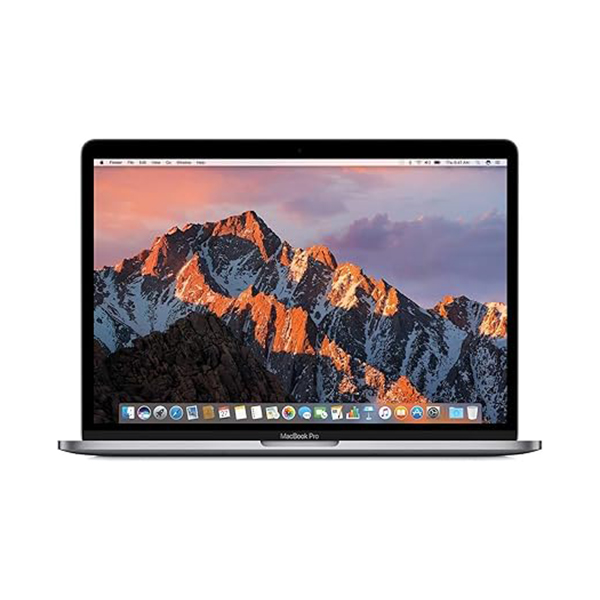
The 2017 13-inch MacBook Pro with Touch Bar represents Apple's vision for the future of professional ultraportable computing, encapsulating both groundbreaking innovations and controversial compromises. This model embraces the all-USB-C paradigm with four Thunderbolt 3 ports, introduces the revolutionary but divisive Touch Bar, and incorporates True Tone display technology for the first time in a 13-inch MacBook Pro. Powered by 7th-generation Kaby Lake dual-core processors with improved Iris Plus graphics, it delivers meaningful performance gains over its 2016 predecessor while maintaining the sleek, minimalist design that defines Apple's modern laptop lineup. The 2017 model addresses early complaints with increased base storage and improved battery life, yet inherits the problematic butterfly keyboard that would become this generation's Achilles' heel. As a highly portable professional machine, it balances cutting-edge features with practical limitations, offering exceptional display quality and modern connectivity in a compact form factor that remains surprisingly capable for everyday professional use.
Detailed Specifications
1. Display Technology
- Screen Size: 13.3-inch diagonal (active area)
- Resolution: 2560 x 1600 pixels (Retina)
- Pixel Density: 227 pixels per inch (PPI)
- Aspect Ratio: 16:10 (productivity optimized)
- Display Technology: IPS (In-Plane Switching) LED-backlit
- Brightness: 500 nits (same as 15-inch model)
- Color Gamut: P3 wide color gamut (first in 13-inch MacBook Pro)
- Contrast Ratio: 1300:1
- Viewing Angles: 178° horizontal and vertical
- Refresh Rate: 60Hz
- True Tone Technology: Yes - automatically adjusts white balance to ambient light
- Anti-reflective Coating: Improved coating with reduced reflectivity
- Key Improvements over Non-Touch Bar 13":
- Brighter display (500 nits vs 300 nits)
- P3 wide color gamut vs sRGB
- True Tone automatic white balance
- Higher contrast ratio
2. Processor Options
- Base Configuration: Intel Core i5-7267U (3.1GHz, turbo up to 3.5GHz)
- Available Upgrades:
- Intel Core i5-7287U (3.3GHz, turbo up to 3.7GHz)
- Intel Core i7-7567U (3.5GHz, turbo up to 4.0GHz)
- Microarchitecture: Kaby Lake (7th Generation)
- Cores/Threads: 2 Cores, 4 Threads (all configurations)
- Cache:
- L3 Cache: 4MB (shared)
- L2 Cache: 512KB (256KB per core)
- L1 Cache: 128KB (64KB per core)
- TDP: 28W (higher than standard 15W U-series)
- Manufacturing Process: 14nm+ (optimized 14nm process)
- Integrated Graphics: Intel Iris Plus Graphics 640/650
- Performance Features:
- Intel Turbo Boost Technology 2.0
- Intel Hyper-Threading Technology
- Intel Virtualization Technology (VT-x, VT-d)
- AVX2 instruction set support
- Hardware acceleration for 4K H.265/HEVC encoding/decoding
- Performance Limitations:
- Dual-core only (quad-core not available until 2018 models)
- May struggle with heavy multi-threaded workloads
- Outperformed by modern ultraportables with quad-core CPUs
3. Memory Configuration
- Standard Configuration: 8GB 2133MHz LPDDR3 (soldered)
- Available Upgrade: 16GB 2133MHz LPDDR3 (soldered)
- Memory Type: LPDDR3 (Low Power DDR3)
- Memory Speed: 2133MHz
- Memory Channels: Dual-channel
- Upgradeability: NOT user-upgradeable (soldered to logic board)
- Maximum Supported: 16GB
- Memory Configuration Impact:
- 16GB highly recommended for professional use
- 8GB may be limiting for multitasking in 2024
- LPDDR3 offers good power efficiency
- Soldered design eliminates upgrade path
- Real-World Impact:
- 8GB: Suitable for basic productivity, web browsing, light photo editing
- 16GB: Recommended for developers, designers, moderate multitasking
- Both configurations: May struggle with heavy virtual machines or large datasets
4. Storage Options & Performance
- Available Configurations:
- 256GB PCIe-based SSD (base model)
- 512GB PCIe-based SSD
- 1TB PCIe-based SSD (special order)
- SSD Interface: Proprietary Apple PCIe 3.0 x4
- SSD Performance:
- Read speeds: Up to 3,100 MB/s (512GB model)
- Write speeds: Up to 2,100 MB/s (512GB model)
- 4KB random read: Up to 350,000 IOPS
- 4KB random write: Up to 340,000 IOPS
- Approximately 70% faster than 2015 model's SSD
- Extremely fast for everyday tasks
- Storage Upgradeability: NOT user-upgradeable (soldered)
- SSD is soldered to logic board (unlike 2015 models)
- No storage expansion possible internally
- External Thunderbolt 3 storage recommended for expansion
- Data recovery requires specialized tools if SSD fails
- Recommended Configuration: 512GB SSD with 16GB RAM for professional use
5. Graphics Performance (Intel Iris Plus)
- Base Configuration: Intel Iris Plus Graphics 640
- High-end Configuration: Intel Iris Plus Graphics 650 (with i7 CPU)
- Intel Iris Plus Graphics 650 Specifications:
- Execution Units: 48 EUs
- Base Frequency: 300 MHz
- Max Dynamic Frequency: 1.1 GHz
- eDRAM: 64MB (Crystal Well)
- Memory: Shared system memory (DDR3L)
- Performance Capabilities:
- Good for everyday tasks and 4K video playback
- Capable of light photo editing and graphic design
- Can handle light gaming (indie games, older titles at low settings)
- Supports external 5K display via Thunderbolt 3
- Hardware acceleration for H.265/HEVC video
- Limitations:
- No discrete GPU option (unlike 15-inch model)
- Not suitable for professional 3D work or serious gaming
- May struggle with 4K video editing (except optimized codecs)
- Limited VRAM (shares system memory)
- External Display Support:
- Up to two 4K displays @ 60Hz via Thunderbolt 3
- One 5K display @ 60Hz via Thunderbolt 3
- Native support for LG UltraFine 5K Display
- USB-C to HDMI/DisplayPort adapters required for legacy displays
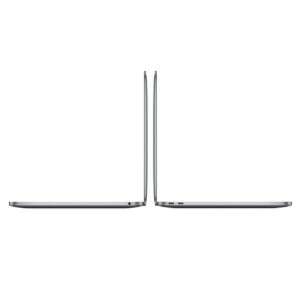
6. Connectivity & Ports (All USB-C Era)
- Left Side:
- 2 x Thunderbolt 3 (USB-C) ports (40 Gbps each)
- Headphone/optical digital audio output (3.5mm)
- Right Side:
- 2 x Thunderbolt 3 (USB-C) ports (40 Gbps each)
- Wireless Connectivity:
- Wi-Fi: 802.11a/b/g/n/ac (Wi-Fi 5, 2x2 MIMO)
- Bluetooth: 4.2
- Thunderbolt 3 Capabilities:
- 40 Gbps bandwidth per port (2x Thunderbolt 2)
- Supports USB 3.1 Gen 2 (10 Gbps)
- DisplayPort 1.2 (can drive 5K displays)
- Power Delivery (up to 61W charging)
- Daisy-chain up to 6 devices
- External GPU enclosures supported (though limited by CPU)
- Port Controversy:
- No MagSafe charging safety feature
- No USB-A ports (dongles required for most legacy peripherals)
- No HDMI port (adapter needed for monitors/projectors)
- No SD card slot (inconvenient for photographers)
- All four ports support charging and data
7. Keyboard, Trackpad & Touch Bar
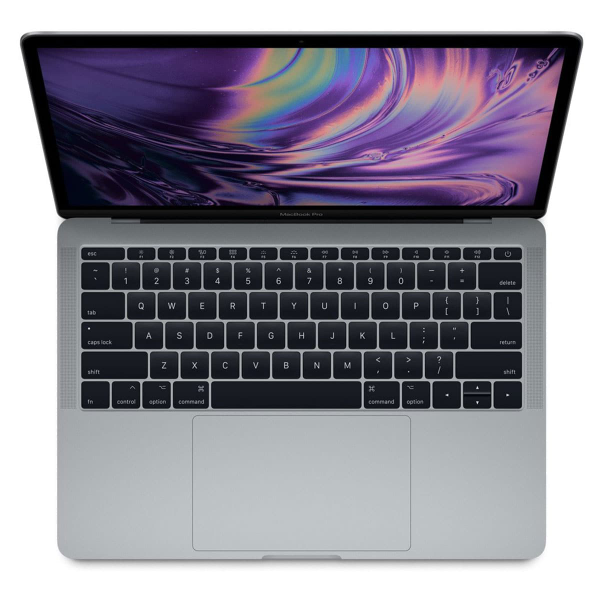
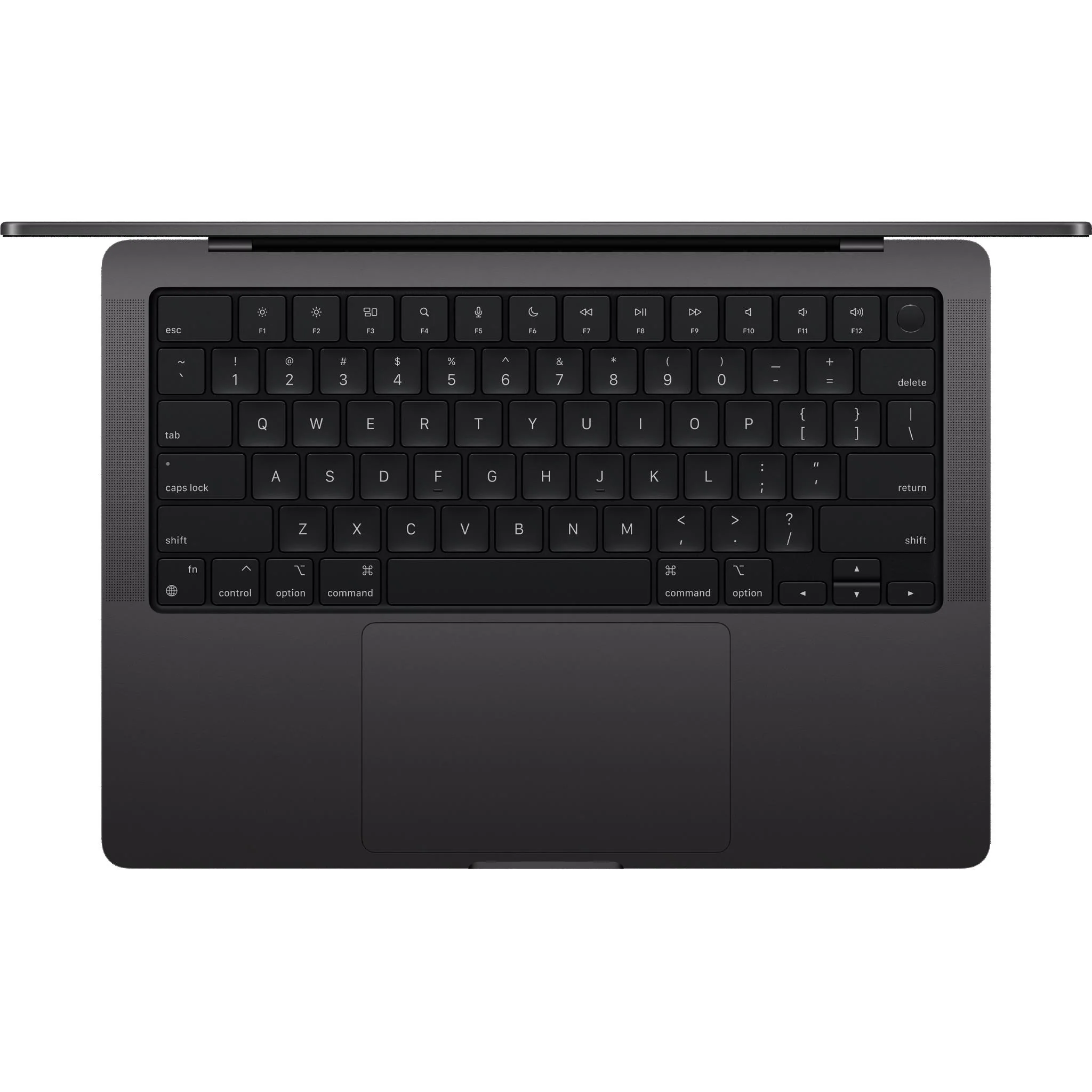
- Keyboard: Second-generation butterfly mechanism
- Key travel: 0.7mm (less than pre-2016 models)
- Individual LED backlighting with ambient light sensor
- Butterfly mechanism prone to failure from dust/debris
- Apple initiated keyboard service program for this model
- Noticeably louder typing sound than traditional keyboards
- Trackpad: Force Touch trackpad (enlarged)
- Glass surface with force sensors
- Haptic feedback simulates click (no physical mechanism)
- Pressure sensitivity for "Force Click" features
- Approximately 46% larger than 2015 model's trackpad
- Multi-touch gesture support with excellent precision
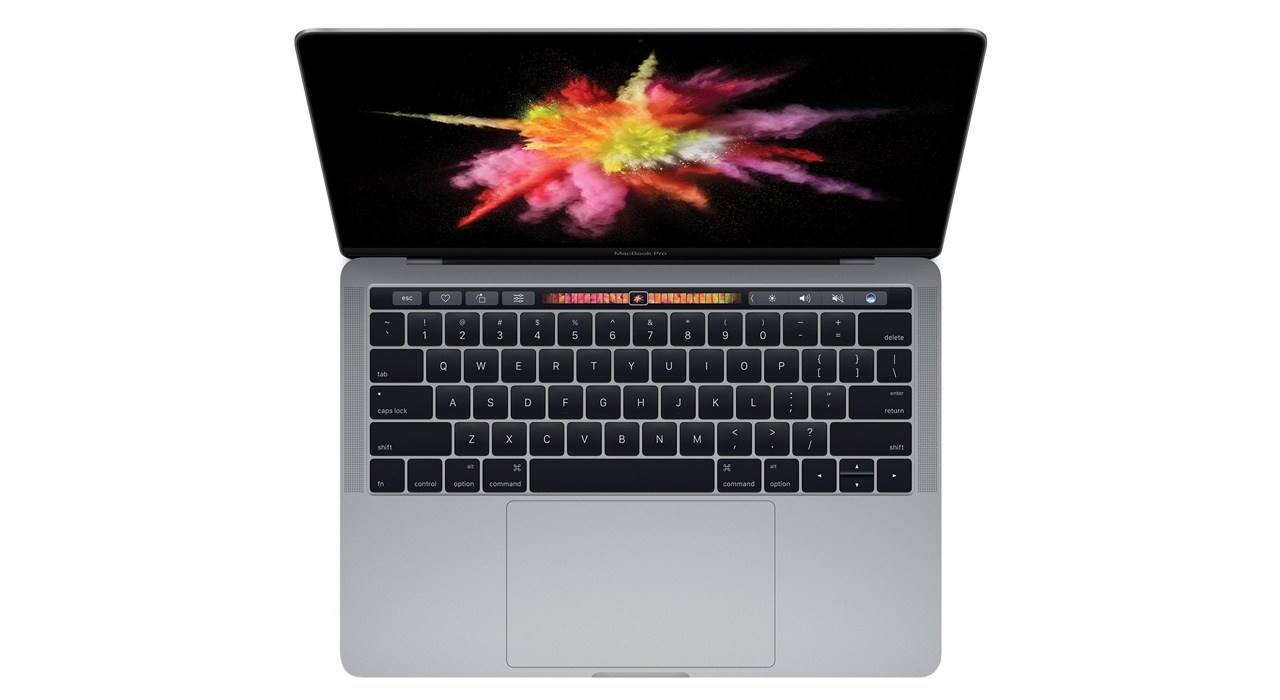
- Touch Bar: Dynamic OLED touchstrip
- Replaces physical function keys (F1-F12)
- 2170 x 60 pixel resolution
- Context-sensitive controls change based on active application
- Touch ID sensor integrated at right end
- Customizable with user-defined shortcuts
- Divisive feature with mixed user reception
- Touch ID: Integrated fingerprint sensor
- Second-generation sensor (faster than first generation)
- Fast, secure authentication (unlocks in ~0.5 seconds)
- Apple Pay support for online purchases
- Password autofill in Safari and apps
- User switching support in macOS
- Webcam: FaceTime HD camera (720p resolution)
- Same resolution as previous models
- Adequate for video calls but low by modern standards
- No improvement over 2015 model
8. Design & Build Quality
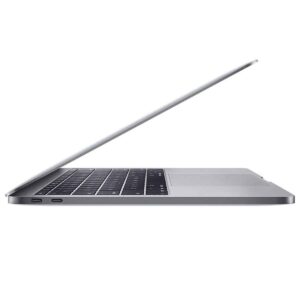
- Materials: Aluminum unibody construction
- Dimensions:
- Height: 1.49 cm (0.59 inch) - 17% thinner than 2015
- Width: 30.41 cm (11.97 inches)
- Depth: 21.24 cm (8.36 inches)
- Weight: 1.37 kg (3.02 lbs) - 7% lighter than 2015 13" model
- Colors: Space Gray or Silver
- Apple Logo: NOT illuminated (mirror-finish only)
- Construction Improvements:
- More rigid unibody design
- Improved hinge mechanism
- Redesigned cooling system (single fan)
- Space Gray anodization more durable than previous generation
- Environmental Features:
- 100% recycled aluminum in some components
- Arsenic-free display glass
- Mercury-free LED backlighting
- BFR-free and PVC-free internal components
9. Battery & Power
- Battery Type: Built-in 54.5-watt-hour lithium-polymer
- Battery Design: Terraced battery cells for space efficiency
- Charge Cycles: Designed for 1,000 cycles before reaching 80% capacity
- Battery Life (Apple claimed):
- Wireless web: Up to 10 hours
- iTunes movie playback: Up to 10 hours
- Standby time: Up to 30 days
- Real-world Battery Life (2024):
- Light use (web browsing, documents): 5-7 hours
- Moderate use (photo editing, multiple apps): 3-5 hours
- Heavy use (video editing, compiling): 2-3 hours
- Varies significantly with battery health (cycle count)
- Power Adapter: 61W USB-C Power Adapter
- USB-C connection (no MagSafe safety feature)
- Can charge from any Thunderbolt 3 port
- Supports fast charging (0-50% in about 30 minutes)
- Can charge iPhone/iPad (with appropriate cable)
10. Software & Operating System
- Original OS: macOS 10.12 Sierra
- Latest Officially Supported macOS: macOS 14 Sonoma (as of 2024)
- Expected Last macOS: Likely macOS 15 (2025) or 16 (2026)
- Boot Camp: Officially supports Windows 10 (64-bit)
- Touch Bar Integration:
- Native support in Apple apps (Final Cut, Logic, Photos, etc.)
- Third-party app support varies (Adobe apps have good support)
- Can be customized with BetterTouchTool (third-party software)
- Professional Software Compatibility:
- Adobe Creative Cloud 2024 runs well (except AI features)
- Final Cut Pro X optimized for hardware acceleration
- Most development tools fully compatible
- May struggle with heavy Docker containers or multiple VMs
Performance Benchmarks & Real-World Use
CPU Performance (Geekbench 5):
- Core i5-7267U (3.1GHz):
- Single-Core: 800-850 points
- Multi-Core: 1,700-1,900 points
- Core i7-7567U (3.5GHz):
- Single-Core: 900-950 points
- Multi-Core: 1,900-2,100 points
- Performance Context (2024):
- Similar single-core to modern low-power CPUs
- Multi-core significantly behind modern quad-core laptops
- Adequate for web browsing, office apps, light creative work
- May struggle with heavy multitasking or demanding applications
GPU Performance:
- Intel Iris Plus Graphics 650:
- Geekbench 5 Metal: 6,000-7,000 points
- Adequate for everyday tasks and 4K video playback
- Can handle light photo editing in Photoshop/Lightroom
- Capable of light gaming (indie games at 1080p, older titles)
- Not suitable for professional 3D work or modern AAA gaming
Storage Performance:
- 256GB PCIe SSD:
- Sequential Read: 2,000-2,300 MB/s
- Sequential Write: 1,300-1,600 MB/s
- Boot Time: 10-15 seconds
- Application Launch: Near-instant for most applications
- Significantly faster than SATA SSDs and older MacBook Pros
The Touch Bar Experience
Touch Bar Features & Functionality:
- Contextual Controls: Changes dynamically based on active app
- Safari: Bookmarks, search suggestions, tab controls
- Photos: Editing tools, filters, rotate/crop controls
- Final Cut Pro: Timeline navigation, editing tools, color controls
- Microsoft Office: Formatting options, slide controls in PowerPoint
- System Controls: Always accessible
- Brightness and volume sliders
- Media playback controls
- Siri activation button
- Esc key (virtual)
- Touch ID Integration: Fingerprint sensor at right end
- Customization Options:
- System Preferences allows Control Strip customization
- Third-party apps like BetterTouchTool offer extensive customization
- Can create application-specific shortcuts
User Reception & Practicality:
- Positive Feedback:
- Innovative and futuristic interface
- Touch ID is convenient for authentication
- Useful in specific applications (video editing, music production)
- Customizable for power users
- Can show emoji picker and text suggestions
- Negative Feedback:
- No physical function keys (problematic for developers, gamers, power users)
- Requires looking away from screen to use
- No tactile feedback (can't use by touch alone)
- Not all applications support it well
- Can be accidentally triggered
- Virtual Esc key controversial among developers and terminal users
Target Market & Use Cases
Ideal Users in 2024:
- Students: Needing a portable Mac for coursework and projects
- Business Professionals: Who travel frequently and value portability
- Writers & Researchers: Who appreciate the compact form factor
- Web Developers & Designers: Working with modern web technologies
- Photographers: Who value P3 display for photo editing on the go
- Consultants & Freelancers: Needing a professional-looking machine for client meetings
Recommended Workloads:
- Web browsing and online research
- Document creation and office applications
- Email and communication tools
- Light photo editing (Photoshop, Lightroom for small projects)
- Web development (coding, testing, debugging)
- 1080p video editing (Final Cut Pro, iMovie with optimized codecs)
- Music production (moderate track counts, not heavy orchestral)
- Data analysis with moderate dataset sizes
- Presentations and client meetings
Comparison with Other MacBook Pros
vs. MacBook Pro 13" (2015):
- 2017 Advantages: Thinner/lighter, P3 display, True Tone, faster SSD, Thunderbolt 3, Touch ID
- 2015 Advantages: More ports, better keyboard, MagSafe, user-replaceable SSD, no Touch Bar
- Performance Difference: 2017 is 15-25% faster in most tasks
vs. MacBook Pro 13" Non-Touch Bar (2017):
- Touch Bar Model Advantages: P3 display, True Tone, faster CPU, four Thunderbolt 3 ports
- Non-Touch Bar Advantages: Physical function keys, lower price, two Thunderbolt 3 ports
- Key Difference: Touch Bar model has significantly better display and more ports
vs. MacBook Pro 13" (2018):
- 2017 Advantages: More reliable keyboard (relatively), lower cost, no T2 chip (some prefer this)
- 2018 Advantages: Quad-core CPU, 32GB RAM option, True Tone display, T2 chip, third-gen keyboard
- Performance Difference: 2018 is 70-90% faster in multi-core tasks
vs. MacBook Air M1 (2020):
- 2017 Advantages: Touch Bar (if you like it), four Thunderbolt 3 ports, Boot Camp for Windows
- M1 Advantages: Much faster CPU/GPU, better battery, cooler operation, longer support, no keyboard issues
- Verdict: M1 Air is significantly better for almost all users
Common Issues & Known Problems
1. Butterfly Keyboard Failures:
- Symptoms: Sticky keys, repeated letters, unresponsive keys, keys feeling "mushy"
- Causes: Dust and debris entering butterfly mechanism, design flaw
- Apple Service Program: Keyboard Service Program for 2017 models
- Covers repairs for 4 years from original purchase date
- May have expired for early 2017 purchases
- Includes top case replacement (keyboard, battery, trackpad, speakers)
- Prevention: Use keyboard cover, avoid eating near laptop, regular compressed air cleaning
2. Flexgate (Display Cable Issue):
- Symptoms: Stage light effect at bottom of display, backlight failure, flickering display
- Causes: Thin display cable wears out from repeated opening/closing
- Apple Service Program: Backlight Service Program (covers 2016-2017 models for 5 years)
- Repair Cost: $400-600 if out of warranty/program
3. Battery Swelling:
- Symptoms: Trackpad clicking issues, bottom case bulging, keyboard raised, difficulty closing lid
- Causes: Age, heat, charge cycles, manufacturing defects
- Apple Response: May replace for free if swelling poses safety risk
- Repair: Requires full top case replacement (expensive if out of warranty)
4. Thermal Throttling:
- Symptoms: Performance drops under sustained load, fan noise, laptop gets warm
- Causes: Thin design limits cooling capacity, single fan design
- Solutions:
- Use on hard, flat surfaces for better airflow
- Clean dust from vents regularly
- Adjust power settings for better thermal management
- Avoid heavy workloads in hot environments
Upgrade Paths & Long-Term Viability
Internal Upgrade Limitations:
- RAM: Not upgradeable (soldered to logic board)
- Storage: Not upgradeable (soldered to logic board)
- Battery: Can be replaced but requires full top case replacement
- Conclusion: No internal upgrades possible - configuration at purchase is final
External Upgrades (Via Thunderbolt 3):
- External Storage: Thunderbolt 3 SSDs offer 2,800+ MB/s speeds
- Samsung X5, WD Black, etc.
- Nearly internal SSD performance
- External GPU: Possible but limited by CPU bottleneck
- Can improve gaming and GPU-accelerated tasks
- CPU may bottleneck high-end GPUs
- Best for desktop replacement scenarios
- Docking Stations: Single cable for multiple peripherals/displays
- CalDigit TS3 Plus, OWC Thunderbolt Dock, etc.
- Adds legacy ports (USB-A, HDMI, Ethernet, SD card)
macOS Support Timeline:
- Current Support: macOS 14 Sonoma (2023)
- Expected Last macOS: Likely macOS 16 (2026)
- Security Updates: Likely through 2027-2028
- Application Support: Most apps will support Intel through 2026+
Environmental Impact & Sustainability
Green Design Features:
- Energy Efficiency: ENERGY STAR 7.0 certified
- Materials:
- 100% recycled aluminum in some components
- Arsenic-free display glass
- Mercury-free LED backlighting
- BFR-free and PVC-free internal components
- Repairability Concerns:
- Extremely low repairability due to soldered components
- Keyboard/battery replacement requires full top case
- Display repairs expensive and complex
- Designed for serviceability at Apple Stores only
iFixit Repairability Score:
- Score: 1/10 (extremely difficult to repair)
- Reasons: Everything soldered, proprietary screws, glued battery, complex assembly
- Professional Repair: Requires specialized tools, training, and genuine Apple parts
Cost Analysis & Current Market Value
Original Pricing (2017):
- Base Model (3.1GHz i5, 8GB, 256GB): $1,799
- Mid-range (3.1GHz i5, 8GB, 512GB): $1,999
- High-end (3.5GHz i7, 16GB, 512GB): $2,499
- Fully Loaded (3.5GHz i7, 16GB, 1TB): $2,899
Current Market Value (Used, 2024):
- Base Model (3.1GHz i5, 8GB, 256GB): $300-$450
- Mid-range (3.1GHz i5, 8GB, 512GB): $350-$500
- High-end (3.5GHz i7, 16GB, 512GB): $400-$600
- Factors Affecting Value:
- Battery health (cycle count under 500 ideal)
- Keyboard condition (any issues significantly reduce value)
- Display condition (Flexgate issues or dead pixels)
- Physical condition (dents, scratches, cosmetic wear)
- Original accessories and box increase value
Value Proposition:
- For Students/Budget Users: Good value if keyboard is working and battery healthy
- For Professionals: Limited by dual-core CPU and keyboard reliability risks
- Compared to 2015 13": More modern but less reliable and repairable
- Compared to M1 MacBook Air: M1 Air is better value for almost all use cases
Pros & Cons Summary
Advantages:
- Beautiful P3 wide color display with True Tone
- Modern Thunderbolt 3 connectivity (4 ports)
- Thin and light ultraportable design
- Touch ID for convenient authentication
- Fast PCIe SSD storage
- Good performance for everyday tasks
- Still receiving macOS updates
- Large Force Touch trackpad
- Touch Bar (some users appreciate it)
- Compact and professional appearance
Disadvantages:
- Notorious butterfly keyboard reliability issues
- Flexgate display cable problem common
- Dual-core CPU limits performance in 2024
- No traditional ports (USB-A, HDMI, SD card)
- No MagSafe charging safety feature
- Touch Bar replaces physical function keys
- Soldered RAM and storage (no upgrades)
- Thermal throttling under sustained load
- 720p webcam (dated by 2024 standards)
- Keyboard service program may have expired
Final Recommendation & Verdict
Buy the MacBook Pro 13" (2017) If:
- You specifically need a P3 display for color-accurate work on a budget
- You want Thunderbolt 3 for modern peripherals
- You appreciate Touch ID convenience
- You find one with excellent battery health and no keyboard issues under $400
- Your workload is light to moderate (web, office, light creative work)
- You're comfortable with potential keyboard repairs
- You need Boot Camp for Windows compatibility
Consider Alternatives If:
- Keyboard reliability is a major concern
- You need physical function keys for development/workflows
- You want traditional ports without dongles
- Your budget allows for M1 MacBook Air (much better performance)
- You need quad-core performance for demanding applications
- You prioritize repairability and longevity
- You work in dusty environments
Best Configurations to Look For:
- 3.5GHz i7, 16GB RAM, 512GB SSD - Best performance within limitations
- Any configuration with recently replaced top case - Means new keyboard and battery
- Models with AppleCare+ remaining - For keyboard repair coverage
Essential Checks Before Purchase:
- Keyboard Test: Type full alphabet, numbers, all special characters
- Battery Health: Check cycle count (About This Mac → System Report → Power)
- Display Check: Look for backlight issues at bottom (Flexgate)
- Port Test: Test all four Thunderbolt 3 ports with a device
- Touch Bar: Verify all buttons work, especially Esc and Touch ID
- Physical Inspection: Check for dents, scratches, hinge stiffness
Overall Assessment:
6.5/10 for Specific Use Cases in 2024 (With Significant Caveats)
The 2017 13-inch MacBook Pro with Touch Bar is a machine that represents both Apple's ambition and its missteps. On the positive side, it offers a beautiful P3 display, modern Thunderbolt 3 connectivity, Touch ID convenience, and a sleek ultraportable design that remains attractive. The fast SSD ensures snappy performance for everyday tasks, and it still receives macOS updates.
However, the combination of a dual-core CPU in 2024, notorious butterfly keyboard reliability issues, potential Flexgate display problems, and the controversial Touch Bar make this a difficult recommendation for most users. The dual-core processor, while adequate for basic tasks, shows its age with demanding applications and heavy multitasking. The keyboard issues are not just minor annoyances—they can render the laptop unusable and repairs are expensive if Apple's service program has expired.
For students or budget-conscious users who find one in excellent condition with a healthy battery and working keyboard for under $400, it can be a reasonable choice for web browsing, document creation, and light creative work. However, for most users in 2024, spending a bit more for an M1 MacBook Air provides dramatically better performance, reliability, battery life, and longer software support.
This MacBook Pro serves as a cautionary tale about prioritizing thinness and innovation over reliability and user experience. While it has its merits, the reliability concerns and performance limitations make it a risky purchase in 2024 unless you specifically need its unique combination of features and are willing to accept the associated risks.