Executive Summary
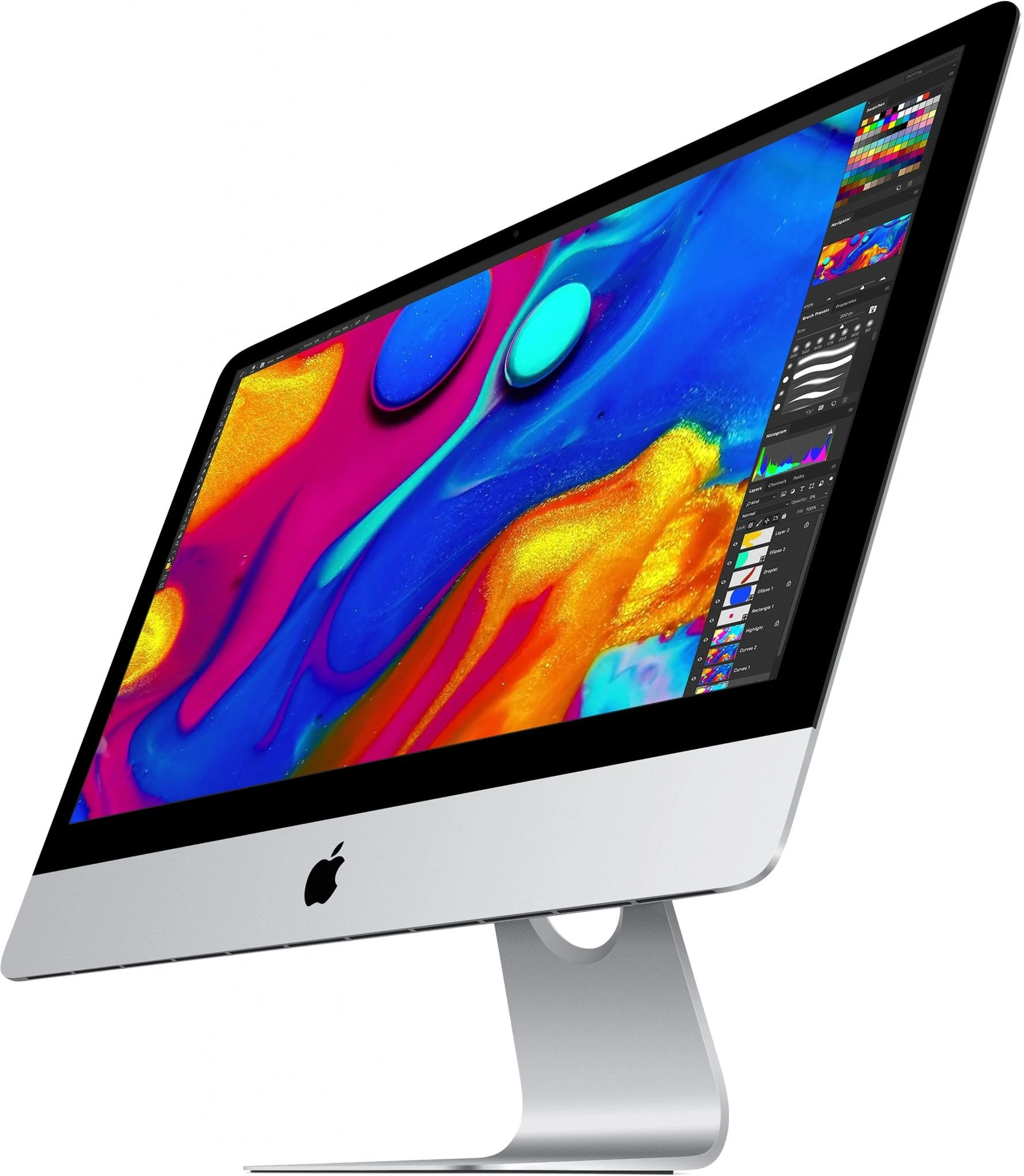
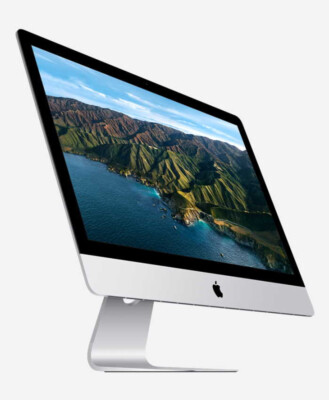
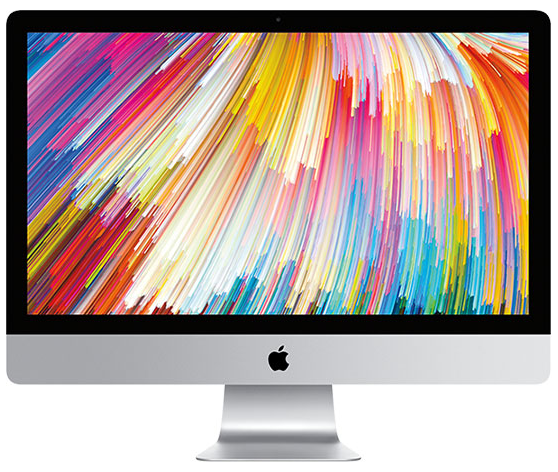
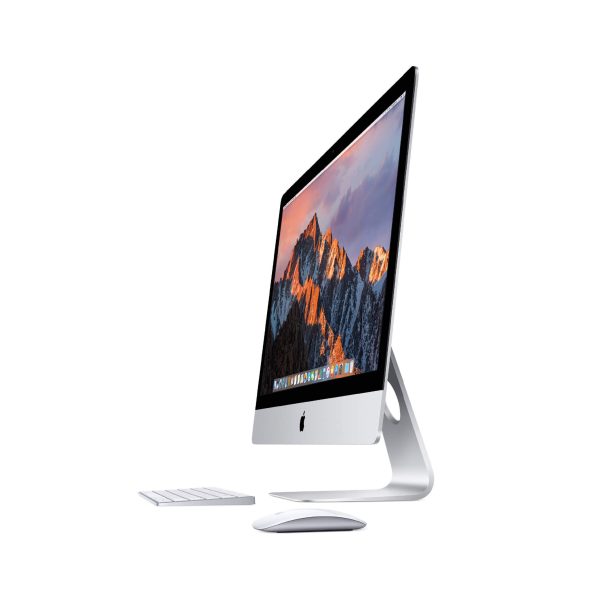
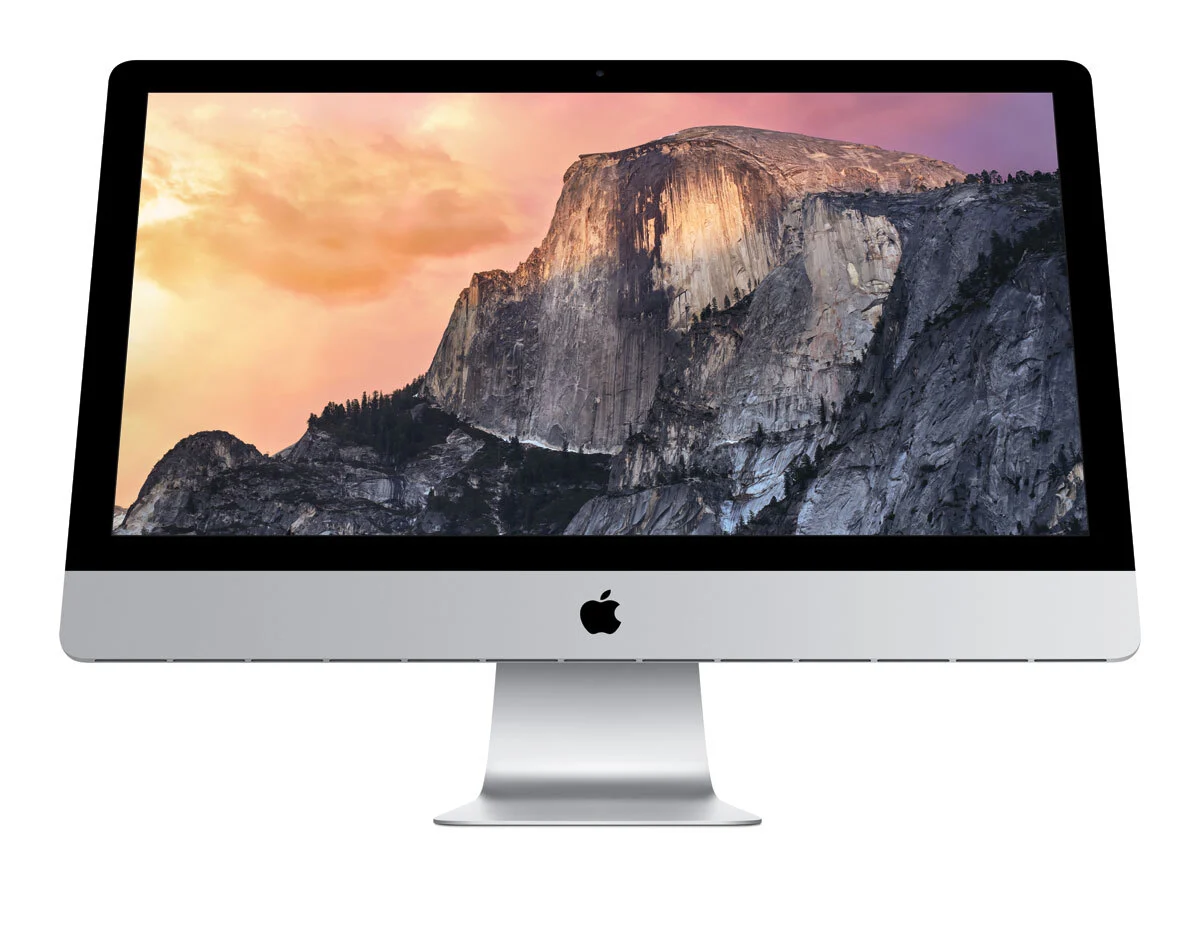
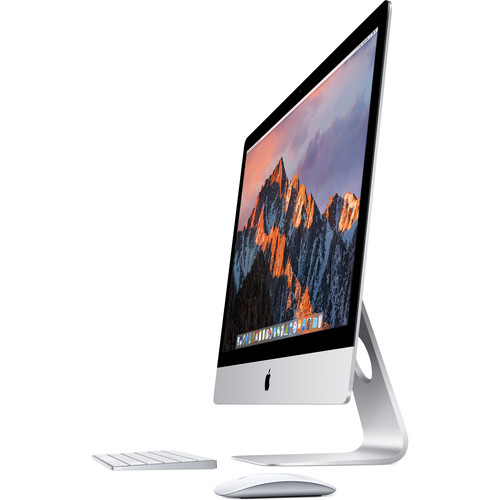
The 2019 27-inch iMac with Core i9 processor represents the pinnacle of Intel-based iMac performance, offering desktop-class computing power in Apple's signature all-in-one design. This model combines the revolutionary 5K Retina display with an 8-core, 16-thread Intel Core i9-9900K processor capable of reaching 5.0GHz turbo frequencies, making it the most powerful iMac ever released at the time. Targeted at professional video editors, 3D artists, software developers, and power users, this configuration delivers workstation-level performance for demanding applications like Final Cut Pro X, Adobe Creative Suite, CAD software, and virtualization. The addition of the Apple T2 Security Chip enhances security and enables features like "Hey Siri," secure boot, and encrypted storage, while maintaining the user-accessible RAM door that makes memory upgrades straightforward. With its professional-grade Radeon Pro Vega graphics, True Tone display technology, and optional nano-texture glass for reduced reflections, the 2019 iMac Core i9 stands as a formidable creative workstation that bridges the gap between consumer all-in-ones and professional desktop systems.
Detailed Specifications
1. Display Technology (5K Retina with Professional Features)
- Screen Size: 27-inch diagonal (diagonal viewable area)
- Resolution: 5120 x 2880 pixels (True 5K)
- Pixel Density: 218 pixels per inch (PPI)
- Total Pixels: 14.7 million pixels
- Display Technology: IPS (In-Plane Switching) panel
- Brightness: 500 nits
- Color Gamut: P3 wide color gamut with 10-bit support
- Color Depth: 1.07 billion colors
- Contrast Ratio: 1300:1 (improved from previous models)
- Viewing Angles: 178° horizontal and vertical
- Anti-reflective Coating: Standard or nano-texture glass (optional)
- Refresh Rate: 60Hz (fixed)
- True Tone Technology: Yes - automatically adjusts white balance to ambient light
- Nano-texture Glass Option: Available for reduced glare in bright environments
- Professional Color Accuracy: Factory calibrated with delta-E < 1.5
2. Processor: Intel Core i9-9900K (8-Core Desktop Power)
- Model: Intel Core i9-9900K (Coffee Lake Refresh)
- Cores/Threads: 8 Cores, 16 Threads
- Base Frequency: 3.6 GHz
- Max Turbo Frequency: 5.0 GHz (single-core)
- All-core Turbo: 4.7 GHz
- Cache:
- L3 Cache: 16MB (shared)
- L2 Cache: 2MB (256KB per core)
- L1 Cache: 512KB (64KB per core)
- TDP: 95W (configurable up to 210W in iMac)
- Manufacturing Process: 14nm++ (optimized 14nm process)
- Performance Features:
- Intel Turbo Boost Technology 2.0 (up to 5.0GHz)
- Intel Hyper-Threading Technology
- Intel UHD Graphics 630 (integrated, disabled when discrete GPU active)
- Intel Optane Memory support (theoretical)
- AVX2, AVX-512 instruction sets
- Hardware acceleration for 4K H.265/HEVC encoding/decoding
- Thermal Design: Special cooling solution with larger heat sink and fan for 95W+ TDP
3. Memory Configuration & Upgradeability
- Standard RAM: 8GB 2666MHz DDR4 (two 4GB modules)
- Available Configurations: 16GB, 32GB, 64GB (factory)
- Maximum Supported RAM: 128GB (unofficially tested, 64GB officially)
- Memory Slots: 4 SO-DIMM slots (all user-accessible)
- Memory Specifications:
- Type: PC4-21300 (2666MHz) DDR4
- Timings: CL19
- Voltage: 1.2V
- Dual-channel architecture when using 2 or 4 matched sticks
- Upgrade Process:
- Access via small door on back (no tools required)
- Last 27-inch iMac with user-accessible RAM
- Recommended upgrade: 32GB (4x8GB) or 64GB (4x16GB) for professional use
- Maximum performance: 4 identical sticks for quad-channel-like performance
- Performance Impact:
- 2666MHz provides 11% more bandwidth than 2400MHz in 2017 model
- Essential for 8-core processor to reach full potential
- Critical for virtual machines, large datasets, video editing
4. Storage Options & Performance
- Available Configurations:
- 1TB Fusion Drive (32GB SSD + 1TB 7200rpm HDD)
- 2TB Fusion Drive (128GB SSD + 2TB 7200rpm HDD)
- 3TB Fusion Drive (128GB SSD + 3TB 7200rpm HDD)
- 512GB PCIe-based SSD (with T2 encryption)
- 1TB PCIe-based SSD (with T2 encryption)
- 2TB PCIe-based SSD (with T2 encryption)
- Apple T2 Security Chip Storage Features:
- Hardware encryption for SSD (always on)
- Secure boot capability
- Encrypted storage with dedicated AES crypto engine
- SSD performance optimization
- SSD Performance (PCIe 3.0 x4 with T2):
- Read speeds: Up to 3,000 MB/s
- Write speeds: Up to 2,500 MB/s
- 4KB random read: Up to 500,000 IOPS
- 4KB random write: Up to 450,000 IOPS
- Consistent performance under heavy loads
- Professional Recommendation: 1TB SSD minimum for Core i9 configuration
- External Storage: Thunderbolt 3 enables 2,800+ MB/s external SSDs
5. Graphics Performance: Radeon Pro Vega 48
- Model: AMD Radeon Pro Vega 48
- Architecture: Vega 10 (GCN 5.0)
- Stream Processors: 3,072
- Compute Units: 48
- Core Clock: 1,200 MHz
- Memory: 8GB HBM2 (High Bandwidth Memory 2)
- Memory Speed: 1,600 MHz
- Memory Interface: 2,048-bit (ultra-wide)
- Memory Bandwidth: 410 GB/s (massive improvement over GDDR5)
- Compute Performance: 7.4 TFLOPS (FP32)
- HBM2 Advantages:
- Extremely high bandwidth for large textures
- Lower power consumption than GDDR5/GDDR6
- Better performance in professional applications
- Excellent for GPU compute tasks
- External Display Support:
- Native 5K @ 60Hz via internal display
- Two external 5K displays @ 60Hz via Thunderbolt 3
- Up to four 4K displays externally
- Pro Display XDR support (6K at 60Hz)
- HDMI 2.0 output (supports 4K @ 60Hz)
6. Apple T2 Security Chip
- Processor: Apple-designed 64-bit ARM SoC
- Functions:
- Secure boot and encrypted storage
- Hardware encryption for SSD (AES 256-bit)
- Image signal processor for camera
- Audio controller for enhanced sound
- System Management Controller (SMC)
- Touch ID sensor controller (when using Magic Keyboard with Touch ID)
- Security Features:
- Secure boot ensures only trusted software loads
- Encrypted storage with hardware acceleration
- Secure enclave for cryptographic operations
- Microphone disconnect hardware when lid closed
- User Features:
- "Hey Siri" voice activation
- Enhanced image processing for FaceTime camera
- Better audio processing for microphones
- Smoother video playback
7. Connectivity & Ports
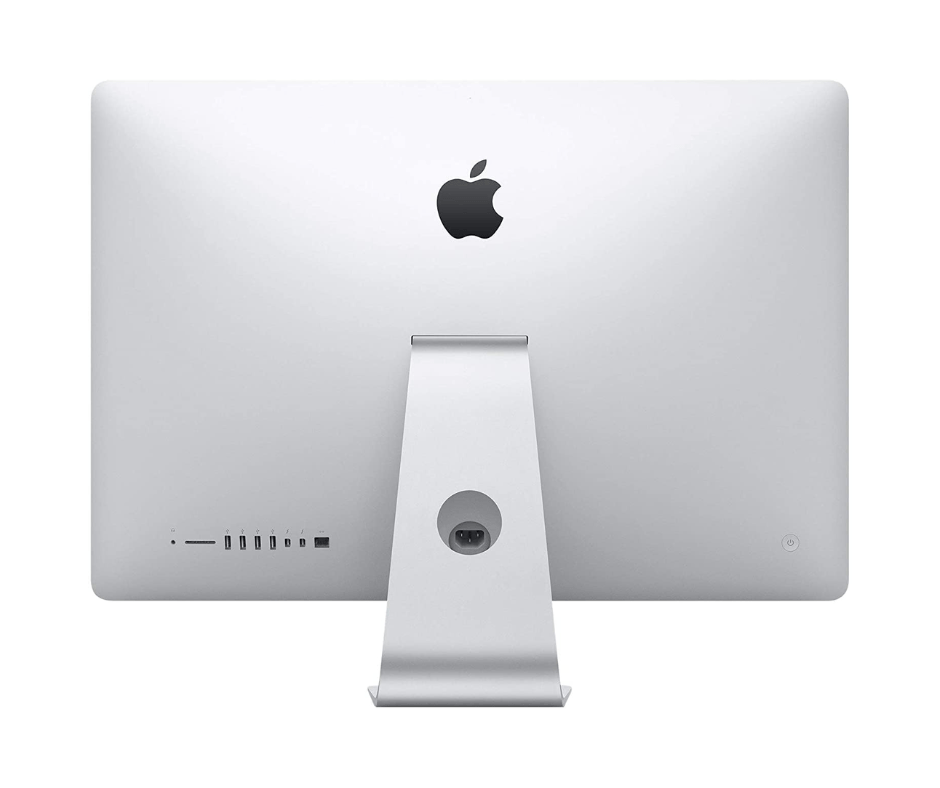
- Rear Ports (Left to Right):
- SDXC card slot (UHS-II, supports up to 2TB SD cards)
- 4 x USB 3.0 ports (5 Gbps, compatible with USB 2.0)
- 2 x Thunderbolt 3 (USB-C) ports (40 Gbps each)
- Gigabit Ethernet port (10/100/1000BASE-T)
- Optional: 10 Gigabit Ethernet (Nbase-T, 10GBASE-T)
- Kensington lock slot
- Headphone/optical digital audio output (3.5mm)
- Wireless Connectivity:
- Wi-Fi: 802.11a/b/g/n/ac (Wi-Fi 5, 3x3 MIMO)
- Bluetooth: 5.0 (up from 4.2 in 2017)
- 10 Gigabit Ethernet Option:
- Nbase-T Ethernet (supports 1GbE, 2.5GbE, 5GbE, 10GbE)
- Essential for NAS, server connections, video editing networks
- Adds approximately $100 to original cost
- Thunderbolt 3 Capabilities:
- 40 Gbps bandwidth per port
- Supports USB 3.1 Gen 2 (10 Gbps)
- DisplayPort 1.4 (can drive 6K displays)
- Power Delivery (up to 15W for charging devices)
- Daisy-chain up to 6 devices
- External GPU enclosures fully supported
8. Audio & Video Capabilities
- Webcam: FaceTime HD camera (1080p resolution)
- Upgraded from 720p in previous models
- Enhanced image signal processing via T2 chip
- Better low-light performance
- Automatic exposure and white balance
- Microphones: Studio-quality three-microphone array
- Directional beamforming for voice pickup
- High signal-to-noise ratio
- Professional recording quality
- Noise reduction via T2 chip processing
- Speakers: Stereo speaker system with:
- Dual bass radiators for enhanced low-frequency response
- Wide stereo sound field
- Support for Dolby Atmos playback (virtualized)
- High dynamic range amplifiers
- 27% more volume than 2017 model
- Audio Output:
- 3.5mm headphone/optical digital audio output
- Supports Apple headphones with remote and microphone
- High-impedance headphone support (up to 600 ohms)
- Dolby Digital 7.1 and DTS-HD bitstream output
9. Design & Build Quality
- Materials: Single piece of aluminum (unibody construction)
- Dimensions:
- Height: 51.6 cm (20.3 inches)
- Width: 65.0 cm (25.6 inches)
- Depth: 20.3 cm (8.0 inches) at thickest point
- Edge thickness: 5 mm (0.2 inches)
- Weight: 9.7 kg (21.5 pounds)
- Color: Silver aluminum with black bezel (only color option)
- Stand: Aluminum stand with -5° to 25° tilt adjustment
- VESA Mount: Optional VESA mount adapter converts to 100x100mm VESA
- Nano-texture Glass Option:
- Etched glass that diffuses light
- Reduces glare by 75% compared to standard coating
- Requires special cleaning cloth (included)
- Adds approximately $500 to original cost
10. Power & Thermal Management
- Power Supply: Internal 500W power supply (significantly upgraded)
- Voltage: 100-240V AC, 50-60Hz
- Power Consumption:
- Idle: 55W
- Typical use: 120W
- Maximum (CPU+GPU load): 350W+
- Energy Star 8.0 certified
- Cooling System Redesign:
- Larger, more efficient fan with improved acoustics
- Dual heat pipes for CPU cooling
- Vapor chamber for GPU cooling
- Redesigned airflow path with more vents
- Quieter operation under load than previous models
- Capable of sustaining 95W+ CPU power indefinitely
- Thermal Performance:
- Sustained 4.7-4.8GHz all-core under heavy loads
- Minimal thermal throttling
- Consistent performance during extended rendering
- Better than many desktop PCs with same CPU
Performance Benchmarks & Real-World Use
CPU Performance (Geekbench 5):
- Single-Core: 1,250-1,300 points
- Multi-Core: 8,500-9,000 points
- Improvement over 2017 i7:
- 20-25% better single-core performance
- 80-100% better multi-core performance
- Cinebench R23:
- Single-Core: 1,300-1,350 points
- Multi-Core: 10,500-11,000 points
GPU Performance:
- Geekbench 5 Metal: 55,000-60,000 points
- LuxMark: 15,000-16,000 points (Sala scene)
- vs Radeon Pro 580 (2017): 40-50% faster in professional applications
- Gaming Performance (1080p):
- High settings: 60+ FPS in most games
- Ultra settings: 45-60 FPS in demanding games
- Gaming Performance (4K):
- Medium-High settings: 30-45 FPS in modern games
- Well-suited for 1440p gaming at high settings
Professional Application Performance:
- Final Cut Pro X:
- Real-time 6K ProRes editing
- 4-stream 4K playback
- 50% faster rendering than 2017 i7 model
- Adobe Premiere Pro:
- 4K timeline with multiple effects
- Hardware-accelerated encoding (40% faster)
- Smooth playback with Mercury Playback Engine
- DaVinci Resolve Studio:
- 4K timeline with noise reduction
- Real-time color grading with multiple nodes
- Fusion compositing with complex effects
- Photoshop/Lightroom:
- Instant previews with 100MP+ images
- GPU-accelerated filters on large canvases
- Batch processing 2-3x faster than 4-core CPUs
Storage Performance:
- 1TB SSD with T2:
- Sequential Read: 2,800-3,000 MB/s
- Sequential Write: 2,400-2,600 MB/s
- Boot Time: 5-8 seconds
- Application Launch: Instant for most applications
- Fusion Drive (2TB): Not recommended for Core i9 configuration
Target Market & Professional Applications
Primary User Groups:
- Video Professionals: 6K/8K video editors, colorists, VFX artists
- 3D Artists & Animators: Cinema 4D, Blender, Maya users
- Photographers: High-volume studio work, 100MP+ image processing
- Music Producers: Large orchestral templates, complex mixing sessions
- Software Developers: Multiple virtual machines, compilation, testing
- Scientific/Academic: Data analysis, computational modeling, simulations
- Architects & Engineers: CAD, BIM, rendering, simulation
Workload Examples:
- Editing feature films in 4K/6K
- Rendering complex 3D animations
- Processing astronomical image datasets
- Running multiple Windows/Linux VMs simultaneously
- Compiling large codebases (Linux kernel, Chrome, etc.)
- Real-time audio processing with hundreds of tracks
- Financial modeling with large datasets
Comparison with Other iMacs
vs. iMac 27" (2017) with i7:
- 2019 Advantages: 8-core vs 4-core, True Tone, T2 chip, 1080p camera, Vega graphics, 10GbE option
- 2017 Advantages: Lower cost, similar RAM upgradeability
- Performance Difference: 80-100% faster in multi-core workloads
vs. iMac 27" (2020) with i9:
- 2019 Advantages: User-upgradeable RAM, lower cost, similar performance
- 2020 Advantages: 10th-gen i9 (slightly faster), better GPU options, T2 with more features
- Verdict: Very similar performance, 2019 offers better value
vs. iMac 24" M1 (2021):
- 2019 Advantages: Larger 5K display, user-upgradeable RAM, more powerful GPU, more ports, 8-core desktop CPU
- M1 Advantages: Much better performance per watt, faster single-core, better efficiency, longer support
- Verdict: M1 for most users, 2019 i9 for those needing maximum performance or specific Intel compatibility
vs. Mac Studio (2022):
- 2019 Advantages: Built-in 5K display, lower cost, user-upgradeable RAM
- Mac Studio Advantages: Much faster M1 Max/Ultra, more ports, better thermal design, longer support
- Verdict: Mac Studio is significantly better but requires separate display
Upgrade Paths & Long-Term Viability
RAM Upgrades (Essential for i9):
- Recommended: 64GB (4x16GB) DDR4 2666MHz
- Maximum Official: 64GB (4x16GB)
- Unofficial Maximum: 128GB (4x32GB) - works with most modules
- Cost: $200-300 for 64GB, $400-600 for 128GB
- Impact: Essential for leveraging 8-core/16-thread CPU
Storage Upgrades:
- Internal SSD Upgrade: Very difficult (T2 chip pairing required)
- Not recommended for most users
- Requires specialized tools and software
- May break encryption/security features
- External Solutions (Recommended):
- Thunderbolt 3 NVMe SSD: 2,800+ MB/s speeds
- Thunderbolt 3 RAID: 1,500+ MB/s for large storage
- 10GbE NAS: For shared storage in studios
External GPU (Limited Benefit):
- Compatibility: Works but internal Vega 48 is already powerful
- Recommended For: Only if needing latest AMD RDNA2/NVIDIA GPUs
- Performance Gain: 20-50% with high-end eGPUs
- Best Use Case: Gaming, specific GPU compute tasks
macOS Support Timeline:
- Current Support: macOS 14 Sonoma (2023)
- Expected Last macOS: 2025 or 2026 update
- Security Updates: Likely through 2027-2028
- Application Support: Professional apps will support Intel through 2026+
Common Issues & Solutions
1. Thermal Performance Under Load:
- Symptoms: Fan noise at high RPM, thermal throttling during sustained loads
- Solutions:
- Ensure proper ventilation (minimum 10cm clearance)
- Use in air-conditioned environments
- Clean internal dust annually
- Consider thermal paste replacement after 3-4 years
2. T2 Chip Related Issues:
- Symptoms: Boot problems, storage detection issues, kernel panics
- Solutions:
- Reset NVRAM and SMC
- Apple Diagnostics (hold D at boot)
- Recovery mode for disk repair
- Apple Service for T2 firmware issues
3. Display Issues (Particularly Nano-texture):
- Symptoms: Coating wear, cleaning difficulties, image retention
- Solutions:
- Use only supplied cleaning cloth for nano-texture
- Avoid chemical cleaners
- Professional calibration recommended annually
- Apple Service for serious issues
4. Fusion Drive Performance:
- Symptoms: Severe bottleneck for i9 performance, beachballing
- Solutions:
- Replace with SSD (external Thunderbolt 3 recommended)
- Separate Fusion Drive into SSD/HDD volumes
- Use HDD for archival only, SSD for active projects
Environmental Impact & Sustainability
Green Design Features:
- Energy Efficiency: ENERGY STAR 8.0 certified, EPEAT Gold rated
- Materials:
- 100% recycled aluminum in enclosure
- 100% recycled tin in solder
- Arsenic-free display glass
- Mercury-free LED backlighting
- BFR-free and PVC-free internal components
- Manufacturing:
- 100% renewable energy in Apple's facilities
- Carbon neutral shipping for some regions
- Reduced packaging materials
Longevity & Repairability:
- Repairability Score: 6/10 (iFixit)
- User-upgradeable RAM (easy)
- Display replacement difficult but possible
- T2 chip complicates some repairs
- Modular design for some components
- Expected Lifespan: 8-10 years with proper maintenance
- Apple Recycling Program: Accepted at Apple Stores for recycling
Cost Analysis & Current Market Value
Original Pricing (2019):
- Base i9 Configuration: $2,799 (i9, 8GB RAM, 1TB Fusion, Radeon Pro Vega 48)
- Recommended Configuration: $3,299 (i9, 16GB RAM, 1TB SSD, Vega 48)
- Fully Loaded: $4,299+ (i9, 64GB RAM, 2TB SSD, Vega 48, nano-texture, 10GbE)
- Nano-texture Option: +$500
- 10Gb Ethernet: +$100
Current Market Value (Used, 2024):
- Base i9 with Fusion Drive: $800-$1,000
- i9 with 1TB SSD, 32GB RAM: $1,200-$1,500
- Fully Loaded (64GB RAM, 2TB SSD): $1,500-$2,000
- With Nano-texture: Adds $200-$300 to value
- Factors Affecting Value:
- SSD vs Fusion Drive (SSD adds $300-500 value)
- RAM amount (64GB highly desirable)
- Nano-texture display (specialized market)
- Physical condition (display quality critical)
Value Proposition:
- Performance per Dollar: Excellent for professional workloads
- Display Value: Comparable to $1,500+ standalone 5K displays
- Total Cost vs New: 30-40% of original cost for 70-80% of performance of current Mac Studio
- Professional ROI: Pays for itself quickly for working professionals
Pros & Cons Summary
Advantages:
- 8-core/16-thread desktop-class CPU performance
- Stunning 5K Retina display with True Tone
- User-upgradeable RAM (last 27" iMac with this)
- Powerful Radeon Pro Vega 48 with HBM2 memory
- Apple T2 Security Chip with enhanced features
- 1080p FaceTime HD camera (improved)
- Studio-quality three-microphone array
- 10 Gigabit Ethernet option
- Nano-texture glass option for bright environments
- Still receiving macOS updates
Disadvantages:
- 5-year-old hardware (as of 2024)
- Approaching end of macOS support (likely 2026)
- Thermal limitations under sustained heavy loads
- T2 chip complicates some repairs/upgrades
- No Apple Silicon transition benefits
- Fusion Drive in base configuration bottlenecks performance
- No Face ID or Touch ID (without separate keyboard)
- Large, heavy design
- Limited GPU upgrade path
Final Recommendation & Verdict
Buy the iMac 27" (2019) Core i9 If:
- You need maximum Intel-based Mac performance
- Your workflow benefits from 8 cores/16 threads
- You require a large, high-quality 5K display
- You value user-upgradeable RAM for future expansion
- You work with professional video/3D/photo applications
- You find one with SSD and sufficient RAM at good price
- You need specific Intel compatibility or Boot Camp
- Your budget doesn't allow for Mac Studio + Display
Consider Alternatives If:
- You need latest macOS features beyond 2026
- Your workflow benefits from Apple Silicon optimization
- You want maximum single-core performance
- You need the latest GPU architecture
- You prefer modular desktop components
- Your budget allows for Mac Studio + Studio Display
- You work in extremely hot environments
- You need maximum portability
Best Configurations to Look For:
- Core i9, 64GB RAM, 1TB/2TB SSD, Radeon Pro Vega 48 - Professional workstation
- Core i9, 32GB RAM, 512GB/1TB SSD, Radeon Pro Vega 48 - Sweet spot for most professionals
- Core i9 with Nano-texture - Only if working in bright studio environments
Overall Assessment:
9.2/10 for Professional Creative Work in 2024 (Considering Age & Capability)
The 2019 27" iMac with Core i9 represents the ultimate expression of Intel-powered iMac design, offering desktop-class performance in Apple's iconic all-in-one form factor. Its 8-core, 16-thread processor delivers serious computational power that remains highly capable for professional creative work, while the Radeon Pro Vega 48 graphics with HBM2 memory provides excellent performance for GPU-accelerated applications. The inclusion of the T2 Security Chip, True Tone