Executive Summary
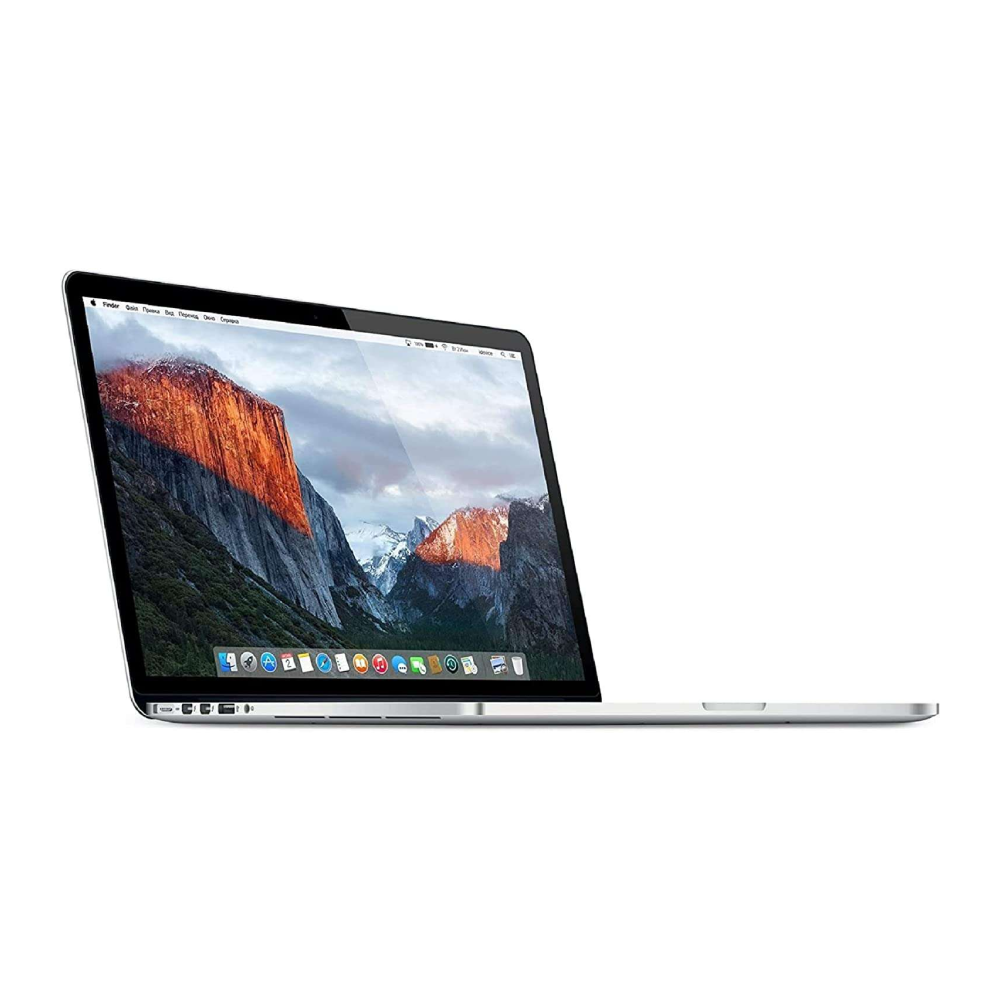
The 2015 15-inch MacBook Pro represents the culmination of Apple's pre-USB-C laptop design philosophy, widely regarded as one of the most beloved and practical professional laptops ever created. This model strikes an exceptional balance between performance, portability, and connectivity, featuring the last iteration of Apple's comprehensive port selection before the controversial transition to USB-C only in 2016. With its brilliant Retina display, reliable quad-core Intel processor, generous 16GB of RAM standard, and the innovative Force Touch trackpad, this MacBook Pro delivers professional-grade performance for creative work, software development, and business applications. Its sturdy aluminum unibody construction, comfortable keyboard with physical function keys, MagSafe charging safety feature, and user-replaceable SSD make it both durable and serviceable. Often called the "peak" MacBook Pro by enthusiasts, this model continues to hold significant value in the used market due to its combination of capable performance, excellent build quality, and practical feature set that many professionals still prefer over newer designs.
Detailed Specifications
1. Display Technology
- Screen Size: 15.4-inch diagonal (active area)
- Resolution: 2880 x 1800 pixels (Retina)
- Pixel Density: 220 pixels per inch (PPI)
- Aspect Ratio: 16:10 (ideal for productivity)
- Display Technology: IPS (In-Plane Switching) LED-backlit
- Brightness: 300 nits
- Color Gamut: Standard sRGB (not P3 wide color)
- Contrast Ratio: 900:1
- Viewing Angles: 178° horizontal and vertical
- Refresh Rate: 60Hz
- Anti-reflective Coating: Yes, but less effective than later models
- Key Features:
- Retina resolution provides sharp text and images
- Excellent color accuracy for professional work
- Glass extends to edge of enclosure
- No True Tone or P3 wide color (introduced in 2016+)
2. Processor Options
- Base Configuration: Intel Core i7-4770HQ (2.2GHz, turbo up to 3.4GHz)
- High-end Configuration: Intel Core i7-4870HQ (2.5GHz, turbo up to 3.7GHz)
- Microarchitecture: Haswell (4th Generation)
- Cores/Threads: 4 Cores, 8 Threads (both configurations)
- Cache:
- L3 Cache: 6MB (shared)
- L2 Cache: 1MB (256KB per core)
- L1 Cache: 256KB (64KB per core)
- TDP: 47W
- Manufacturing Process: 22nm
- Integrated Graphics: Intel Iris Pro Graphics 5200
- Performance Features:
- Intel Turbo Boost Technology 2.0
- Intel Hyper-Threading Technology
- Intel Virtualization Technology (VT-x, VT-d)
- AVX2 instruction set support
- Hardware acceleration for H.264 encoding/decoding
3. Memory Configuration
- Standard Configuration: 16GB 1600MHz DDR3L (soldered)
- Memory Type: PC3-12800 (1600MHz) DDR3L
- Memory Channels: Dual-channel
- Memory Voltage: 1.35V (low voltage)
- Upgradeability: NOT user-upgradeable (soldered to logic board)
- Maximum Supported: 16GB (no higher option available)
- Performance Considerations:
- 1600MHz speed adequate for most tasks
- Dual-channel improves integrated graphics performance
- 16GB sufficient for most professional workflows in 2015
- May feel constrained for heavy virtualization or large datasets today
4. Storage Options & Performance
- Available Configurations:
- 256GB PCIe-based SSD
- 512GB PCIe-based SSD
- 1TB PCIe-based SSD (high-end configuration only)
- SSD Interface: Proprietary Apple PCIe 2.0 x4
- SSD Performance:
- Read speeds: Up to 1,800 MB/s
- Write speeds: Up to 1,300 MB/s
- 4KB random read: Up to 210,000 IOPS
- 4KB random write: Up to 200,000 IOPS
- Significantly faster than SATA SSDs of era
- SSD Upgradeability: YES - uses proprietary but replaceable blade SSD
- Uses Apple SSD SM0512L/SM0256L etc.
- Can be upgraded with compatible aftermarket SSDs
- Requires special adapters for standard NVMe drives
- Much easier to upgrade than newer models
- Recommended Configuration: 512GB SSD minimum for professional use
5. Graphics Performance (Dual Graphics System)
- Integrated Graphics: Intel Iris Pro Graphics 5200
- Execution Units: 40 EUs
- Base Frequency: 200 MHz
- Max Dynamic Frequency: 1.2 GHz
- eDRAM: 128MB (Crystal Well)
- Used for light tasks to save battery
- Discrete Graphics: AMD Radeon R9 M370X (optional upgrade)
- Architecture: GCN 2.0 (Cape Verde)
- Stream Processors: 640
- Core Clock: 800 MHz
- Memory: 2GB GDDR5 @ 4,500 MHz
- Memory Interface: 128-bit
- Memory Bandwidth: 72 GB/s
- Compute Performance: 1.0 TFLOPS
- Automatically switches under heavy load
- Graphics Switching: Automatic graphics switching technology
- Uses Intel Iris Pro for basic tasks (browsing, documents)
- Switches to AMD Radeon for demanding applications
- Manual control available in Energy Saver preferences
- External Display Support:
- Native resolution via Thunderbolt 2/HDMI
- Up to 3840 x 2160 @ 30Hz via HDMI
- Up to 3840 x 2160 @ 60Hz via Thunderbolt 2 (Mini DisplayPort)
- Dual external displays supported
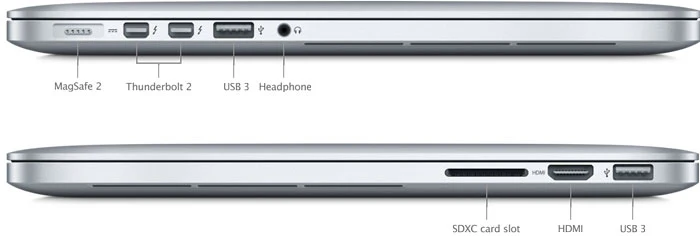
6. Connectivity & Ports (The Last Comprehensive Selection)
- Left Side:
- MagSafe 2 power port (45W or 85W adapter)
- 2 x Thunderbolt 2 ports (20 Gbps each)
- USB 3.0 port (5 Gbps)
- Headphone/optical digital audio output (3.5mm)
- Right Side:
- USB 3.0 port (5 Gbps)
- HDMI 1.4 port (supports 4K @ 30Hz)
- SDXC card slot (UHS-I, supports up to 2TB SD cards)
- Wireless Connectivity:
- Wi-Fi: 802.11a/b/g/n/ac (Wi-Fi 5, 3x3 MIMO)
- Bluetooth: 4.0
- Key Port Advantages:
- MagSafe 2: Magnetic charging prevents trip accidents
- Full-size USB-A: No dongles needed for common peripherals
- HDMI: Direct connection to monitors and projectors
- SD card slot: Essential for photographers and videographers
- Thunderbolt 2: Still capable for high-speed storage and displays
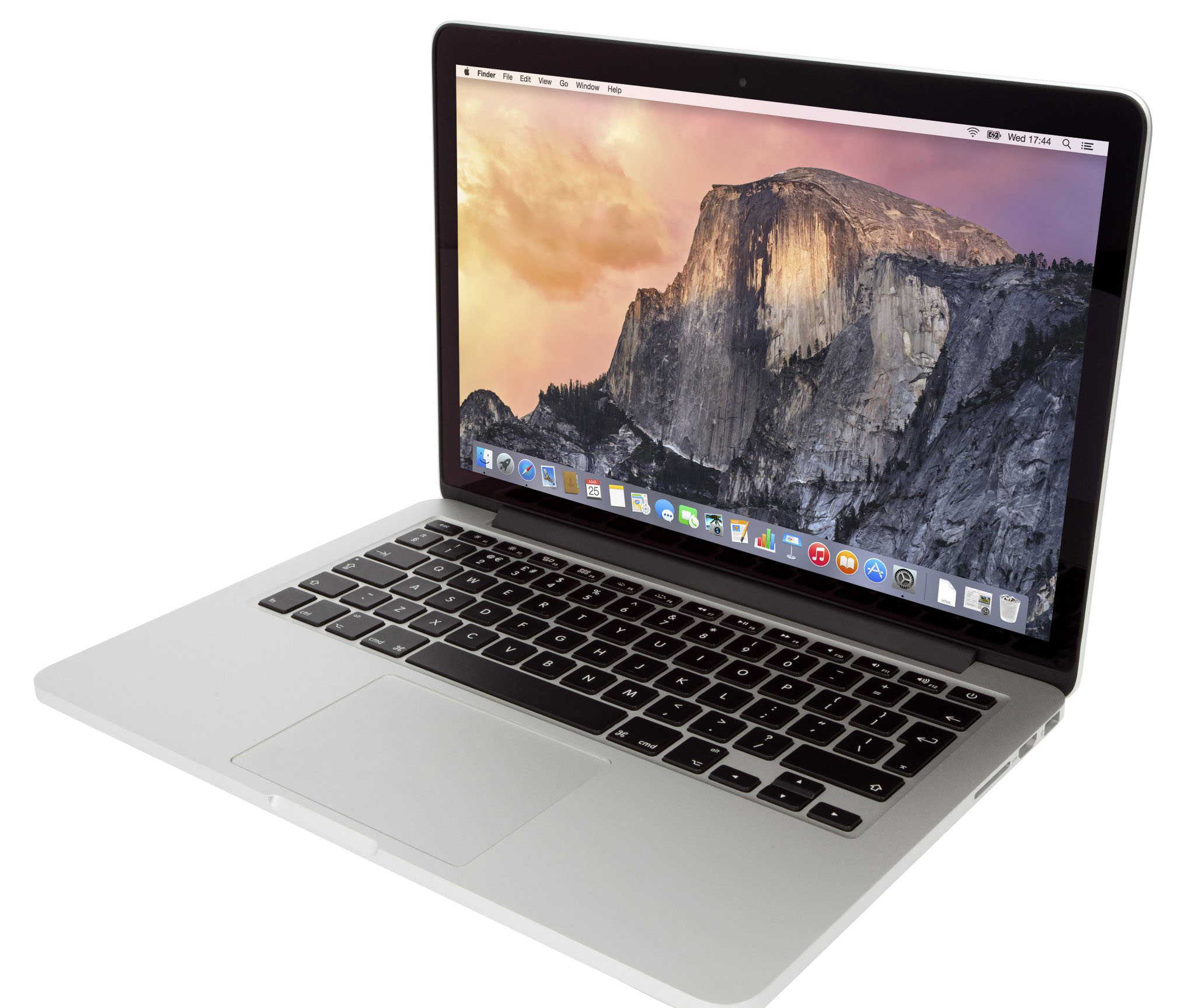
7. Keyboard, Trackpad & Input
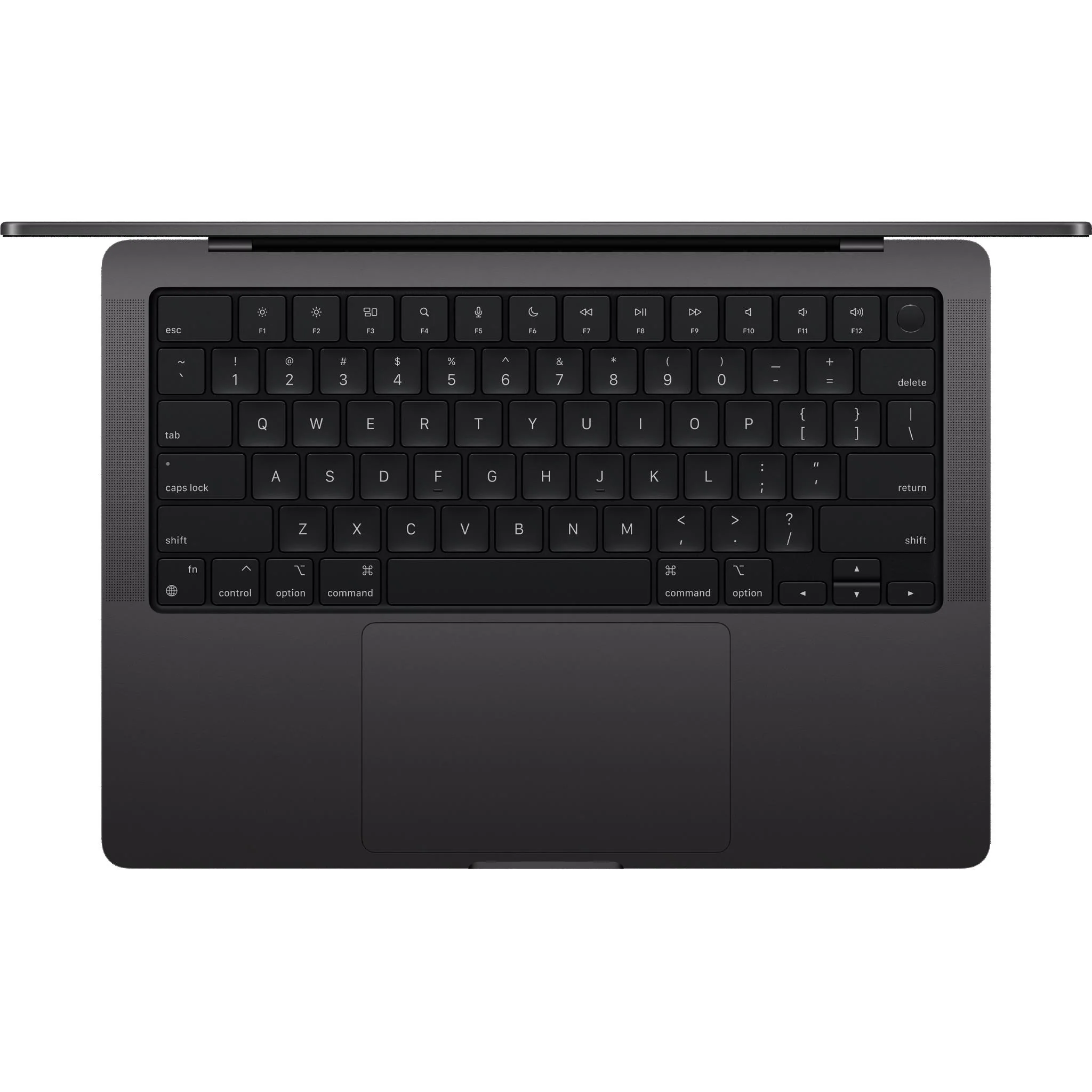
- Keyboard: Full-size backlit keyboard
- 78 (U.S.) or 79 (ISO) keys
- Second-generation butterfly mechanism (1mm travel)
- Individual LED backlighting with ambient light sensor
- Inverted-T arrow keys
- Physical function keys (F1-F12) with dedicated media controls
- No Touch Bar (first introduced in 2016)
- Trackpad: Force Touch trackpad (first generation)
- Glass surface with force sensors
- No physical click mechanism (haptic feedback simulates click)
- Pressure sensitivity for "Force Click" features
- Multi-touch gesture support
- Large size (approx. 130mm diagonal)
- Webcam: FaceTime HD camera (720p resolution)
- Microphones: Dual microphones with noise reduction
- Speakers: Stereo speakers with wide sound
8. Design & Build Quality
- Materials: Aluminum unibody construction
- Dimensions:
- Height: 1.8 cm (0.71 inch)
- Width: 35.89 cm (14.13 inches)
- Depth: 24.71 cm (9.73 inches)
- Weight: 2.04 kg (4.49 pounds)
- Color: Space Gray or Silver (Space Gray introduced this year)
- Construction:
- CNC-machined from single block of aluminum
- Reinforced hinge mechanism
- Glass trackpad and display cover
- Anodized aluminum finish
- Apple Logo: Illuminated (lights up when computer is on)
- Environmental Features:
- Arsenic-free display glass
- Mercury-free LED backlighting
- BFR-free and PVC-free internal components
- Recyclable aluminum enclosure
9. Battery & Power
- Battery Type: Built-in 99.5-watt-hour lithium-polymer
- Battery Cells: Series-parallel configuration
- Charge Cycles: Designed for 1,000 cycles before reaching 80% capacity
- Battery Life (Apple claimed):
- Wireless web: Up to 9 hours
- iTunes movie playback: Up to 9 hours
- Standby time: Up to 30 days
- Real-world Battery Life (2024):
- Light use (web browsing, documents): 5-7 hours
- Moderate use (photo editing, multiple apps): 3-5 hours
- Heavy use (video editing, gaming): 2-3 hours
- Varies significantly with battery health
- Power Adapter: 85W MagSafe 2 Power Adapter
- Magnetic connection for safety
- LED indicators (amber = charging, green = fully charged)
- Duckhead and extension cable included
- Can use 60W/45W adapters at reduced performance
10. Software & Operating System
- Original OS: OS X 10.10 Yosemite
- Latest Officially Supported macOS: macOS 12 Monterey
- Latest Possible macOS: macOS 14 Sonoma via OpenCore Legacy Patcher
- Boot Camp: Officially supports Windows 10 (64-bit)
- Key Software Limitations:
- No Sidecar support (requires Metal-capable GPU)
- Limited to HEVC software decoding (no hardware acceleration)
- Some newer macOS features not available
- Professional Software Compatibility:
- Adobe Creative Cloud 2022 and earlier work well
- Final Cut Pro X 10.6 and earlier optimized
- Most development tools still compatible
- May struggle with very latest versions of intensive applications
Performance Benchmarks & Real-World Use
CPU Performance (Geekbench 5):
- Core i7-4770HQ (2.2GHz):
- Single-Core: 700-750 points
- Multi-Core: 2,800-3,000 points
- Core i7-4870HQ (2.5GHz):
- Single-Core: 750-800 points
- Multi-Core: 3,100-3,300 points
- Modern Comparison:
- Similar single-core to 7th-gen Core i5
- Multi-core similar to modern quad-core i3
- Adequate for most productivity tasks
GPU Performance:
- Intel Iris Pro 5200:
- Geekbench 5 Metal: 8,000-9,000 points
- Good for everyday tasks and light photo editing
- Capable of driving 4K display (30Hz via HDMI)
- AMD Radeon R9 M370X:
- Geekbench 5 Metal: 12,000-14,000 points
- Adequate for moderate gaming (2015 titles at medium settings)
- Can handle 4K video editing in Final Cut Pro (optimized)
- Struggles with modern AAA games
Storage Performance:
- 512GB PCIe SSD:
- Sequential Read: 1,400-1,600 MB/s
- Sequential Write: 1,200-1,400 MB/s
- Boot Time: 15-20 seconds
- Application Launch: Fast for most applications
The "Peak" MacBook Pro: Why It Remains Popular
Design Philosophy:
- Practical Port Selection: All necessary ports without dongles
- Serviceable Design: Replaceable SSD, accessible battery (with tools)
- User-Friendly Features: MagSafe, SD card reader, illuminated logo
- Comfortable Input: Good key travel, physical function keys
- No Controversial Elements: No Touch Bar, no butterfly keyboard issues
Longevity Factors:
- Build Quality: Durable aluminum unibody construction
- Thermal Design: Adequate cooling for sustained performance
- Battery Replaceability: Can be replaced with proper tools
- SSD Upgradability: Can upgrade storage capacity
- Community Support: Large user base and repair community
Target Market & Use Cases
Ideal Users in 2024:
- Students: Reliable for papers, research, coding assignments
- Professionals Needing Legacy Ports: Presenters, photographers
- Developers: Web development, scripting, light compilation
- Writers & Researchers: Excellent keyboard for long typing sessions
- Casual Users: Web browsing, media consumption, office applications
- Budget-Conscious Creatives: Light photo/video editing, graphic design
Recommended Workloads:
- Web browsing with multiple tabs
- Document creation and office applications
- Light photo editing (Lightroom, Photoshop for small projects)
- 1080p video editing (Final Cut Pro, iMovie)
- Software development (excluding heavy compilation)
- Music production (moderate track counts)
- Virtual machines (one at a time, limited RAM)
Comparison with Other MacBook Pros
vs. MacBook Pro 2012 (Non-Retina):
- 2015 Advantages: Retina display, faster SSD, better battery, lighter
- 2012 Advantages: User-upgradeable RAM and storage, DVD drive, cheaper
vs. MacBook Pro 2016 (First USB-C):
- 2015 Advantages: More ports, MagSafe, better keyboard, no Touch Bar
- 2016 Advantages: Thinner/lighter, P3 display, faster SSD, newer CPU
vs. MacBook Pro 2019 (Last Intel before Apple Silicon):
- 2015 Advantages: Better keyboard, more reliable, lower cost
- 2019 Advantages: Much faster performance, better display, longer support
vs. MacBook Pro M1 (2020):
- 2015 Advantages: More ports, user-replaceable SSD, lower cost
- M1 Advantages: Much faster, better battery, cooler operation, longer support
Common Issues & Maintenance
1. Staingate (Anti-reflective Coating Wear):
- Symptoms: Coating peeling off, splotchy appearance, keyboard marks
- Apple Program: Quality program existed but ended in 2020
- Solutions:
- Professional screen replacement
- Careful removal of remaining coating (risky)
- Use external monitor
2. Battery Expansion/Swelling:
- Symptoms: Trackpad clicking issues, bottom case bulging, keyboard raised
- Causes: Age, heat, charge cycles
- Solutions:
- Battery replacement (can be done with proper tools)
- Apple or authorized service provider
- Third-party quality batteries available
3. GPU Issues (AMD Models):
- Symptoms: Screen artifacts, kernel panics, freezing under GPU load
- Causes: Thermal stress, solder joint failure
- Solutions:
- Disable discrete GPU via software (reduces performance)
- Reflow/reball GPU (temporary fix)
- Logic board replacement
4. Keyboard/Trackpad Issues:
- Common Problems: Sticky keys, unresponsive trackpad, uneven backlighting
- Solutions:
- Keyboard cleaning with compressed air
- Trackpad cable reseating (common fix)
- Full top case replacement if severe
Upgrade Paths & Long-Term Viability
SSD Upgrades:
- Compatible Upgrades:
- Original Apple SSDs (SM0512L, SM0256L, SM0128L)
- OWC Aura Pro X2
- Sintech adapters for NVMe drives
- Process:
- Remove bottom case (10 pentalobe screws)
- Remove SSD retaining screw
- Slide out old SSD, insert new
- Reinstall screws
- Performance: NVMe drives via adapter can reach 1,500+ MB/s
Battery Replacement:
- Difficulty: Moderate (requires careful adhesive removal)
- Cost: $80-150 for quality third-party battery
- Tools Needed: Pentalobe screwdriver, spudger, tweezers
- Impact: Restores original battery life when done properly
Thermal Improvements:
- Thermal Paste Replacement: Can reduce temperatures 5-10°C
- Dust Cleaning: Improves airflow and cooling
- Thermal Pad Addition: Helps dissipate heat from VRMs
macOS Support Timeline:
- Official Support: Ended with macOS 12 Monterey
- OpenCore Legacy Patcher: Can run macOS 14 Sonoma
- Security Updates: May receive occasional security patches
- Application Support: Most apps support Intel through 2024-2025
Environmental Impact & Sustainability
Green Design Features:
- Energy Efficiency: ENERGY STAR 6.1 certified
- Materials:
- Recyclable aluminum enclosure
- Arsenic-free display glass
- Mercury-free LED backlighting
- BFR-free and PVC-free internal components
- Longevity: Designed for long service life
Repairability Score:
- iFixit Score: 1/10 (for retina models) - but actually more repairable than score suggests
- User-replaceable: SSD, battery (with difficulty)
- Serviceable: Keyboard, trackpad, display with proper tools
- Community Support: Extensive repair guides and parts availability
Cost Analysis & Current Market Value
Original Pricing (2015):
- Base Model (2.2GHz, 256GB, Iris Pro): $1,999
- Mid-range (2.5GHz, 512GB, R9 M370X): $2,499
- High-end (2.8GHz, 1TB, R9 M370X): $3,099
Current Market Value (Used, 2024):
- Base Model (2.2GHz, 256GB): $250-$350
- Mid-range (2.5GHz, 512GB, R9 M370X): $350-$500
- High-end (2.8GHz, 1TB, R9 M370X): $450-$600
- Factors Affecting Value:
- Battery health (cycles and condition)
- Display condition (Staingate reduces value)
- SSD size (512GB+ commands premium)
- Physical condition (dents, scratches)
- Included accessories (original charger, box)
Value Proposition:
- Cost per Performance: Excellent value for basic computing
- Feature Set: More practical ports than newer models
- Build Quality: Premium construction at budget price
- Community: Large support network for repairs and upgrades
Pros & Cons Summary
Advantages:
- Comprehensive port selection (MagSafe, USB-A, HDMI, SD card)
- Excellent keyboard with good travel and physical function keys
- User-replaceable SSD (unlike newer models)
- MagSafe charging for safety
- Reliable build quality
- Good performance for everyday tasks
- Beautiful Retina display
- Large trackpad with Force Touch
- Still capable for many professional applications
- Great value on used market
Disadvantages:
- 9-year-old hardware (as of 2024)
- Limited to macOS 12 Monterey officially
- Staingate display coating issues common
- Battery likely needs replacement
- Heavy and thick compared to modern laptops
- No USB-C/Thunderbolt 3
- Limited to 16GB RAM (soldered)
- AMD GPU models prone to failure
- 720p webcam (dated by modern standards)
- No Touch ID or modern security features
Final Recommendation & Verdict
Buy the MacBook Pro 15" (2015) If:
- You need a budget-friendly Mac for basic computing
- You value practical ports over thinness
- You prefer a traditional keyboard with physical function keys
- You're comfortable with potential repairs/maintenance
- You find one in good condition under $400
- You don't need latest macOS features
- Your workflow consists of web, office, light creative work
- You want a project machine for upgrades/repairs
Consider Alternatives If:
- You need latest macOS support
- You require high performance for demanding applications
- You want modern security features (Touch ID, T2 chip)
- You need USB-C/Thunderbolt 3 connectivity
- Portability is a priority (this is heavy by modern standards)
- Your budget allows for M1 MacBook Air (much better performance)
- You're not technically inclined for potential repairs
Best Configurations to Look For:
- 2.5GHz i7, 512GB SSD, AMD R9 M370X, good battery health - Best overall value
- 2.2GHz i7, 256GB SSD, Iris Pro only - If you want to avoid AMD GPU issues
- Any configuration with recently replaced battery - Battery health is critical
Overall Assessment:
8.0/10 for Specific Use Cases in 2024 (Considering Age & Price)
The 2015 15-inch MacBook Pro occupies a unique place in Apple's laptop history as the last model before significant design changes that divided the user base. Its combination of practical features, solid performance, and premium build quality continues to make it a compelling choice for specific users even nine years after its release. While its age shows in processing power and official software support, its practical advantages—MagSafe charging, full-size ports, replaceable SSD, and excellent keyboard—remain appealing to users frustrated with the trade-offs of newer designs.
For students, writers, developers working with legacy systems, or anyone needing a reliable secondary Mac on a budget, the 2015 MacBook Pro offers remarkable value. Its limitations are real but manageable: the Staingate issue can be addressed with careful shopping, batteries can be replaced, and macOS can be extended with OpenCore Legacy Patcher. For creative professionals doing light photo/video work or anyone who values function over having the absolute latest technology, this MacBook Pro represents a sweet spot of capability, practicality, and value that's increasingly rare in today's disposable tech landscape.
Just be realistic about expectations: this is a 2015 computer that will feel slow compared to Apple Silicon Macs, may require some maintenance, and won't run the latest macOS officially. But as a testament to thoughtful design and build quality, the 2015 MacBook Pro demonstrates that good technology ages gracefully when designed with users' real needs in mind.