Executive Summary
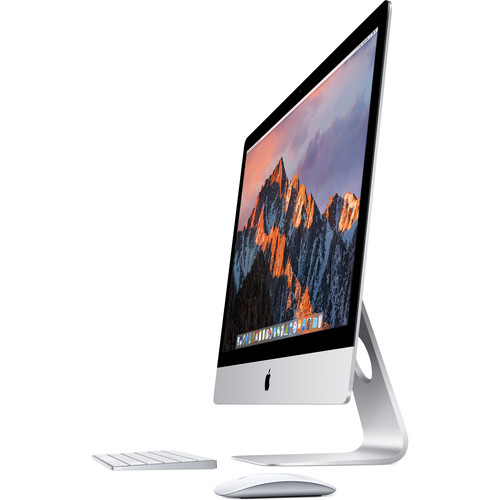
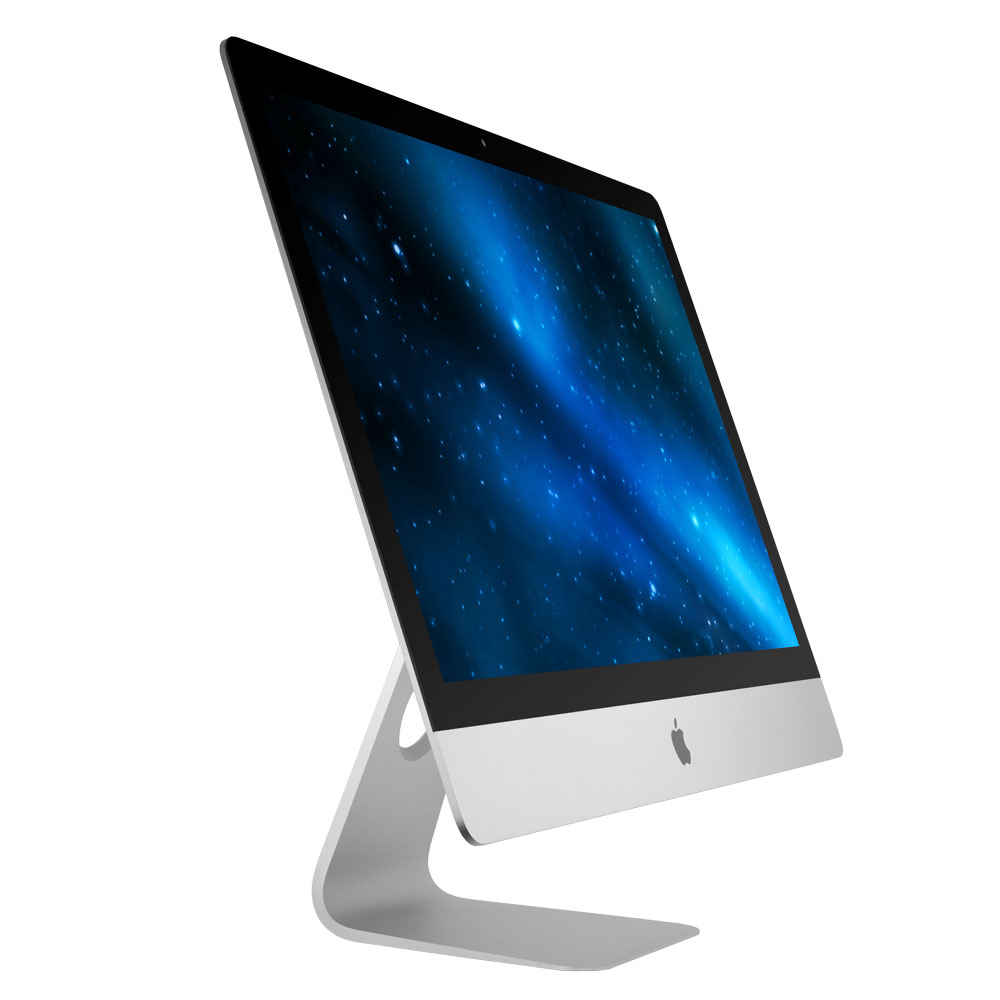
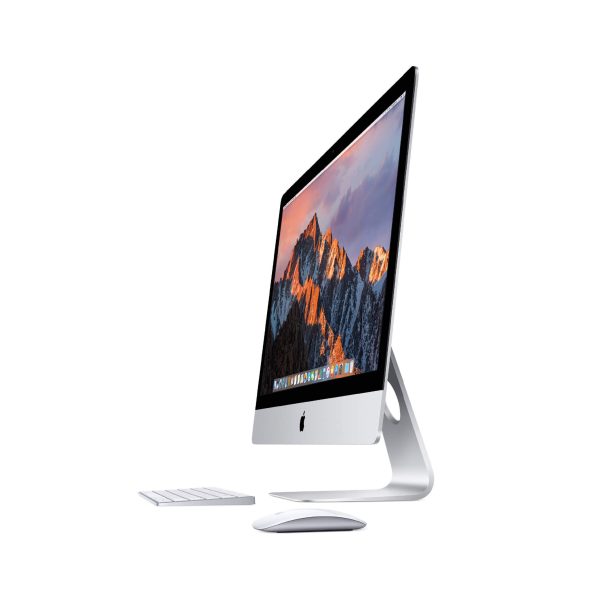
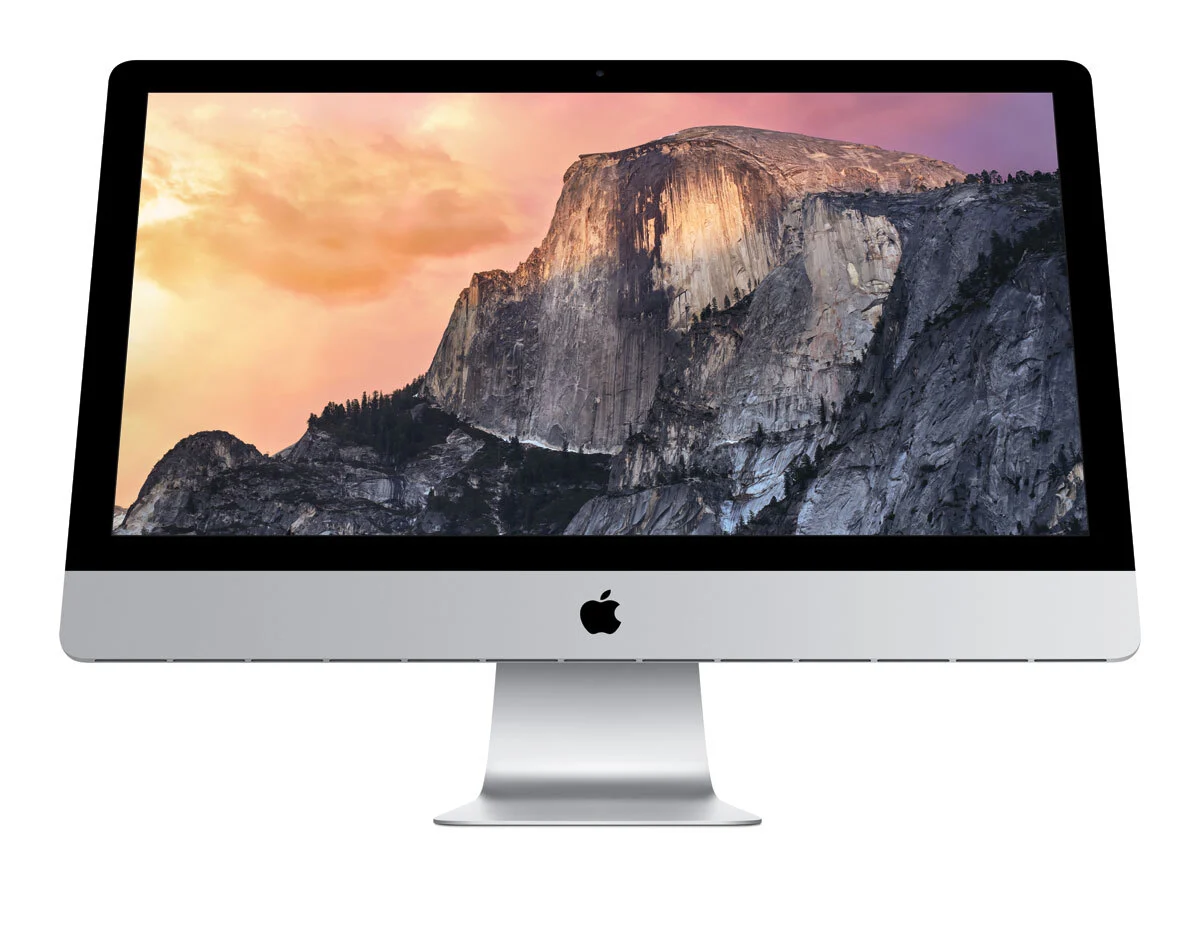
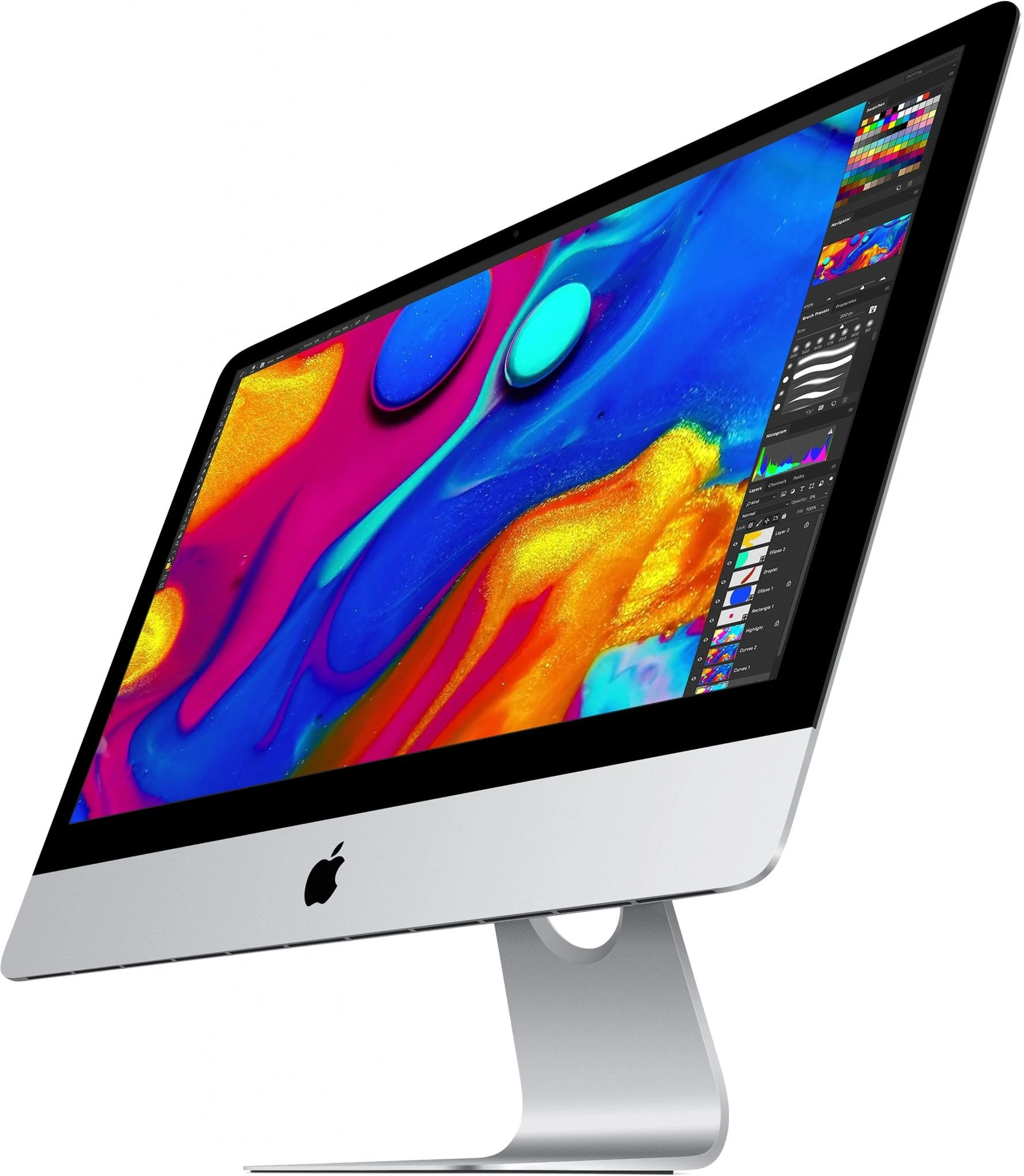
The 2017 27-inch iMac with Retina 5K Display represents a significant evolutionary step in Apple's flagship all-in-one desktop, combining the revolutionary 5K display introduced in 2015 with substantial under-the-hood improvements that enhance both performance and connectivity. This model marks the transition to Intel's 7th-generation Kaby Lake processors, AMD's Polaris-based Radeon Pro graphics, and most importantly, the introduction of Thunderbolt 3—a game-changing connectivity standard that doubles bandwidth to 40Gbps while adding USB-C compatibility. The 2017 iMac maintains the beloved user-accessible RAM door (a feature Apple would eliminate in subsequent models), making it the last 27-inch iMac to offer both easy memory upgrades and modern connectivity. With its brilliant 5K P3 display, significantly improved GPU performance, faster storage options, and future-proof Thunderbolt 3 ports, this iMac serves as an ideal workstation for creative professionals, video editors, photographers, and power users who demand both exceptional visual fidelity and robust performance in a sleek, all-in-one form factor.
Detailed Specifications
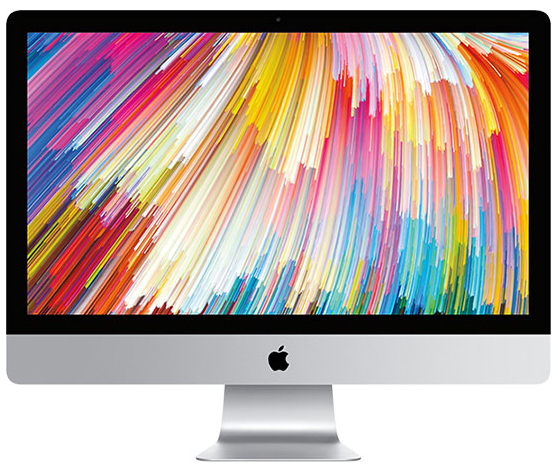
1. Display Technology (5K Retina Perfected)
- Screen Size: 27-inch diagonal (diagonal viewable area)
- Resolution: 5120 x 2880 pixels (True 5K)
- Pixel Density: 218 pixels per inch (PPI)
- Total Pixels: 14.7 million pixels
- Display Technology: IPS (In-Plane Switching) panel
- Brightness: 500 nits (up from 400 nits in 2015)
- Color Gamut: P3 wide color gamut with 10-bit support
- Color Depth: 1.07 billion colors
- Contrast Ratio: 1000:1
- Viewing Angles: 178° horizontal and vertical
- Anti-reflective Coating: Advanced coating with 75% less reflection
- Refresh Rate: 60Hz (fixed)
- Key Improvements over 2015:
- 25% brighter (500 vs 400 nits)
- Improved anti-reflective coating
- Better color uniformity and calibration
- Support for Rec. 2020 color space (partial)
2. Processor Options (Kaby Lake Architecture)
- Base Configuration: Intel Core i5-7500 (3.4 GHz, turbo up to 3.8 GHz)
- Available Upgrades:
- Core i5-7600 (3.5 GHz, turbo up to 4.1 GHz)
- Core i5-7600K (3.8 GHz, turbo up to 4.2 GHz) - Special Order
- Core i7-7700K (4.2 GHz, turbo up to 4.5 GHz) - Special Order
- Microarchitecture: Kaby Lake (7th Generation)
- Cores/Threads:
- i5: 4 Cores, 4 Threads
- i7: 4 Cores, 8 Threads (Hyper-Threading)
- Cache:
- i5: 6MB L3 Cache (shared)
- i7: 8MB L3 Cache (shared)
- TDP: 65W (i5-7500/7600), 91W (i5-7600K/i7-7700K)
- Manufacturing Process: 14nm+ (optimized 14nm process)
- Performance Features:
- Intel Turbo Boost Technology 2.0
- Intel Hyper-Threading Technology (i7 only)
- Intel Virtualization Technology (VT-x, VT-d)
- AVX2 instruction set support
- Hardware acceleration for 4K H.265/HEVC encoding/decoding
- Improved integrated graphics (HD Graphics 630)
3. Memory Configuration & Upgradeability
- Standard RAM: 8GB 2400MHz DDR4 (two 4GB modules)
- Maximum Supported RAM: 64GB officially (128GB unofficially tested with 32GB modules)
- Memory Slots: 4 SO-DIMM slots (all user-accessible)
- Memory Specifications:
- Type: PC4-19200 (2400MHz) DDR4
- Timings: CL17
- Voltage: 1.2V
- Dual-channel architecture when using 2 or 4 matched sticks
- Upgrade Process:
- Access via small door on back (no tools required)
- Pop-out panel reveals all 4 RAM slots
- Apple-approved user upgrade (does not void warranty)
- Last 27-inch iMac with user-accessible RAM
- Recommended upgrade: 32GB (4x8GB) for professional use
- Performance Impact:
- DDR4 provides 30% more bandwidth than DDR3 in 2015 model
- Lower power consumption (1.2V vs 1.35V)
- Better future compatibility with modern RAM modules
4. Storage Options & Performance
- Available Configurations:
- 1TB Fusion Drive (32GB SSD + 1TB 7200rpm HDD)
- 2TB Fusion Drive (128GB SSD + 2TB 7200rpm HDD)
- 3TB Fusion Drive (128GB SSD + 3TB 7200rpm HDD)
- 256GB PCIe-based SSD
- 512GB PCIe-based SSD
- 1TB PCIe-based SSD
- 2TB PCIe-based SSD
- Fusion Drive Improvements:
- Larger SSD cache (32GB vs 24GB in base 1TB Fusion)
- Improved caching algorithms in macOS High Sierra+
- APFS file system support (with macOS High Sierra+)
- SSD Performance (PCIe 3.0 x4):
- Read speeds: Up to 2,400 MB/s
- Write speeds: Up to 2,000 MB/s
- 4KB random read: Up to 450,000 IOPS
- 4KB random write: Up to 400,000 IOPS
- Apple proprietary blade SSD design (not standard M.2)
- Up to 50% faster than 2015 model's PCIe 2.0 SSDs
- Professional Recommendation: 512GB SSD minimum, 1TB SSD ideal
5. Graphics Performance (Radeon Pro Polaris)
- Base Configuration: Radeon Pro 570 with 4GB GDDR5
- Available GPU Upgrades:
- Radeon Pro 575 with 4GB GDDR5
- Radeon Pro 580 with 8GB GDDR5
- Radeon Pro 580 Specifications (Top Configuration):
- Architecture: Polaris 20 (GCN 4.0)
- Stream Processors: 2,304
- Core Clock: 1,100 MHz
- Memory: 8GB GDDR5 @ 7,000 MHz
- Memory Interface: 256-bit
- Memory Bandwidth: 224 GB/s
- Compute Performance: 5.1 TFLOPS
- TDP: 150W
- Performance Improvements vs 2015:
- Radeon Pro 580 is ~2x faster than R9 M395X
- More modern architecture with better efficiency
- 8GB VRAM option for large textures/4K video editing
- Better macOS/metal API optimization
- External Display Support:
- Native 5K @ 60Hz via internal display
- Two external 5K displays @ 60Hz via Thunderbolt 3 (with Radeon Pro 580)
- Up to four 4K displays externally
- HDMI 2.0 output (supports 4K @ 60Hz)
6. Connectivity & Ports (Thunderbolt 3 Era)
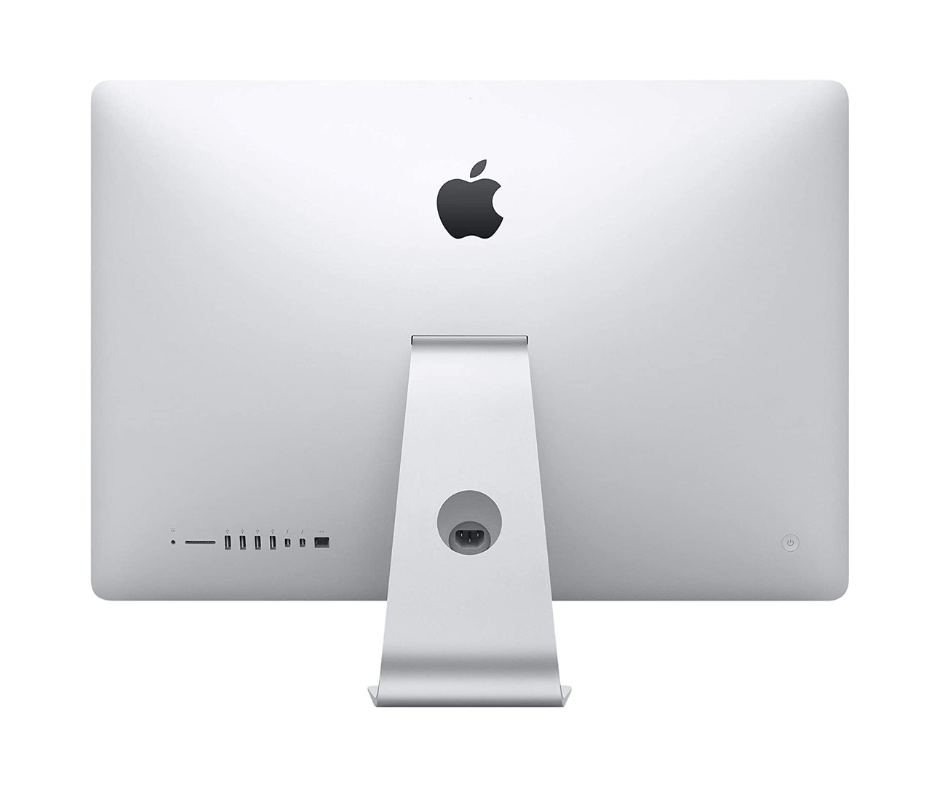
- Rear Ports (Left to Right):
- SDXC card slot (UHS-II, supports up to 2TB SD cards)
- 4 x USB 3.0 ports (5 Gbps, compatible with USB 2.0)
- 2 x Thunderbolt 3 (USB-C) ports (40 Gbps each)
- Gigabit Ethernet port (10/100/1000BASE-T)
- Kensington lock slot
- Headphone/optical digital audio output (3.5mm)
- Wireless Connectivity:
- Wi-Fi: 802.11a/b/g/n/ac (Wi-Fi 5, 3x3 MIMO)
- Bluetooth: 4.2 (up from 4.0 in 2015)
- Thunderbolt 3 Capabilities (Major Upgrade):
- 40 Gbps bandwidth (2x Thunderbolt 2)
- USB-C connector (reversible)
- Supports USB 3.1 Gen 2 (10 Gbps)
- DisplayPort 1.2 (can drive 5K displays)
- Power Delivery (up to 15W for charging devices)
- Daisy-chain up to 6 devices
- External GPU enclosures fully supported
- SD Card Reader:
- Upgraded to UHS-II (up to 312 MB/s vs 104 MB/s UHS-I)
- Critical improvement for photographers/videographers
7. Audio & Video Capabilities
- Webcam: FaceTime HD camera (720p resolution)
- Same resolution as 2015 but improved image processing
- Better low-light performance
- Microphones: Dual microphones with:
- Noise reduction technology
- Beamforming for directional audio capture
- Improved signal-to-noise ratio
- Speakers: Stereo speaker system with:
- Dual bass radiators for enhanced low-frequency response
- Wider stereo sound field
- Support for Dolby Digital and DTS audio playback
- 25% louder than 2015 model
- Audio Output:
- 3.5mm headphone/optical digital audio output
- Supports Apple headphones with remote and microphone
- Optical digital audio output (up to 24-bit/96kHz)
- High-impedance headphone support
- Video Playback & Encoding:
- Hardware-accelerated H.265/HEVC 10-bit encoding/decoding
- 4K/5K video playback at 60fps
- HDCP 2.2 support for protected 4K content
- Hardware acceleration for ProRes and DNxHD codecs
8. Design & Build Quality
- Materials: Single piece of aluminum (unibody construction)
- Dimensions:
- Height: 51.6 cm (20.3 inches)
- Width: 65.0 cm (25.6 inches)
- Depth: 20.3 cm (8.0 inches) at thickest point
- Edge thickness: 5 mm (0.2 inches)
- Weight: 9.44 kg (20.8 pounds) - slightly lighter than 2015
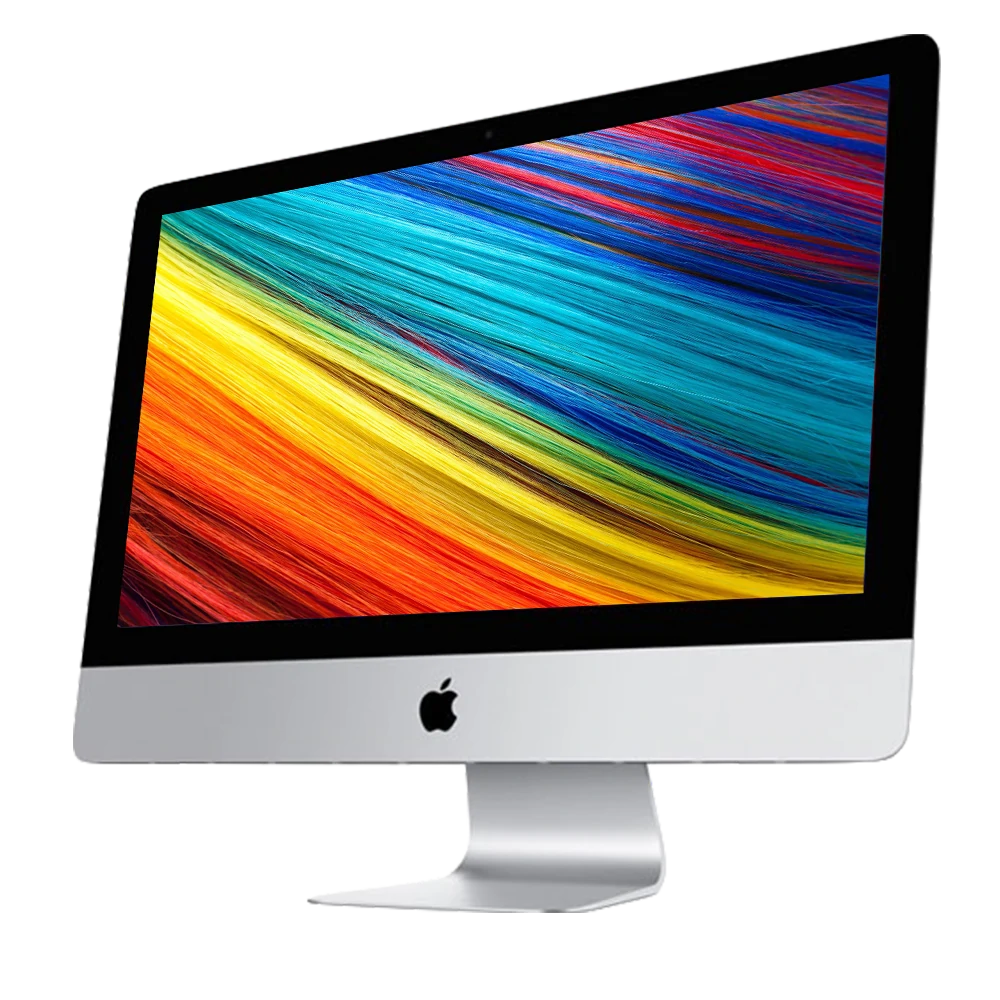
- Color: Silver aluminum with black bezel (only color option)
- Stand: Aluminum stand with -5° to 25° tilt adjustment
- VESA Mount: Optional VESA mount adapter converts to 100x100mm VESA
- Build Quality Improvements:
- Redesigned thermal system for better cooling
- More efficient power supply (up to 92% efficiency)
- Reduced electromagnetic interference
- More rigid internal structure
9. Software & Operating System
- Original OS: macOS 10.12 Sierra (June 2017) or 10.13 High Sierra (Late 2017)
- Latest Officially Supported macOS: macOS 14 Sonoma (as of 2024)
- Apple Silicon Transition Impact: Likely last macOS version will be 2025's update
- Key Software Features Enabled:
- APFS file system (with High Sierra+)
- Metal 2 graphics API
- HEVC/H.265 hardware acceleration
- External GPU support via Thunderbolt 3
- VR content creation capability
- Boot Camp: Officially supports Windows 10 (64-bit)
- Professional Software Optimization:
- Final Cut Pro X optimized for Metal 2 and HEVC
- Adobe Creative Cloud with GPU acceleration
- DaVinci Resolve Studio with CUDA/OpenCL support
- Logic Pro X with low-latency audio processing
10. Power & Thermal Management
- Power Supply: Internal 300W power supply (up from 250W in 2015)
- Voltage: 100-240V AC, 50-60Hz
- Power Consumption:
- Idle: 50W
- Typical use: 95W
- Maximum (CPU+GPU load): 250W
- Energy Star 7.0 certified
- Cooling System Redesign:
- Larger fan with improved blade design
- Dual heat pipes for CPU cooling
- Vapor chamber for GPU cooling (all models)
- Redesigned airflow path for better heat dissipation
- Quieter operation under load than 2015 model
- Thermal Performance:
- Better sustained performance under heavy loads
- Reduced thermal throttling
- More consistent clock speeds during extended workloads
Performance Benchmarks & Real-World Use
CPU Performance (Geekbench 5):
- Core i5-7500:
- Single-Core: 950-1,000
- Multi-Core: 3,400-3,600
- Core i7-7700K:
- Single-Core: 1,150-1,200
- Multi-Core: 4,800-5,000
- Improvement over 2015:
- 15-20% better single-core performance
- 25-30% better multi-core performance (i7 vs i7)
- Better efficiency per clock cycle
GPU Performance (Geekbench 5 Metal):
- Radeon Pro 570 (4GB): 25,000-28,000 points
- Radeon Pro 575 (4GB): 30,000-33,000 points
- Radeon Pro 580 (8GB): 40,000-45,000 points
- vs 2015 R9 M395X: Radeon Pro 580 is 80-100% faster
- Gaming Performance (Radeon Pro 580):
- 1080p High settings: 60+ FPS in most games
- 1440p Medium-High settings: 45-60 FPS in modern games
- 4K Medium settings: 30-40 FPS in demanding games
- VR Ready: Capable of Oculus Rift/HTC Vive (minimum spec)
Storage Performance:
- PCIe SSD (512GB):
- Sequential Read: 2,200-2,400 MB/s
- Sequential Write: 1,800-2,000 MB/s
- Boot Time: 8-12 seconds
- Application Launch: Near-instant for most applications
- 40-50% faster than 2015 model's SSD
- Fusion Drive (2TB):
- Sequential Read: 600-800 MB/s (SSD cache), 150 MB/s (HDD)
- Boot Time: 20-30 seconds
- Good for general use, not recommended for professional work
Thunderbolt 3: The Game Changer
Connectivity Revolution:
- Bandwidth: 40 Gbps (2x Thunderbolt 2, 8x USB 3.0)
- Multi-protocol Support:
- Thunderbolt 3
- USB 3.1 Gen 2 (10 Gbps)
- DisplayPort 1.2
- Power Delivery (up to 15W)
- Professional Applications:
- External GPU enclosures (full support)
- 10GbE networking adapters
- RAID storage arrays with 1,500+ MB/s speeds
- 4K/5K/6K external displays
- Professional audio/video capture devices
External GPU (eGPU) Support:
- Official Support: macOS 10.13.4+ with Metal-capable AMD GPUs
- Recommended Enclosures: Sonnet Breakaway Box, Razer Core X
- Performance Impact:
- 15-20% performance loss vs internal PCIe (due to Thunderbolt overhead)
- Still significantly faster than internal Radeon Pro 580
- Enables modern gaming and professional 3D work
- Future-proofing: Ability to add newer GPUs as they release
Target Market & Professional Applications
Primary User Groups:
- Video Professionals: 4K/5K video editors, colorists, motion graphics artists
- Photographers: High-resolution photo editing, batch processing
- Graphic Designers: Large canvas work, print design, UI/UX design
- Music Producers: Large mixing sessions, virtual instrument hosting
- Developers: Multiple IDE windows, virtual machines, simulators
- Scientific/Academic: Data visualization, computational work, research
- Business Professionals: Financial modeling, data analysis, presentations
Professional Software Performance:
- Final Cut Pro X:
- Real-time 4K ProRes editing
- 3-stream 4K playback
- Accelerated effects rendering
- Adobe Premiere Pro:
- 4K timeline with effects
- Hardware-accelerated encoding
- Good performance with Mercury Playback Engine
- Photoshop/Lightroom:
- Instant previews with 50MP+ images
- GPU-accelerated filters and adjustments
- Smooth brush performance at high resolutions
- DaVinci Resolve:
- 4K timeline with nodes
- Real-time color grading (with Radeon Pro 580)
- Fusion compositing work
Comparison with Other iMacs
vs. iMac 27" (2015):
- 2017 Advantages: 25% brighter display, Thunderbolt 3, faster CPU/GPU, DDR4 RAM, UHS-II SD, better cooling
- 2015 Advantages: Lower cost on used market, similar RAM upgradeability
- Verdict: 2017 is significantly better if you can afford the price difference
vs. iMac 27" (2019):
- 2017 Advantages: User-upgradeable RAM, lower cost, similar performance for many tasks
- 2019 Advantages: 6-8 core CPUs, better GPUs, T2 chip, True Tone display, nano-texture option
- Verdict: 2019 is better for heavy workloads, but 2017 offers better value
vs. iMac 27" (2020 - Last Intel iMac):
- 2017 Advantages: User-upgradeable RAM, significantly lower cost
- 2020 Advantages: Much faster 10th-gen CPUs, Radeon Pro 5000 series GPUs, T2 chip, better display
- Verdict: 2020 is superior but 2017 remains capable at a fraction of the price
vs. iMac 24" M1 (2021):
- 2017 Advantages: Larger 5K display, user-upgradeable RAM, more ports, more powerful GPU options
- M1 Advantages: Much faster CPU performance, better efficiency, modern design, longer support
- Verdict: M1 for most users, 2017 for those needing larger display or specific Intel compatibility
Upgrade Paths & Long-Term Viability
RAM Upgrades (Simplest & Most Impactful):
- Recommended: 32GB (4x8GB) DDR4 2400MHz
- Maximum Official: 64GB (4x16GB)
- Unofficial Maximum: 128GB (4x32GB) - works but not tested by Apple
- Cost: $120-180 for 32GB, $250-350 for 64GB
- Impact: Essential for professional workflows, virtual machines, large files
Storage Upgrades:
- Internal SSD Upgrade: Difficult (requires display removal) but possible
- Apple proprietary blade SSD to NVMe adapter available
- Can upgrade to faster/larger NVMe drives
- Professional installation recommended
- External Solutions (Recommended):
- Thunderbolt 3 NVMe SSD: 2,500+ MB/s speeds
- USB 3.1 Gen 2 SSD: 1,000 MB/s speeds
- Thunderbolt 3 RAID: 1,500+ MB/s for large storage
External GPU (Best Performance Upgrade):
- Compatible GPUs: AMD RX 580, RX 5700 XT, RX 6800, etc.
- Enclosure Cost: $200-400 + GPU cost
- Performance Gain: 2-3x faster than internal Radeon Pro 580
- Best For: Gaming, 3D rendering, advanced video effects
macOS Support Timeline:
- Current Support: macOS 14 Sonoma (2023)
- Expected Last macOS: 2024 or 2025 update
- Security Updates: Likely through 2026-2027
- Application Support: Most apps will support Intel through 2025+
Common Issues & Solutions
1. Fusion Drive Reliability:
- Symptoms: Slowing over time, beachballing, file system corruption
- Solutions:
- Separate Fusion Drive into SSD and HDD volumes
- Replace with SSD (internal or external)
- Regular disk maintenance with Disk Utility
2. Screen Coating Issues (Staingate):
- Symptoms: Anti-reflective coating wearing off, splotchy appearance
- Causes: Cleaning with improper chemicals, manufacturing defect
- Solutions:
- Apple had repair program (now expired for 2017)
- Professional screen replacement
- Careful cleaning with only water and microfiber cloth
3. Thermal Performance:
- Symptoms: Fan noise under load, thermal throttling, performance drops
- Solutions:
- Clean internal dust accumulation
- Replace thermal paste on CPU/GPU
- Use Macs Fan Control for custom fan curves
- Ensure proper ventilation around iMac
4. Thunderbolt 3 Connectivity Issues:
- Symptoms: Intermittent connections, devices not recognized
- Solutions:
- Update macOS to latest version
- Reset SMC and NVRAM
- Use high-quality Thunderbolt 3 cables
- Avoid daisy-chaining too many devices
Environmental Impact & Sustainability
Green Design Features:
- Energy Efficiency: ENERGY STAR 7.0 certified, EPEAT Gold rated
- Materials:
- 100% recycled aluminum in stand (first for iMac)
- Arsenic-free display glass
- Mercury-free LED backlighting
- BFR-free and PVC-free internal components
- Manufacturing:
- 100% renewable energy in Apple's facilities
- Reduced packaging volume
- More efficient logistics
Longevity & Repairability:
- Repairability Score: 7/10 (iFixit)
- User-upgradeable RAM (easy)
- Display replacement possible but difficult
- Standard screws used internally
- Modular design for some components
- Expected Lifespan: 8-10 years with proper maintenance
- Recycling Program: Accepted at Apple Stores for recycling
Cost Analysis & Current Market Value
Original Pricing (2017):
- Base Model (i5, 1TB Fusion, Radeon Pro 570): $1,799
- Mid-range (i5, 1TB Fusion, Radeon Pro 575): $1,999
- High-end (i5, 512GB SSD, Radeon Pro 580): $2,299
- Fully Loaded (i7, 2TB SSD, Radeon Pro 580): $3,099
Current Market Value (Used, 2024):
- Base Model (Fusion Drive, 8GB RAM): $450-$600
- Mid-range (SSD, 16GB RAM, Radeon Pro 575): $600-$800
- High-end (i7, 1TB SSD, 32GB RAM, Radeon Pro 580): $800-$1,200
- Factors Affecting Value:
- SSD vs Fusion Drive (SSD adds $150-300 value)
- RAM amount (32GB highly desirable)
- GPU model (Radeon Pro 580 commands premium)
- Physical condition (display quality critical)
- Included accessories (keyboard, mouse, original box)
Value Proposition:
- Cost per Performance: Excellent value for professional users
- Display Quality: Comparable to $1,000+ standalone 5K displays
- Upgradeability: RAM upgrades extend useful life significantly
- Total Cost of Ownership: Lower than newer Macs with similar capabilities
Pros & Cons Summary
Advantages:
- Stunning 5K Retina display with 500 nits brightness
- User-upgradeable RAM (last 27" iMac with this feature)
- Thunderbolt 3 with 40Gbps bandwidth
- Significantly improved GPU performance over 2015 model
- Faster DDR4 RAM and PCIe 3.0 SSDs
- Better thermal design and cooling
- UHS-II SD card reader
- Still receiving macOS updates (as of 2024)
- Excellent value on used market
Disadvantages:
- 7-year-old hardware (as of 2024)
- Approaching end of macOS support (likely 2025)
- 4-core CPU limit (while newer Macs have 8+ cores)
- No T2 security chip (present in 2018+ models)
- No True Tone display (added in 2019)
- 720p webcam (dated by modern standards)
- Difficult internal repairs (except RAM)
- Heating under sustained heavy loads
- No Face ID or Touch ID
Final Recommendation & Verdict
Buy the iMac 27" 5K (2017) If:
- You need a large, high-quality 5K display for creative work
- You value user-upgradeable RAM for future expansion
- You want Thunderbolt 3 connectivity for modern peripherals
- Your workflow benefits from GPU acceleration
- You find one with SSD and upgraded RAM at reasonable price
- You need macOS compatibility for specific Intel-only software
- You're on a budget but need professional capabilities
Consider Alternatives If:
- You need latest macOS features beyond 2025
- Your workflow requires 8+ CPU cores
- You want Apple Silicon performance and efficiency
- You need advanced security features (T2 chip)
- Your budget allows for M1/M2/M3 Mac Studio + Display
- You require maximum single-core performance
- You want modern FaceTime camera (1080p)
Best Configurations to Look For:
- i7-7700K, 1TB SSD, 32-64GB RAM, Radeon Pro 580 8GB - Professional powerhouse
- i5-7600, 512GB SSD, 16-32GB RAM, Radeon Pro 575/580 - Sweet spot for value
- i5-7500, 256GB SSD, 16GB RAM, Radeon Pro 570 - Entry-level professional
Overall Assessment:
9.0/10 for Creative Professionals in 2024 (Considering Age & Price)
The 2017 27" iMac 5K stands as perhaps the best value proposition in the used Mac market for creative professionals. It combines the still-exceptional 5K display with meaningful performance upgrades over the 2015 model, most notably Thunderbolt 3 connectivity that keeps it relevant with modern peripherals. The user-upgradeable RAM provides a crucial longevity advantage that subsequent iMacs lack, allowing these machines to remain capable for years with simple memory upgrades.
While its 7th-gen Intel processors show their age compared to Apple Silicon, for many professional creative workflows—particularly those that leverage GPU acceleration—the 2017 iMac remains highly capable. The Radeon Pro 580, especially with 8GB VRAM, handles 4K video editing, large photo manipulation, and even moderate 3D work competently. When paired with 32GB of RAM and an SSD, this iMac delivers a professional computing experience that rivals much newer machines at a fraction of the cost.
The impending end of macOS support (likely 2025) is the most significant limitation, but for studios with specific software requirements or budgets that can't accommodate Apple Silicon transitions, the 2017 iMac represents an outstanding balance of capability, display quality, and value. For photographers, video editors, designers, and other visual professionals, this machine continues to deliver where it matters most: showing your work in the best possible light on one of the finest displays ever built into a computer.