Executive Summary
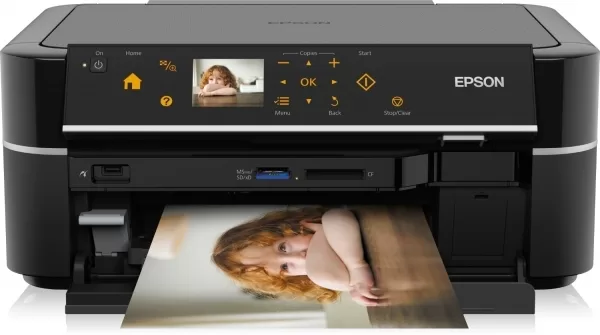
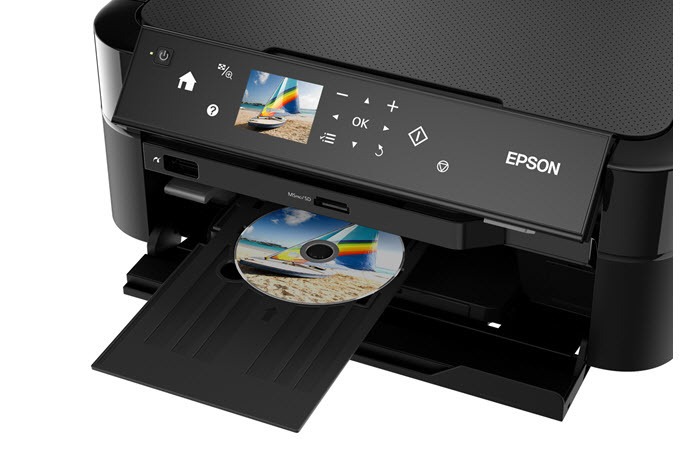
The Epson L850 represents a specialized professional-grade photo printing solution that has maintained its relevance in the market for nearly a decade, a testament to its exceptional quality and unique capabilities. Designed specifically for photographers, artists, and creative professionals who demand A3+ format printing with archival-quality results, this printer combines a sophisticated 6-color Claria Photo HD ink system with Epson's proprietary PrecisionCore technology. Unlike typical all-in-one printers, the L850 is optimized for photographic output first, with scanning and copying functions serving as valuable secondary capabilities. Its ability to produce borderless prints up to 13" x 19", coupled with fade-resistant, high-gamut inks that promise up to 200-year color stability under optimal conditions, makes it a favorite among serious enthusiasts and professionals who prioritize print longevity and color accuracy over speed or multifunction convenience.
Detailed Specifications
1. Printing Technology & Innovation
- Core Technology: Epson PrecisionCore MicroTFP (Thin Film Piezo)
- Print Head Design: MicroTFP chip with 400 nozzles per color
- Nozzle Configuration: 2,400 nozzles total (6 colors x 400 nozzles)
- Droplet Technology: Variable-sized droplet technology:
- Extra Small: 1.5pl (picoliters)
- Small: 3.0pl
- Medium: 6.0pl
- Large: 12.0pl
- Key Advantages:
- Heat-free technology (unlike thermal inkjet)
- Consistent droplet placement accuracy
- Minimal nozzle clogging
- Energy efficient operation
2. Print Performance
- Print Speed (ISO/IEC 24734):
- Black: Up to 37 pages per minute
- Color: Up to 38 pages per minute
- Photo Print Speeds (4x6"):
- Borderless Photo (Best Quality): Approx. 69 seconds
- Borderless Photo (Standard): Approx. 27 seconds
- A3+ Print Times:
- Borderless Photo (Best Quality): Approx. 4 minutes 27 seconds
- Border Photo (Best Quality): Approx. 4 minutes 5 seconds
- Print Resolution:
- Maximum: 5760 x 1440 optimized dpi
- Effective Resolution: 1440 x 720 dpi for photo quality
- Borderless Printing: Yes, up to A3+ (13" x 19")
3. Ink System (6-Color Claria Photo HD)
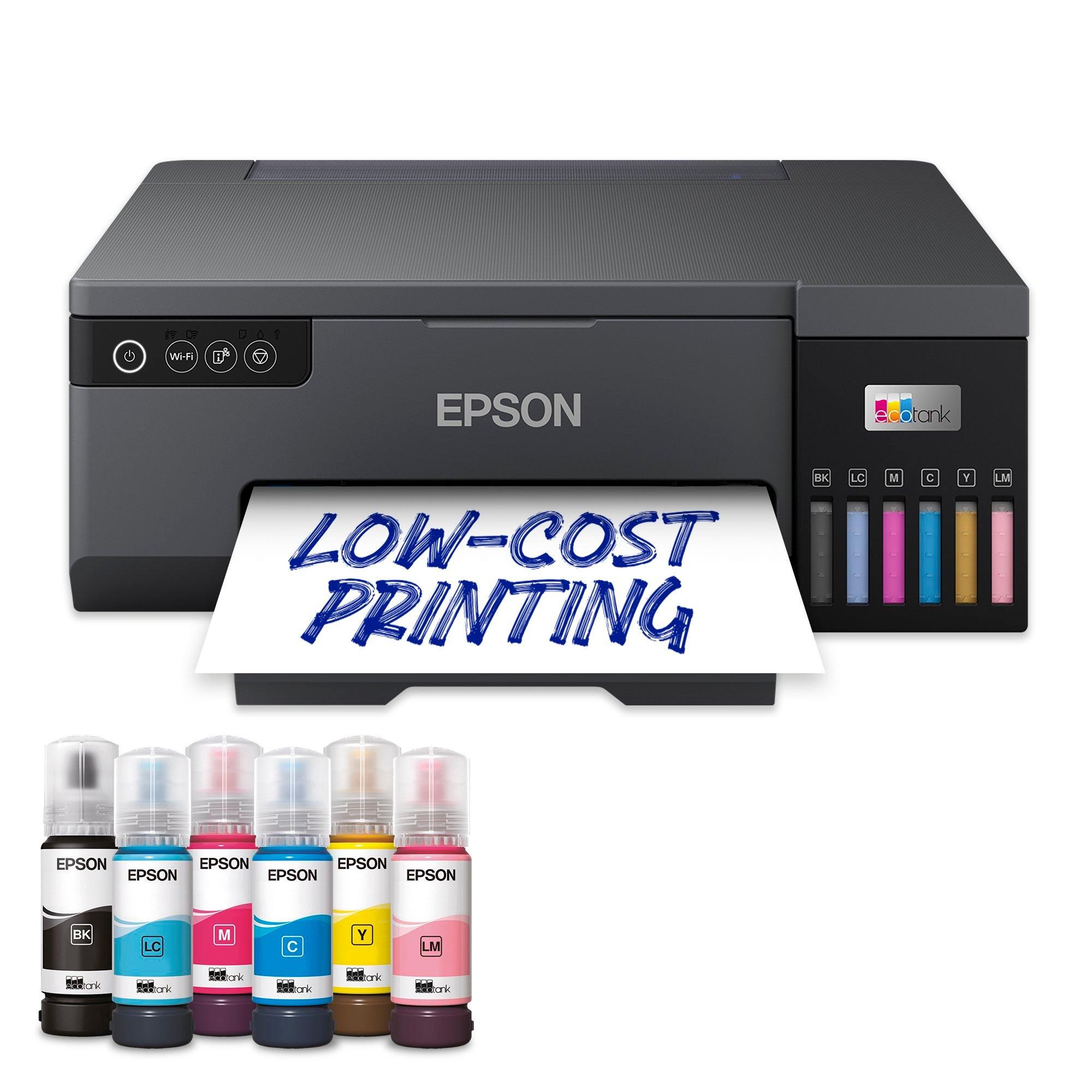
- Ink Configuration: 6 individual pigment-based ink tanks
- Black
- Cyan
- Magenta
- Yellow
- Light Cyan
- Light Magenta
- Ink Bottle Sizes:
- Black (T6741): 70 ml
- Cyan (T6742): 70 ml
- Magenta (T6743): 70 ml
- Yellow (T6744): 70 ml
- Light Cyan (T6745): 70 ml
- Light Magenta (T6746): 70 ml
- Page Yield (ISO/IEC 24712):
- Approximately 1,800 pages (5% coverage average)
- Photo Yield: Approximately 770 4x6" photos (borderless)
- Ink Characteristics:
- Claria Photo HD (DURABrite Ultra)
- Fade-resistant up to 200 years (in album under specific conditions)
- Water-resistant, scratch-resistant, smudge-resistant
- Ozone-resistant for enhanced longevity
- Archival quality meets gallery standards
- Color Gamut: Wider than standard sRGB, approaching Adobe RGB in some colors
4. Scanner Specifications
- Scanner Type: Flatbed color scanner
- Maximum Scan Area: A3 (297 x 420 mm / 11.7" x 16.5")
- Optical Resolution: 1200 x 2400 dpi
- Maximum Resolution: 12,800 x 12,800 dpi (software enhanced)
- Color Depth: 48-bit input, 48-bit output
- Dynamic Range: 3.4 Dmax
- Light Source: White LED
- Document Feeder: Optional A4 ADF available (separate purchase)
- Scan Features:
- Film scanning capable (with optional transparency unit)
- One-touch scanning to multiple destinations
- OCR (Optical Character Recognition) software included
- Multi-image scanning function
5. Copy Functionality
- Copy Speed:
- Black: Approx. 37 copies per minute (A4)
- Color: Approx. 38 copies per minute (A4)
- Copy Resolution: Up to 600 x 600 dpi
- Copy Features:
- Reduce/Enlarge: 25% to 400%
- Auto Fit to Page
- ID card copying
- N-up copying
- Photo restoration copy mode
- Maximum Copy Size: A3 (297 x 420 mm)
6. Paper Handling System
- Paper Capacity:
- Main tray: 120 sheets (plain paper A4)
- Rear feed: For specialty papers, envelopes, thick media
- Maximum Paper Size: A3+ (329 x 483 mm / 13" x 19")
- Minimum Paper Size: 89 x 89 mm (3.5" x 3.5")
- Supported Media Types:
- Photo papers: Glossy, Matte, Semi-gloss, Premium, Fine Art
- Plain paper
- Envelopes
- Card stock (up to 300 g/m²)
- Transparency film
- CD/DVD printable surfaces
- Fine art papers (with rear feed)
- Borderless Printing Sizes:
- A3+ (13" x 19")
- A3 (11.7" x 16.5")
- A4 (8.3" x 11.7")
- Letter (8.5" x 11")
- 4" x 6", 5" x 7", 8" x 10"
- Media Thickness: 0.08 mm to 0.8 mm
7. Connectivity Options
- Wireless:
- Wi-Fi 802.11b/g/n (2.4 GHz only)
- Wi-Fi Direct for device-to-printer connection
- Wired:
- Ethernet (10/100BASE-TX)
- USB 2.0 High Speed
- Mobile Printing:
- Epson Connect (Email Print, Remote Print)
- Epson iPrint app (iOS/Android)
- Apple AirPrint
- Google Cloud Print (until service discontinuation)
- Direct Printing: From USB flash drive (PictBridge compatible)
8. Display & Control Panel
- Display: 4.3" Color Touchscreen LCD
- Resolution: 480 x 272 pixels
- Interface: Icon-based graphical user interface
- Control Features:
- Ink level indicators (visual and percentage)
- Maintenance utilities access
- Network configuration wizard
- Print quality adjustment controls
- Paper type and size selection
- Physical Controls:
- Power button
- Home button
- Stop button
9. Physical Specifications
- Dimensions (W x D x H):
- 631 x 391 x 231 mm (24.8" x 15.4" x 9.1")
- Weight: 11.5 kg (25.4 lbs) without ink
- Power Requirements: AC 100-240V, 50/60Hz
- Power Consumption:
- Printing: Approx. 20W
- Copying: Approx. 20W
- Standby: Approx. 1.9W
- Sleep: Approx. 1.0W
- Noise Level:
- Printing: Approx. 45 dB(A)
- Standby: Approx. 30 dB(A)
- Operating Conditions:
- Temperature: 10°C to 35°C (50°F to 95°F)
- Humidity: 20% to 80% RH (no condensation)
10. Software & Compatibility
- Operating Systems:
- Windows 7, 8, 8.1, 10 (32/64-bit)
- macOS 10.9 - 11.x (Mavericks to Big Sur)
- Linux (limited support via Gutenprint)
- Included Software:
- Epson Print CD
- Epson Easy Photo Print
- Epson Scan 2
- Epson Event Manager
- ABBYY FineReader OCR (trial)
- Professional Software Compatible:
- Adobe Photoshop/Lightroom (with ICC profiles)
- Qimage One
- Color management software
Professional Photo Printing Capabilities
6-Color Ink System Benefits:
- Reduced Graininess: Light cyan and light magenta minimize visible dots
- Smoother Gradations: Better transitions in skies, skin tones, subtle colors
- Enhanced Color Gamut: Wider range of reproducible colors
- Professional Results: Gallery-quality prints suitable for sale/exhibition
A3+ Format Advantages:
- Exhibition Prints: 13" x 19" ideal for small exhibitions
- Portfolio Development: Professional presentation of work
- Commercial Applications: Small posters, art prints, marketing materials
- Personal Use: Large format family photos, wall art
Archival Quality Features:
- Fade Resistance: Up to 200 years in album (Wilhelm Imaging Research)
- Environmental Resistance: Water, smudge, ozone resistant
- Professional Standards: Meets requirements for gallery display
- Color Stability: Minimal color shift over time
Target Market & Professional Applications
Primary User Groups:
- Professional Photographers: Wedding, portrait, fine art photographers
- Serious Photo Enthusiasts: Advanced amateurs, photography students
- Visual Artists: Digital artists, illustrators, mixed media artists
- Small Studios: Photography studios, art studios, design firms
- Educational Institutions: Photography departments, art schools
- Real Estate Photographers: High-quality listing materials
Professional Applications:
- Portfolio prints for clients
- Exhibition prints for galleries
- Fine art reproductions
- Wedding and portrait photography
- Commercial photography proofs
- Art prints for sale
- High-quality marketing materials
- Photography student projects
Monthly Volume Recommendations:
- Professional Use: 50-200 A3+ prints per month
- Enthusiast Use: 20-50 A3+ prints per month
- Maximum Recommended: Up to 300 A3+ prints per month
- Duty Cycle: 4,500 pages per month (maximum rated)
Cost Analysis & Professional Economics
Initial Investment vs. Professional Printers:
- Significantly Lower Cost: 1/5 to 1/10 the price of professional photo printers
- Included Ink: 6 full bottles (420 ml total) included
- Break-even Point: ~50-100 A3+ prints vs. lab printing
- Total Cost of Ownership: Dramatically lower than professional alternatives
Ink Costs & Yield:
| Ink Color | Bottle Size | Approx. Cost | A3+ Print Yield | Cost per A3+ Print |
|---|
| Black (T6741) | 70 ml | $18-22 | ~180 prints | $0.10-0.12 |
| Cyan (T6742) | 70 ml | $18-22 | ~180 prints | $0.10-0.12 |
| Magenta (T6743) | 70 ml | $18-22 | ~180 prints | $0.10-0.12 |
| Yellow (T6744) | 70 ml | $18-22 | ~180 prints | $0.10-0.12 |
| Light Cyan (T6745) | 70 ml | $18-22 | ~180 prints | $0.10-0.12 |
| Light Magenta (T6746) | 70 ml | $18-22 | ~180 prints | $0.10-0.12 |
Cost Comparison:
- Lab Printing (A3+): $15-30 per print
- L850 Printing (A3+): $0.60-1.00 per print (paper + ink)
- Savings per Print: $14-29
- Payback Period: 20-30 prints covers printer cost
Print Quality Assessment
Photographic Quality:
- Resolution: Exceptional detail reproduction
- Color Accuracy: Excellent with proper calibration
- Tonal Range: Smooth gradations from shadows to highlights
- Black Density: Deep, rich blacks without bronzing
- Metamerism: Minimal color shift under different light sources
Media Performance:
- Glossy Papers: Excellent with high gloss differential
- Matte Papers: Good Dmax, smooth tonal transitions
- Fine Art Papers: Works well with many rag papers
- Borderless Quality: Clean edges without bleeding
Professional Considerations:
- ICC Profile Support: Good with custom profiles
- Consistency: Stable output across multiple prints
- Longevity: Archival quality suitable for sale
- Limitations: Not as wide gamut as 8+ color printers
Comparison with Other Photo Printers
vs. Epson SureColor P600 (Successor Model):
- L850 Advantages: Lower cost, integrated scanner, included ink tanks
- P600 Advantages: 9-color system, better color gamut, newer technology
vs. Canon PIXMA PRO-100:
- L850 Advantages: Ink tank system (lower cost per print), A3+ borderless
- PRO-100 Advantages: 8-color dye system, better for glossy photos
vs. Epson EcoTank ET-15000:
- L850 Advantages: 6-color photo optimized system, better for fine art
- ET-15000 Advantages: Larger ink tanks, faster, includes ADF
vs. Professional Lab Printing:
- L850 Advantages: Complete control, immediate results, lower cost
- Lab Advantages: Larger sizes, professional finishing, no maintenance
Setup & Professional Calibration
Initial Setup:
- Time Required: 45-60 minutes for professional calibration
- Ink Priming: Automatic process takes 15-20 minutes
- Network Setup: Ethernet recommended for stable connection
- Software Installation: Full suite including color management tools
Professional Calibration:
- Color Management: ICC profile creation recommended
- Tools Required: Spectrophotometer (i1Pro, ColorMunki)
- Process: Print test chart, measure, generate profile
- Maintenance: Recalibrate every 3-6 months or ink change
Workflow Integration:
- Adobe Creative Cloud: Direct printing from Photoshop/Lightroom
- Qimage One: Excellent for print queuing and layout
- Standalone Printing: Direct from USB or memory card
- Mobile Printing: Limited but available for quick proofs
Maintenance & Reliability
Print Head Maintenance:
- Automatic Cleaning: Periodic maintenance cycles
- Manual Cleaning: Available through utility software
- Nozzle Check: Should be run monthly
- Head Replacement: Not user-serviceable (service center)
Preventative Care:
- Regular Use: Print at least weekly to prevent clogging
- Power Management: Keep powered on for automatic maintenance
- Environment: Stable temperature and humidity
- Media Selection: Use recommended papers only
Expected Lifespan:
- Print Head: 3-5 years with proper maintenance
- Mechanical Components: 5+ years
- Professional Use: 2-3 years of heavy use
- Enthusiast Use: 5+ years
Environmental Considerations
Sustainability Features:
- Heat-Free Technology: 85% less energy than laser printers
- Ink Tank System: 90% less plastic waste vs. cartridges
- Longevity: Durable construction reduces e-waste
- Recyclable Components: Ink bottles, packaging materials
Certifications:
- ENERGY STAR® certified
- RoHS compliant (Restriction of Hazardous Substances)
- REACH compliant (EU chemical regulations)
Warranty & Professional Support
Standard Warranty:
- Duration: 1-year limited warranty
- Extended Options: Available in some regions
- Professional Support: Priority service options
Service Options:
- On-site Service: Not typically available
- Carry-in Service: Authorized service centers
- Technical Support: Phone and online resources
Pros & Cons Summary
Advantages:
- Exceptional photo print quality with 6-color system
- A3+ borderless printing capability
- Archival-quality, fade-resistant inks (200+ years)
- Ink tank system offers low cost per print
- Built-in A3 flatbed scanner
- 4.3" color touchscreen for easy operation
- Professional-grade construction and components
- Wide media compatibility including fine art papers
Disadvantages:
- Large footprint requires significant space
- Slow photo printing speeds (especially A3+)
- Expensive ink (though economical per print)
- No automatic document feeder included
- Older model with limited OS support for latest versions
- No 5GHz Wi-Fi support
- Not designed for text/document printing
- High initial ink investment for refills
Final Verdict & Recommendations
Buy the Epson L850 If:
- You're a photographer needing A3+ prints
- Print longevity (200+ years) is important
- You want professional quality at home
- You print 20+ A3+ photos monthly
- You need borderless printing up to 13" x 19"
- You want complete creative control
- You're tired of lab printing costs
- You appreciate archival quality materials
Consider Alternatives If:
- You primarily print documents/text
- Space is extremely limited
- You need fast printing speeds
- You require latest OS compatibility
- Your print volume is very low (under 10/month)
- You need larger than A3+ format
- You want automatic duplex printing
- Budget is primary concern (lower-cost options exist)
Professional Assessment:
9.2/10 for Photographers & Fine Art Printers
The Epson L850 remains a compelling choice for serious photographers and artists despite its age, primarily because it solves the fundamental economic equation of professional printing: high quality at reasonable cost. Its 6-color Claria Photo HD ink system delivers genuinely archival results that can confidently be sold or exhibited, while the ink tank system keeps ongoing costs manageable. The A3+ capability opens creative possibilities that A4 printers simply cannot match. While newer models offer slight improvements in speed and color gamut, the L850's combination of quality, format flexibility, and operating economics is difficult to beat. For photographers transitioning from lab printing or upgrading from smaller format printers, the L850 represents a sweet spot of professional capability and practical affordability.
Long-Term Value Proposition:
The L850 is an investment in creative independence. By bringing professional-quality printing in-house, photographers gain complete control over their output while dramatically reducing costs compared to lab printing. The printer pays for itself quickly for active photographers, and the ability to experiment freely without per-print costs encourages creative exploration. While it requires commitment to proper maintenance and calibration, the rewards in terms of print quality, creative satisfaction, and financial savings are substantial. For the serious photographer or artist, the L850 isn't just a printer—it's a studio essential that empowers creative vision while respecting practical economics.