Executive Summary
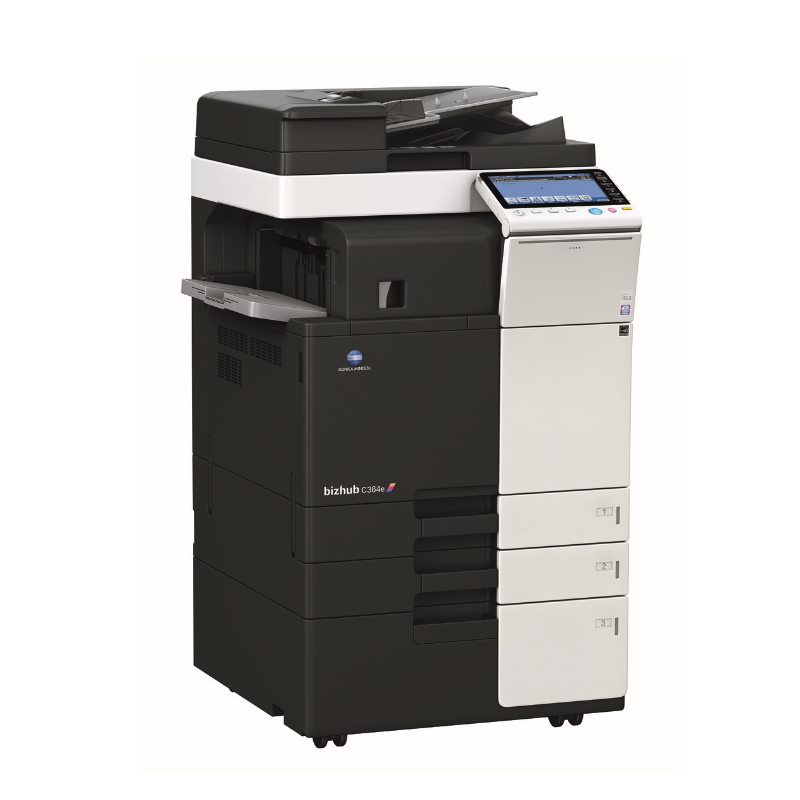
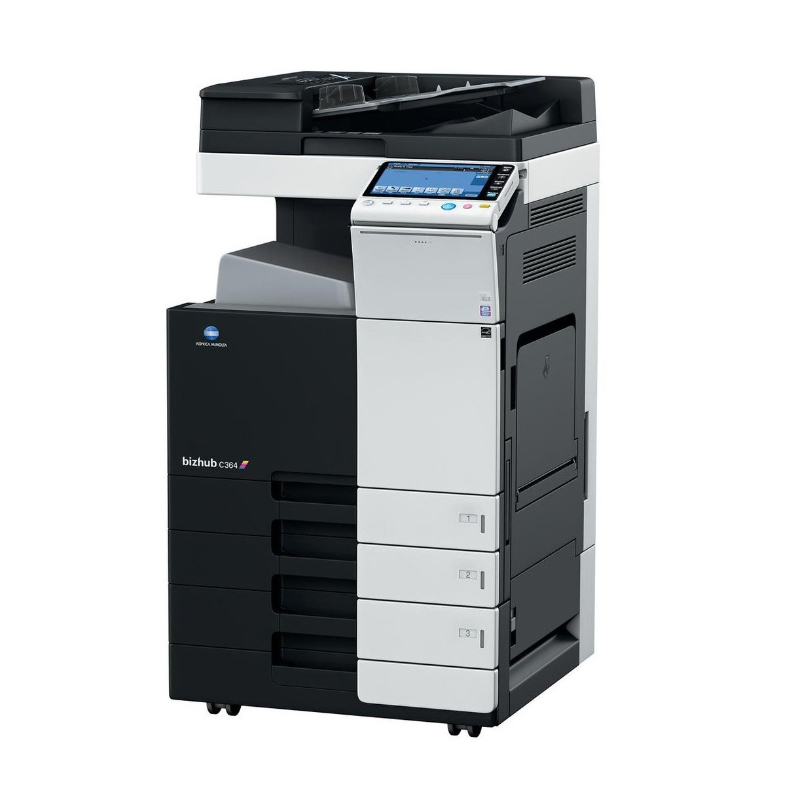
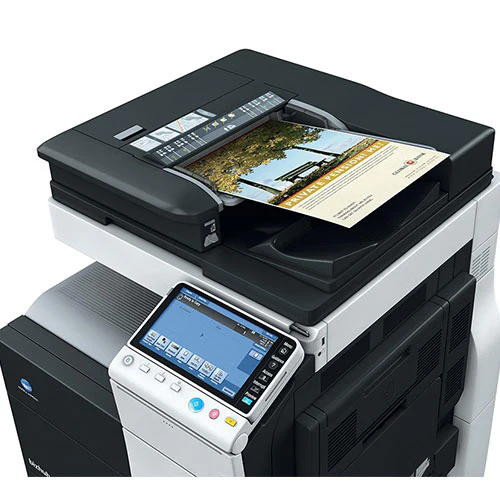
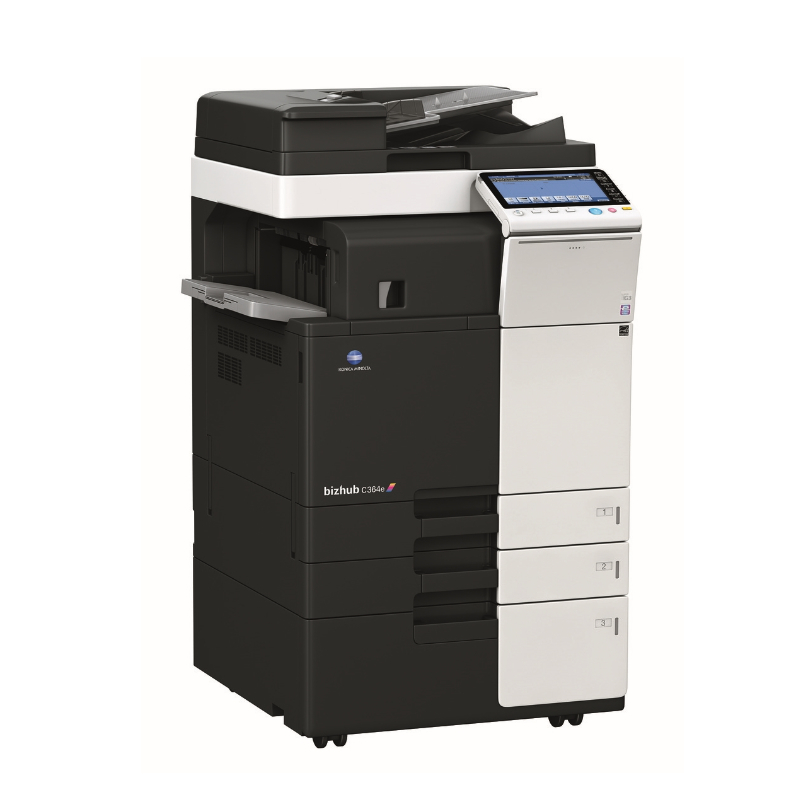
The Konica Minolta Bizhub C360 is a high-performance A3 color digital multifunction printer designed for demanding departmental and mid-size office environments requiring superior color document production capabilities. As an upgrade to the C280 model, the C360 offers faster 36 ppm printing speeds, enhanced paper handling up to 3,550 sheets, and a more robust 150,000-page monthly duty cycle. This professional-grade device combines printing, copying, scanning, and faxing functions with Konica Minolta's advanced Simitri HD toner technology for exceptional color accuracy and image quality. With its 8.5-inch intuitive color touchscreen, comprehensive network connectivity, and enterprise-level security features, the C360 is engineered for shared office environments where productivity, reliability, and professional output are critical requirements.
Detailed Specifications
1. Printing Technology
- Technology: Digital LED Electro-photographic Printing
- Toner Technology: Simitri HD Color Polymerized Toner
- Print Resolution: 1200 x 1200 dpi (equivalent to 4800 x 600 dpi quality)
- Key Advantage: Simitri HD toner provides:
- Superior color consistency and vibrancy
- Exceptional image gradation and detail
- Glossy output without additional finishing
- Low-temperature fusing technology for energy efficiency
2. Print Performance
- Print Speed:
- Black: Up to 36 pages per minute
- Color: Up to 36 pages per minute
- First Print Out Time:
- Warm-up: Less than 25 seconds from sleep mode
- First print: Less than 7.5 seconds (black), less than 8.5 seconds (color)
- Print Resolution:
- Maximum: 1200 x 1200 dpi
- Quality: 600 x 600 dpi standard
- Enhanced: 2400 x 600 dpi equivalent quality
- Print Quality Features:
- Simitri HD Color Polymerized Toner
- Auto Color Calibration (ACC)
- Image Refinement Technology (IRT)
- Professional Color Matching (PCM)
- Text Enhancement Technology
3. Copy Functions
- Copy Speed:
- Black: Up to 36 copies per minute
- Color: Up to 36 copies per minute
- Copy Resolution: Up to 600 x 600 dpi
- Copy Features:
- Reduce/Enlarge: 25% to 400% (1% increments)
- Auto Duplex Copying
- N-up copying (2/4/6/8/9/16 pages per sheet)
- ID card copying (front and back on single page)
- Book copy with auto page spread and book spine correction
- Background removal, text emphasis, photo mode
- Combine mode (multiple originals to single copy)
- Image repeat, overlay, masking functions
4. Scan Functions
- Scanner Type: Flatbed + Automatic Document Feeder (ADF)
- Scan Resolution:
- Optical: 600 x 600 dpi
- Enhanced: Up to 9600 dpi (software enhanced)
- ADF Capacity: 100 sheets (single pass duplex scanning)
- Scan Speed:
- Black: Up to 70 images per minute (simplex), 140 ipm (duplex)
- Color: Up to 50 images per minute (simplex), 100 ipm (duplex)
- Scan Features:
- Scan to Email, FTP, SMB, USB, Desktop
- Scan to Cloud services (Google Drive, Dropbox, SharePoint)
- OCR (Optical Character Recognition) with multi-language support
- Advanced PDF creation (searchable PDF, PDF/A, PDF portfolio, encrypted PDF)
- Scan once, print many functionality
- Scan workflow customization and automation
- Scan to smartphone/tablet via Mobile Print
5. Fax Capabilities
- Fax Type: Super G3 digital fax
- Transmission Speed: Approximately 3 seconds per page
- Compression: MH/MR/MMR/JBIG
- Resolution: Standard/Fine/Superfine
- Memory Capacity: Up to 1,000 pages
- Broadcast Fax: Send to up to 500 locations
- Internet Fax: Standard feature (optional kit required)
- Delayed Transmission: Programmable transmission schedules
- PC Fax: Send and receive faxes directly from computer
6. Paper Handling
- Standard Configuration:
- Paper tray 1: 550 sheets
- Paper tray 2: 550 sheets
- Multi-bypass tray: 100 sheets
- Output tray: 500 sheets (face-down)
- Maximum Configuration:
- Additional 550-sheet trays (optional)
- Large capacity tray: 2,000 sheets (optional)
- Total maximum: 3,550 sheets
- Supported Paper Sizes:
- A3, A4, A5, A6, B4, B5, B6
- Letter, Legal, Executive, Folio, Oficio
- Envelopes: DL, COM10, C5, C6, Monarch
- Custom sizes: 98 x 148 mm to 304.8 x 457.2 mm
- Supported Media Types:
- Plain paper (60-105 g/m²)
- Heavy paper (up to 300 g/m²)
- Recycled paper, colored paper
- Labels, envelopes, card stock
- Transparency films, pre-printed paper
- Letterhead, bond paper
- Automatic Duplex: Standard (printing and copying)
- Paper Size Detection: Automatic for all trays
7. Toner System
- Technology: Four separate toner cartridges
- Toner Type: Simitri HD Color Polymerized Toner
- Toner Yields (5% coverage):
- Black: 7,000 pages (standard), 14,000 pages (high yield)
- Color: 6,000 pages (standard), 12,000 pages (high yield)
- Key Features:
- Long-life drum unit (60,000 pages)
- Toner save mode (up to 40% savings)
- Low-temperature fusing technology
- Individual cartridge replacement
- Auto toner density adjustment
8. Connectivity
- Standard Connectivity:
- Ethernet: 10/100/1000Base-TX (Gigabit)
- USB 2.0 (host and device, front and rear)
- Optional Connectivity:
- Wireless LAN (802.11a/b/g/n)
- Bluetooth
- IEEE 1284 parallel interface
- Mobile Printing:
- Konica Minolta Mobile Print
- Apple AirPrint
- Google Cloud Print
- Mopria Print Service
- Network Protocols:
- TCP/IP, IPv4, IPv6
- HTTP, HTTPS, FTP, SMTP
- SNMP, LDAP, SMB, WebDAV
9. Display & Controls
- Display: 8.5-inch color touchscreen LCD
- Control Panel:
- Touchscreen interface with customizable home screen
- Physical Start/Stop buttons
- Numeric keypad for fax and direct entry
- LED status indicators
- User Interface Features:
- Multi-language support (over 30 languages)
- Customizable shortcut keys and workflows
- Status monitoring and real-time alerts
- Troubleshooting guidance with help menus
- User authentication interface
- Job accounting and cost tracking display
10. Physical Specifications
- Dimensions (W x D x H):
- Basic unit: 605 x 707 x 815 mm
- With paper trays: 605 x 815 x 815 mm
- Weight: Approximately 88 kg
- Power Consumption:
- Printing: Approx. 1.4 kW
- Copying: Approx. 1.4 kW
- Standby: Approx. 130W
- Sleep: Approx. 2.8W
- Auto-off: Approx. 1.0W
- Noise Level:
- Printing: Less than 60 dB(A)
- Standby: Less than 35 dB(A)
11. Software & Compatibility
- Operating Systems:
- Windows 7, 8, 10, 11
- Windows Server 2008-2022
- macOS 10.10 or later
- Linux (CUPS)
- Included Software:
- PageScope Mobile
- PageScope Net Care
- Device Manager NX
- Bizhub Commander
- PageScope Data Administrator
- Security Features:
- User authentication (local/network/LDAP/AD)
- Secure Print, Encrypted PDF
- IPsec, SSL/TLS encryption
- Data encryption on hard drive
- Automatic data overwrite function
- Network intrusion detection
Cost Analysis & Value Proposition
Initial Investment vs. Long-term Costs:
- Departmental Investment: Higher than C280, competitive for 36 ppm A3 color MFPs
- Cost Per Page (CPP):
- Black: Approximately $0.014-$0.018 per page
- Color: Approximately $0.07-$0.10 per page
- Total Cost of Ownership: Lower than competitors in same speed class
- Value Proposition: High-speed A3 color with professional output quality
Toner Economics:
- Black Toner (14K): $130-170 per cartridge
- Color Toner (12K each): $160-210 per cartridge
- Drum Unit: 60,000 pages (replacement $300-400)
- Maintenance Kits: Required at 150,000 and 300,000 pages
Target Market & Use Cases
Ideal For:
- Medium to Large Departments: 15-40 user workgroups
- Corporate Offices: Marketing, design, engineering departments
- Educational Institutions: University print rooms, administrative centers
- Government Agencies: Departmental offices with A3 requirements
- Architectural & Engineering Firms: A3 plan and drawing production
- Print-for-Pay Services: In-house printing departments
- Healthcare Organizations: Hospital administration and records
Monthly Volume Recommendations:
- Optimal Range: 8,000-40,000 pages per month
- Maximum Capacity: Up to 150,000 pages per month
- Color vs. Black Ratio: Optimal 25-50% color pages
Setup & Maintenance
Initial Setup Process:
- Unpacking & Assembly: 45-60 minutes (install trays, toner, drum, ADF)
- Network Configuration: 15-20 minutes via touchscreen wizard
- User Authentication Setup: 30-60 minutes for departmental deployment
- Software Installation: 45-60 minutes for complete software suite
- Color Calibration: Initial auto calibration required (10-15 minutes)
Ongoing Maintenance:
- Regular Maintenance:
- ADF cleaning: Monthly
- Scanner glass cleaning: Weekly
- Paper path cleaning: Quarterly
- Firmware updates: Monthly/quarterly
- Component Replacement:
- Toner: Every 6,000-14,000 pages (depending on yield)
- Drum: Every 60,000 pages
- Maintenance kit: Every 150,000 pages
- Fuser unit: Every 300,000 pages
Comparison with Similar Models
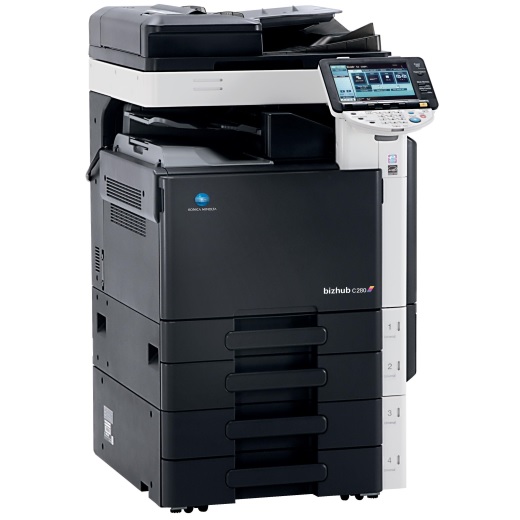
vs. Konica Minolta Bizhub C280:
- C360 Advantages: Faster (36 vs 28 ppm), higher duty cycle (150K vs 100K), larger standard yields, faster scan speeds
- C280 Advantages: Lower cost, more compact, sufficient for lighter departmental needs
vs. Canon imageRUNNER ADVANCE C356i:
- Konica Minolta Advantages: Simitri HD toner technology, larger standard paper capacity, lower operating costs
- Canon Advantages: Different color reproduction, optional finisher capabilities, faster first page out
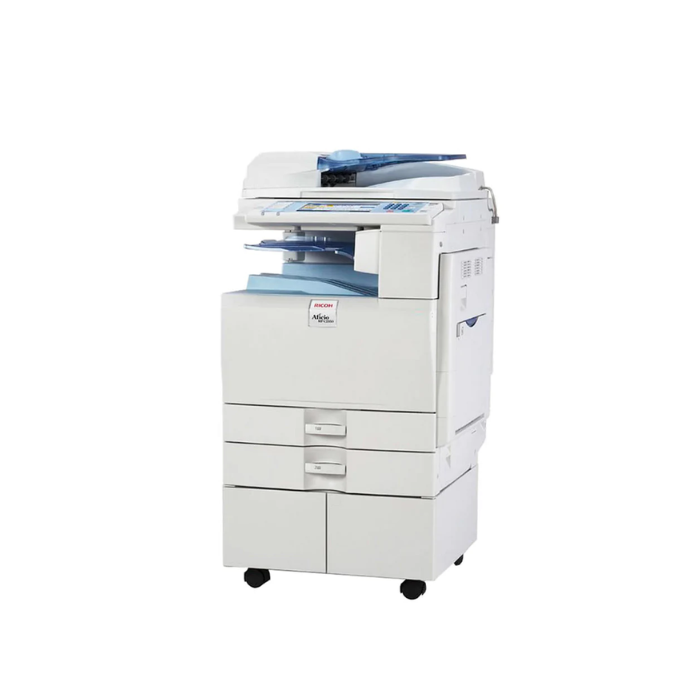
vs. Ricoh MP C4503:
- Konica Minolta Advantages: Better color consistency, lower total cost of ownership, more intuitive interface
- Ricoh Advantages: More paper handling options, different embedded solutions
Common Issues & Troubleshooting
1. Color Quality & Calibration Issues:
- Color Registration Problems: Run auto color registration from maintenance menu
- Color Inconsistency: Perform full color calibration, check environmental conditions
- Bandings or Streaks: Clean corona wires, replace drum unit if necessary
2. High-Volume Performance Issues:
- Slowed Processing with Complex Jobs: Add optional memory, simplify document complexity
- Paper Jams in High-Volume Operation: Regular cleaning, proper paper storage, maintenance schedule
- Network Bottlenecks: Upgrade network infrastructure, optimize print server settings
3. ADF & Scanning Problems:
- ADF Misfeeds with Heavy Paper: Adjust separation roller pressure, use bypass tray for heavy stock
- Scan Quality Issues: Clean scanner glass and ADF rollers, adjust scan settings
- Network Scan Failures: Verify network paths, check permissions, update firmware
Environmental Benefits
Sustainability Features:
- Energy Efficiency: Energy Star certified, low power consumption modes
- Toner Efficiency: Simitri HD toner uses less material for superior coverage
- Recyclable Components: Toner cartridges and parts designed for recycling
- Eco Features: Automatic duplex, toner save mode, scheduled power management
- Low-emission Design: Meets international environmental standards
Warranty & Support
Standard Coverage:
- Warranty Period: 1-year or specific page count (whichever comes first)
- Service Plans: Optional maintenance agreements and extended warranties
- Technical Support: Phone support, online resources, remote diagnostics
- On-site Service: Available through authorized service providers
Final Recommendation
Buy the Konica Minolta Bizhub C360 If:
- You need high-speed A3 color printing (36 ppm)
- Your department prints 8,000-40,000 pages per month
- You require professional color quality for marketing or technical documents
- You need robust paper handling up to 3,550 sheets
- Advanced security features and user authentication are required
- You need reliable high-volume scanning with 100-sheet ADF
- Your environment requires both A4 and A3 document production
Consider Alternatives If:
- You print less than 5,000 pages monthly (C280 may suffice)
- You only need A4 printing (A4 models are more cost-effective)
- Budget is extremely constrained (consider used or refurbished models)
- Space is severely limited (A3 printers require significant floor space)
- You need production-level volume (consider higher-end C450 or C550 models)
- You require advanced finishing like booklet making or stapling (optional on some models)
Bottom Line:
The Konica Minolta Bizhub C360 represents the sweet spot in departmental A3 color multifunction printers, offering an optimal balance of speed, quality, and features for medium to large workgroups. Its 36 ppm print speed handles demanding workloads efficiently, while the Simitri HD toner technology ensures professional-grade color output suitable for everything from everyday office documents to marketing collateral. The robust 150,000-page monthly duty cycle and extensive paper handling options make it capable of supporting shared departmental use, and the comprehensive security features provide necessary protection in networked environments. While the investment is significant, for organizations that regularly require A3 printing and professional color quality, the C360 delivers excellent value through its combination of performance, reliability, and reasonable operating costs. Its position between entry-level A3 models and production machines makes it an ideal choice for departments that have outgrown smaller printers but don't require full production capabilities.