Executive Summary
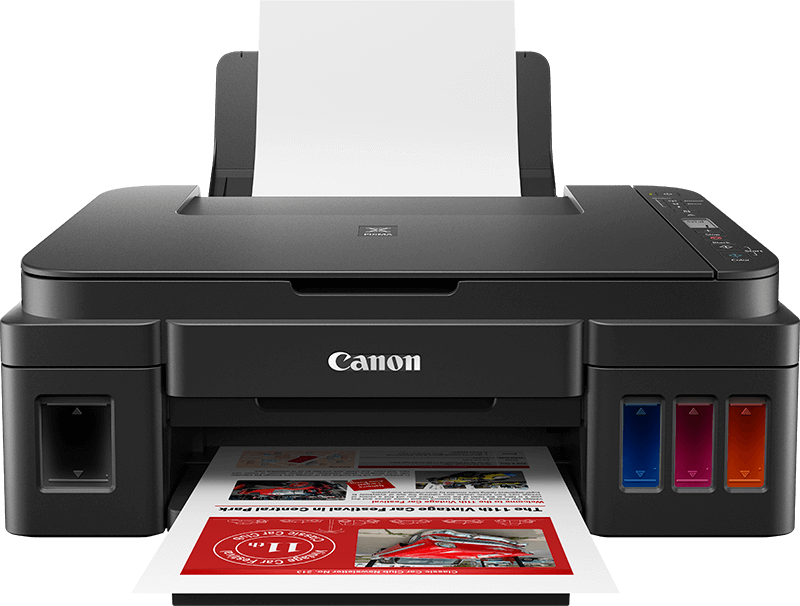
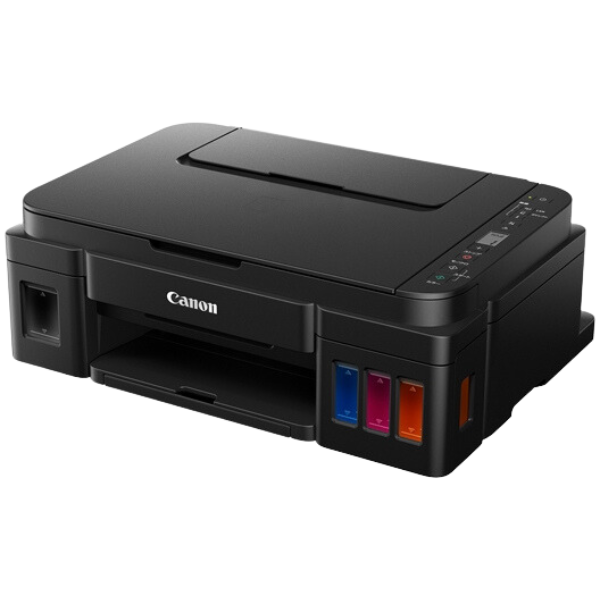
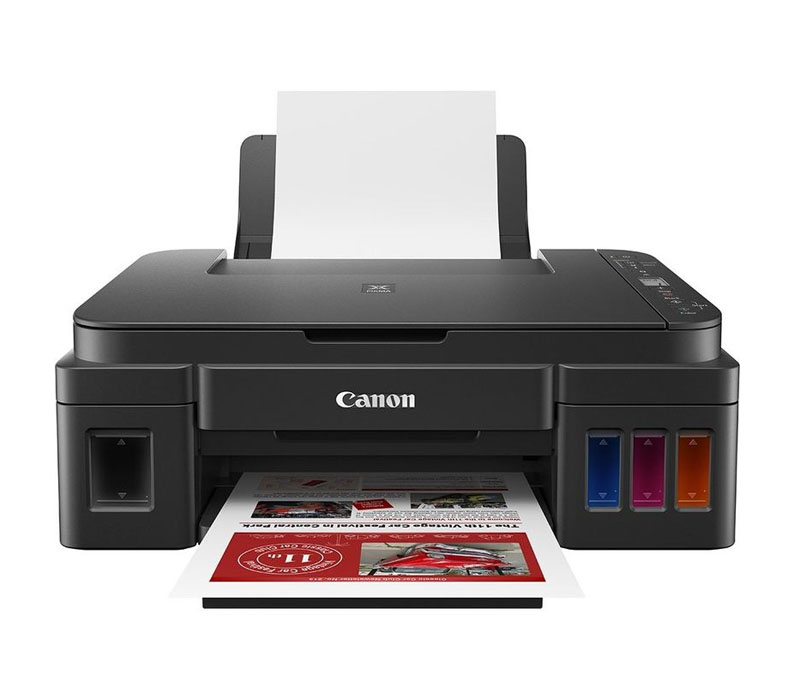
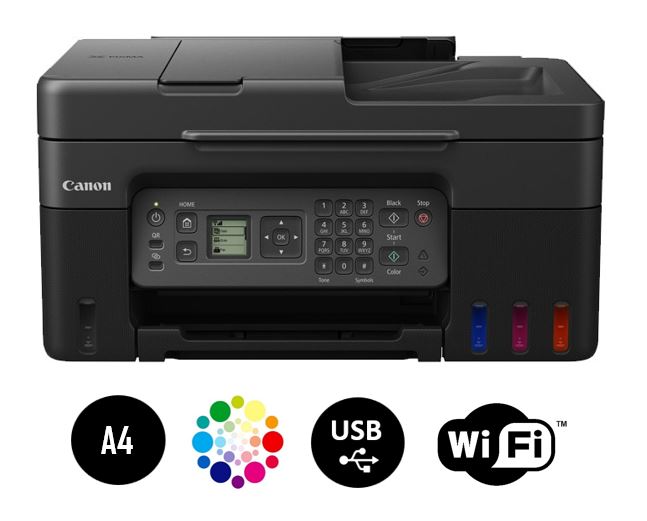
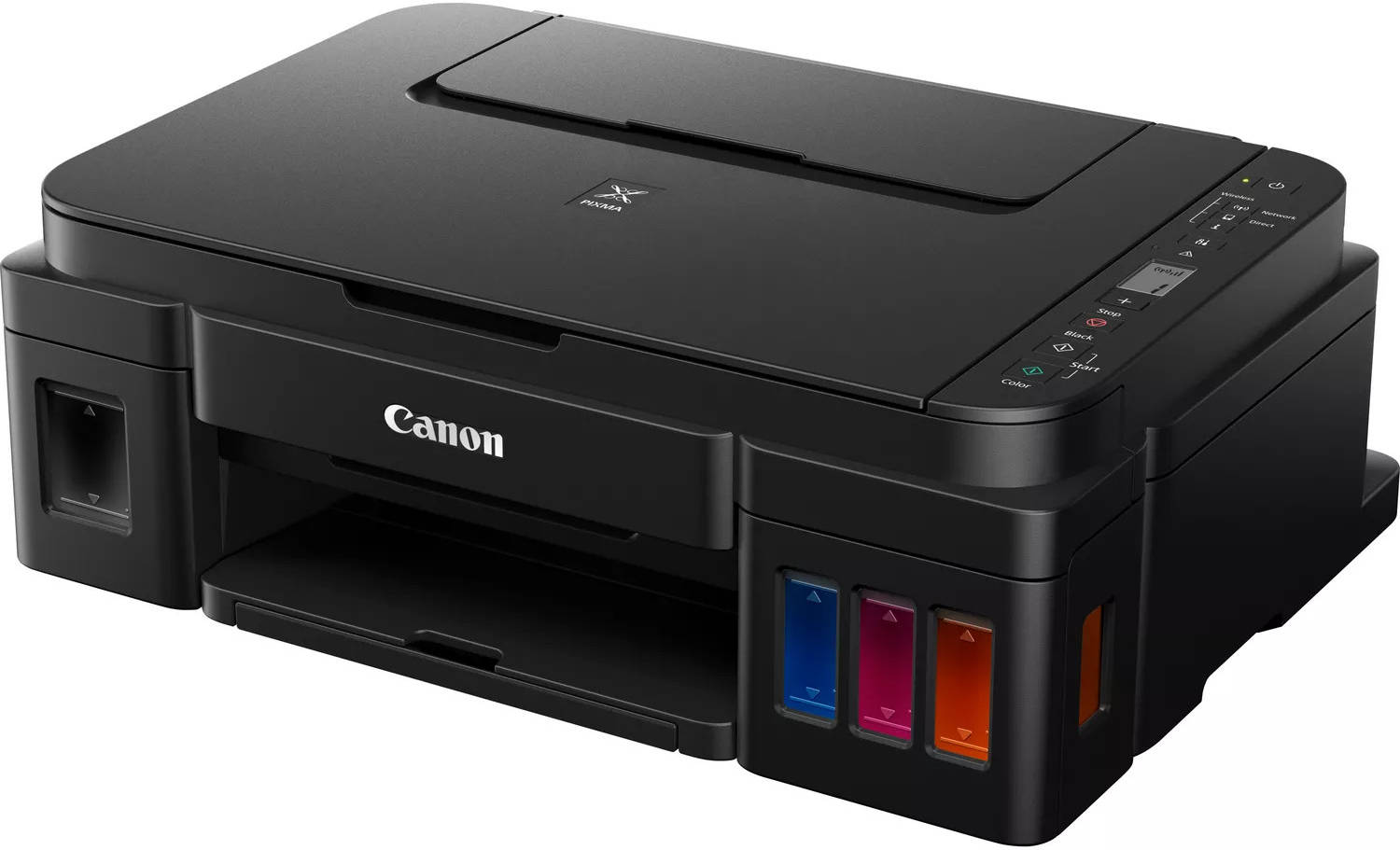
The Canon PIXMA G3411 is an upgraded version of the popular G3410, offering the same exceptional value proposition with improved wireless connectivity features. This all-in-one ink tank printer continues Canon's MegaTank system philosophy, providing home users, students, and small offices with ultra-low-cost printing through its refillable ink bottle system. The G3411 maintains the core features that made its predecessor successful - including a 20-page Automatic Document Feeder (ADF) for scanning/copying multi-page documents, wireless connectivity, and borderless photo printing capability. With enhancements in mobile connectivity and software integration, the G3411 represents a refined version of Canon's entry-level MegaTank printer, perfect for budget-conscious users who need reliable, cost-effective printing for everyday tasks.
Detailed Specifications
1. Printing Technology
- Technology: Canon FINE (Full-photolithography Inkjet Nozzle Engineering) print head
- Print Head Type: Integrated print head with nozzles:
- Black: 320 nozzles
- Color (Cyan, Magenta, Yellow): 1,536 nozzles total (512 per color)
- Ink Droplet Size: As small as 2pl (picoliters)
- Printing Method: On-demand inkjet (thermal bubble jet)
- Key Improvements over G3410:
- Enhanced wireless connectivity stability
- Improved mobile app integration
- Updated printer drivers and software
2. Print Performance
- Print Speed (ISO/IEC 24734):
- Black: Approximately 8.8 images per minute
- Color: Approximately 5.0 images per minute
- First Print Out Time:
- Black: Approximately 14 seconds
- Color: Approximately 19 seconds
- Print Resolution:
- Maximum: 4800 x 1200 dpi
- Standard: 600 x 600 dpi (for text documents)
- Print Quality Features:
- Canon ChromaLife 100+ ink system
- Smudge-resistant prints
- Fade-resistant up to 100 years (under specific conditions)
- Auto Photo Fix II for enhanced photo printing
- Borderless printing up to A4 size
3. Scan & Copy Functions
Scan Specifications:
- Scanner Type: Flatbed + ADF (Automatic Document Feeder)
- Scan Method: CIS (Contact Image Sensor)
- Optical Resolution: 600 x 600 dpi
- Enhanced Resolution: Up to 19200 dpi (software enhanced)
- Color Depth: 48-bit input / 24-bit output
- ADF Capacity: 20 sheets (up to Legal size)
- ADF Paper Weight: 64-105 g/m²
- Scan Features:
- One-touch scanning to PC or mobile device
- Scan to email directly from printer
- Scan to cloud services (Google Drive, Dropbox via app)
- OCR capability with compatible software
- Multi-page PDF creation
Copy Specifications:
- Copy Speed:
- Black: Approximately 5.0 cpm (single)
- Color: Approximately 2.5 cpm (single)
- Copy Resolution: 600 x 600 dpi
- Copy Features:
- Reduce/Enlarge: 25% to 400%
- Auto Fit to Page
- N-up copying (2/4/8/16 pages per sheet)
- ID card copying (front and back on single page)
- Multiple copies: Up to 99 copies
- Manual duplex copying support
4. Ink System (MegaTank Technology)
- Ink System Type: Integrated refillable ink tanks
- Ink Bottles Included:
- Black GI-81: 135 ml (one bottle)
- Cyan GI-81C: 70 ml (one bottle)
- Magenta GI-81M: 70 ml (one bottle)
- Yellow GI-81Y: 70 ml (one bottle)
- Page Yield (ISO/IEC 24711):
- Black: Approximately 6,000 pages (at 5% coverage)
- Color (each): Approximately 7,700 pages (at 5% coverage each)
- Ink Type: Dye-based ink (ChromaLife 100+)
- Cost Per Page Estimate:
- Black: Approximately $0.002 per page
- Color: Approximately $0.008 per page
- Full Color Page: Approximately $0.026 per page
- Refill Features:
- Color-coded bottles with anti-mess design
- Transparent ink tanks with visible levels
- Easy-fill funnel system
- No air-tight sealing required
5. Paper Handling
- Input Capacity:
- Main tray: 100 sheets (A4/Legal/Letter)
- ADF: 20 sheets
- Output Capacity: 50 sheets (face-down)
- Supported Paper Sizes:
- Standard: A4, A5, B5, Letter, Legal, Executive
- Envelopes: #10, DL, C6
- Photo sizes: 4x6", 5x7", 8x10"
- Custom sizes: Minimum 89 x 89 mm
- Supported Media Types:
- Plain paper (64-105 g/m²)
- Photo paper (Glossy, Matte, Semi-gloss)
- Envelopes
- Labels
- Card stock (up to 275 g/m²)
- Transparency film
- Duplex Printing: Manual duplex support (via driver prompts)
6. Connectivity
- Wireless:
- Wi-Fi 802.11b/g/n (2.4 GHz band)
- Wi-Fi Direct for device-to-printer connection
- Wireless setup wizard with improved interface
- Wired: USB 2.0 Hi-Speed (Type B)
- Mobile Printing Support:
- Canon PRINT Inkjet/SELPHY app (iOS/Android)
- Apple AirPrint
- Mopria Print Service
- Wireless Direct Printing (without router)
- Cloud Services:
- Canon PRINT app supports cloud scanning/printing
- Google Drive integration
- Dropbox integration
7. Display & Controls
- Display: 1-line monochrome LCD (16-character)
- Control Panel:
- Physical buttons: Power, Stop/Reset, Wireless Connect, Black Copy, Color Copy
- LED indicators: Power, Wireless, Alarm
- Simple navigation with arrow buttons
- Status Indicators:
- Power LED (blue when on)
- Wireless LED (blue when connected)
- Alarm LED (orange for errors/attention)
- Ink Level Monitoring:
- Visible ink tanks with level indicators
- Software-based monitoring via Canon PRINT app
- Low ink warnings via software notification
8. Physical Specifications
- Dimensions (W x D x H):
- With trays closed: 445 x 330 x 263 mm (17.5" x 13" x 10.4")
- With trays open: 445 x 585 x 263 mm (17.5" x 23" x 10.4")
- Weight: 6.2 kg (13.7 lbs) without ink
- Power Requirements: AC 100-240V, 50/60Hz
- Power Consumption:
- Printing: Approx. 13W
- Standby: Approx. 1.2W
- Sleep: Approx. 0.8W
- Auto Power Off: Approx. 0.3W
- Noise Level:
- Printing: Approx. 47.5 dB(A)
- Standby: Approx. 30 dB(A)
- Operating Conditions:
- Temperature: 5°C to 35°C (41°F to 95°F)
- Humidity: 10% to 90% RH (no condensation)
9. Software & Compatibility
- Operating Systems:
- Windows 10, 8.1, 8, 7 SP1 (32/64-bit)
- macOS 10.12 - 13.x (Ventura)
- Linux (basic printing support via CUPS)
- Chrome OS (via Google Cloud Print until deprecation)
- Included Software:
- Canon PRINT Inkjet/SELPHY app (mobile/desktop)
- Canon IJ Scan Utility
- Canon My Printer
- Canon Quick Menu
- Key Software Features:
- Easy wireless setup wizard
- Printer status monitoring
- Ink level information
- Maintenance utilities (cleaning, alignment)
G3411 vs G3410: Key Differences
What's Improved in G3411:
- Wireless Connectivity: More stable connection, easier setup
- Software Integration: Updated Canon PRINT app with better features
- Mobile Printing: Enhanced compatibility with newer mobile devices
- Driver Support: Better compatibility with newer operating systems
- Packaging: Updated packaging design and documentation
What's Identical:
- Print speeds and quality specifications
- Physical design and dimensions
- Ink system and page yields
- Paper handling capacities
- Control panel and display
- Basic feature set
Cost Analysis & Value Proposition
Initial Cost vs. Long-Term Savings:
- Initial Purchase Price: Competitive with other entry-level ink tank printers
- Included Ink Value: Approximately 2 years of ink for average user
- Break-even Point: ~500-700 pages vs. cartridge printers
- 2-Year Total Cost of Ownership: Typically 70-80% lower than cartridge printers
Replacement Ink Costs:
- Black Ink (135ml GI-81): $15-18 per bottle
- Color Ink (70ml GI-81C/M/Y): $10-12 per bottle each
- Full Set Replacement: $35-45 (vs. $150-250 for equivalent cartridge printing)
- Cost per Page Comparison:
- G3411 Black: $0.002 vs Cartridge Printer: $0.08-0.12
- G3411 Color: $0.008 vs Cartridge Printer: $0.20-0.35
Target Market & Use Cases
Primary Users:
- Home Users/Families: School projects, home administration, occasional photos
- Students: Assignments, research papers, presentations
- Home Office Workers: Remote work documents, contracts, invoices
- Small Business Startups: Basic office documentation, marketing materials
- Crafters & Hobbyists: Printable crafts, photos, creative projects
Ideal Monthly Print Volume:
- Optimal Range: 50-400 pages per month
- Minimum Recommended: At least 20 pages per month (to prevent clogging)
- Maximum Recommended: Up to 600 pages per month
- Duty Cycle: Rated for up to 3,000 pages per month
Common Applications:
- School assignments and projects
- Work documents and reports
- Webpage printing
- 4x6" photo printing (snapshots)
- Forms and applications
- Labels and addressing
- Craft templates from Canon Creative Park
Setup & Maintenance Guide
Initial Setup Steps:
- Unpacking: Remove all packaging materials and tapes
- Ink Filling: Fill each color tank using included bottles (15-20 minutes)
- Initialization: Printer will automatically prime the ink system
- Paper Loading: Load paper into main tray
- Wireless Setup: Use WPS button or manual configuration via LCD
- Software Installation: Install Canon PRINT app on computer/mobile
- Test Print: Print nozzle check and alignment page
Ongoing Maintenance:
- Weekly: Print a test page if not used regularly
- Monthly: Check ink levels, clean exterior
- As Needed: Run nozzle check and cleaning cycles
- Ink Refilling: Refill when ink reaches low level indicator
- Print Head Care: Keep printer powered on for automatic maintenance
Preventing Common Issues:
- Print Head Clogging: Print at least once every 2 weeks
- Paper Jams: Use recommended paper types, fan paper before loading
- Wireless Issues: Keep printer within 10 meters of router
- Print Quality: Use genuine Canon inks and recommended papers
Print Quality Assessment
Document Printing:
- Black Text Quality: Very good for everyday documents
- Font Rendering: Clear down to 8 point fonts
- Business Documents: Professional enough for resumes, letters, reports
- Graphics in Documents: Adequate for charts, graphs, simple illustrations
Photo Printing:
- 4x6" Photos: Good quality on Canon photo paper
- Color Accuracy: Pleasant, slightly saturated colors
- Detail Reproduction: Good for snapshots, not for fine art
- Recommendation: Use "High Quality" setting for best photo results
Limitations to Note:
- Not designed for professional photo printing
- Text not as sharp as laser printers
- Photos may show slight banding on large uniform areas
- Dye-based inks not waterproof (smudge when wet)
Competitive Comparison
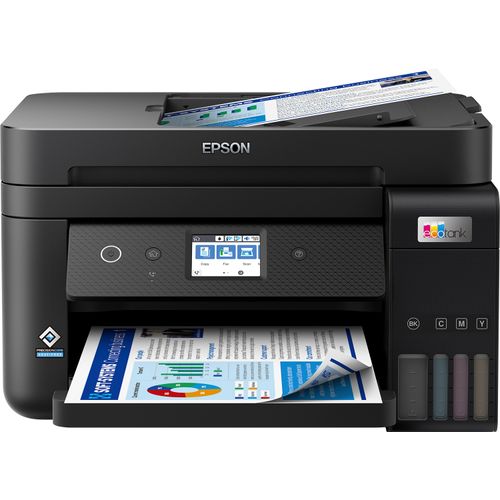
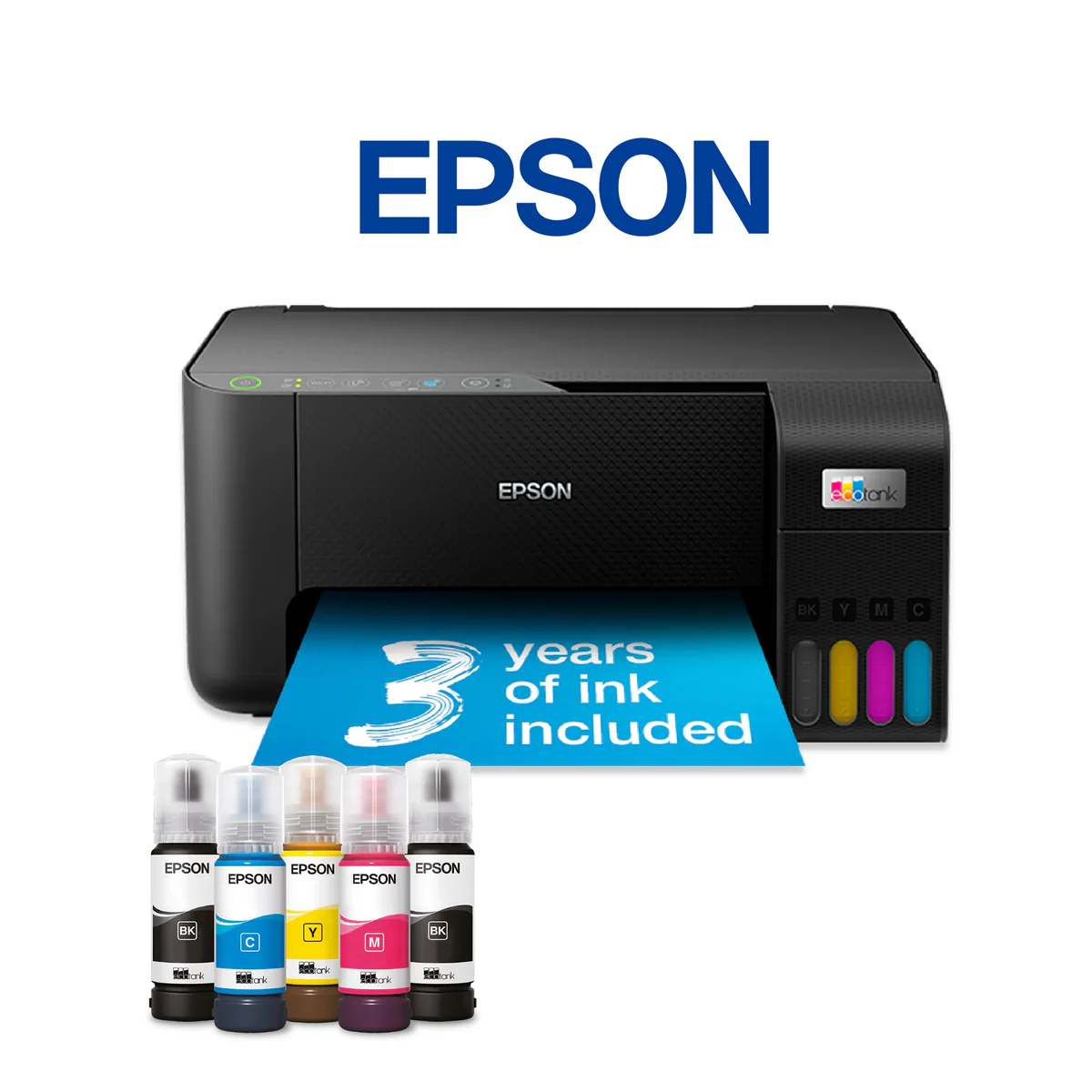
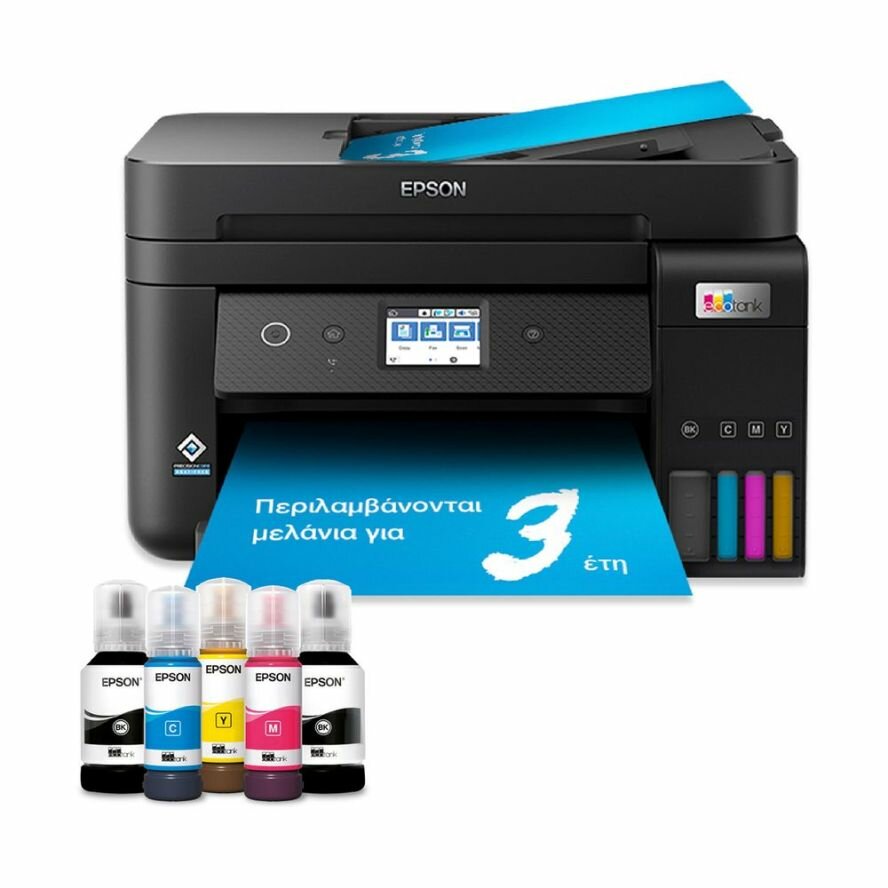
vs. Epson EcoTank L3160:
- G3411 Advantages: Higher color page yield, included ADF, better photo quality
- L3160 Advantages: Faster print speeds, larger ink capacity, EcoTank brand recognition
vs. HP Smart Tank 515:
- G3411 Advantages: ADF included, better mobile app, lower color cost per page
- Smart Tank 515 Advantages: Faster printing, lower initial cost, more compact
vs. Brother INKvestment MFC-J4335DW:
- G3411 Advantages: Lower operating costs, better photo printing, simpler design
- Brother Advantages: Fax functionality, automatic duplex, faster speeds
vs. Canon PIXMA G3610 (Higher Model):
- G3411 Advantages: Lower cost, includes ADF (G3610 doesn't have ADF)
- G3610 Advantages: Larger ink bottles, higher page yields, front USB port
Pros & Cons Summary
Advantages:
- Extremely low cost per page (main selling point)
- Included Automatic Document Feeder (rare at this price point)
- Wireless connectivity with mobile printing
- Borderless photo printing capability
- Easy ink refill system with included bottles
- Good print quality for everyday use
- Compact all-in-one design
- Reliable Canon brand with good software support
Disadvantages:
- Slow print speeds (especially color)
- Basic monochrome display with limited information
- No Ethernet port for wired network
- Manual duplex only (no automatic two-sided printing)
- Print head not user-replaceable
- No fax functionality
- Average photo quality (not for serious photographers)
- 2.4GHz Wi-Fi only (no 5GHz support)
Common Issues & Solutions
1. Print Quality Issues:
- Streaks/Lines: Run nozzle check and head cleaning (consumes ink)
- Faded Prints: Check ink levels, ensure genuine Canon ink
- Color Inaccuracy: Run automatic color alignment
- Bandings: Perform deep cleaning cycle (uses more ink)
2. Connectivity Problems:
- Wi-Fi Disconnects: Update printer firmware, check router settings
- Mobile App Not Connecting: Ensure Wi-Fi Direct is enabled, restart app
- Computer Not Finding Printer: Reinstall drivers, check firewall settings
3. Mechanical Issues:
- Paper Jams: Follow clearance procedure in manual, avoid wrinkled paper
- ADF Misfeeds: Clean ADF rollers, use recommended paper weight
- Unusual Noises: Check for foreign objects, ensure printer is level
Environmental Impact
Eco-Friendly Features:
- Waste Reduction: 90% less plastic waste vs. cartridge systems
- Energy Efficiency: Auto Power Off feature
- Long Product Life: Durable construction for extended use
- Recyclability: Ink bottles and packaging are recyclable
Compliance & Certifications:
- Energy Star compliant (in applicable regions)
- RoHS compliant (Restriction of Hazardous Substances)
- REACH compliant (EU chemical regulations)
Warranty & Support
Standard Warranty:
- Duration: 1-year limited warranty (varies by country)
- Coverage: Parts and labor for manufacturing defects
- Exclusions: Consumables (ink, paper), damage from misuse
Support Options:
- Phone Support: Available in most regions
- Online Support: Knowledge base, driver downloads, FAQs
- Community Forums: User-to-user support and tips
- Service Centers: Authorized repair centers available
Accessories & Consumables
Recommended Supplies:
- Ink: Canon GI-81 series (GI-81 Black, GI-81C Cyan, GI-81M Magenta, GI-81Y Yellow)
- Photo Paper: Canon Photo Paper Glossy II (4x6", A4)
- Plain Paper: Canon Office Paper or equivalent 80g/m² paper
- Cleaning: Soft lint-free cloth for exterior cleaning
Optional Accessories:
- Additional paper trays (not officially supported but third-party available)
- Printer stands/carts
- Dust covers
- USB extension cables (for wired setup flexibility)
Final Recommendation & Verdict
Buy the Canon PIXMA G3411 If:
- Your priority is ultra-low printing costs above all else
- You print 50-400 pages per month (home/student/small office use)
- You need scanning/copying with an automatic document feeder
- You want wireless printing from computers and mobile devices
- You print occasional photos (snapshots, not professional work)
- You're upgrading from a cartridge printer to save money
- You have basic printing needs and don't require high speed
Look Elsewhere If:
- Print speed is critical (consider laser or higher-end ink tank models)
- You need automatic two-sided printing
- You require Ethernet connectivity for office network
- You're a photography enthusiast needing premium photo quality
- You need fax functionality
- You print less than 20 pages per month (may clog with infrequent use)
- You need 5GHz Wi-Fi connectivity
Value Assessment:
8.5/10 for Budget-Conscious Users
The Canon PIXMA G3411 delivers exactly what it promises: exceptionally low-cost printing with basic all-in-one functionality. While it won't win any speed awards or impress professional photographers, it excels at its primary mission - reducing printing costs to almost negligible levels. The inclusion of an ADF at this price point is a significant advantage over competitors, making it suitable for document-heavy users. For homes, students, and small offices with moderate printing needs who prioritize operating costs over speed and premium features, the G3411 represents outstanding value. Just be realistic about its limitations in speed and understand that regular use is necessary to maintain print head health.
Long-Term Outlook:
With proper maintenance (regular printing and using genuine inks), the G3411 should provide reliable service for 3-5 years. Its low operating costs mean the initial investment is typically recouped within the first 6-12 months compared to cartridge printers. As a refined version of the already-successful G3410, it benefits from Canon's experience with the MegaTank platform, offering improved reliability and connectivity over the first-generation model.